radio control system
EN
Some menu screens have a bar with
up to five icons at the bottom. This
bar and its icons are different for
each window. Each icon is assigned
its function and this is activated by
pressing the button below the icon.
When there is no icon above the
button or it is not highlighted, the
button has no function in this
screen.
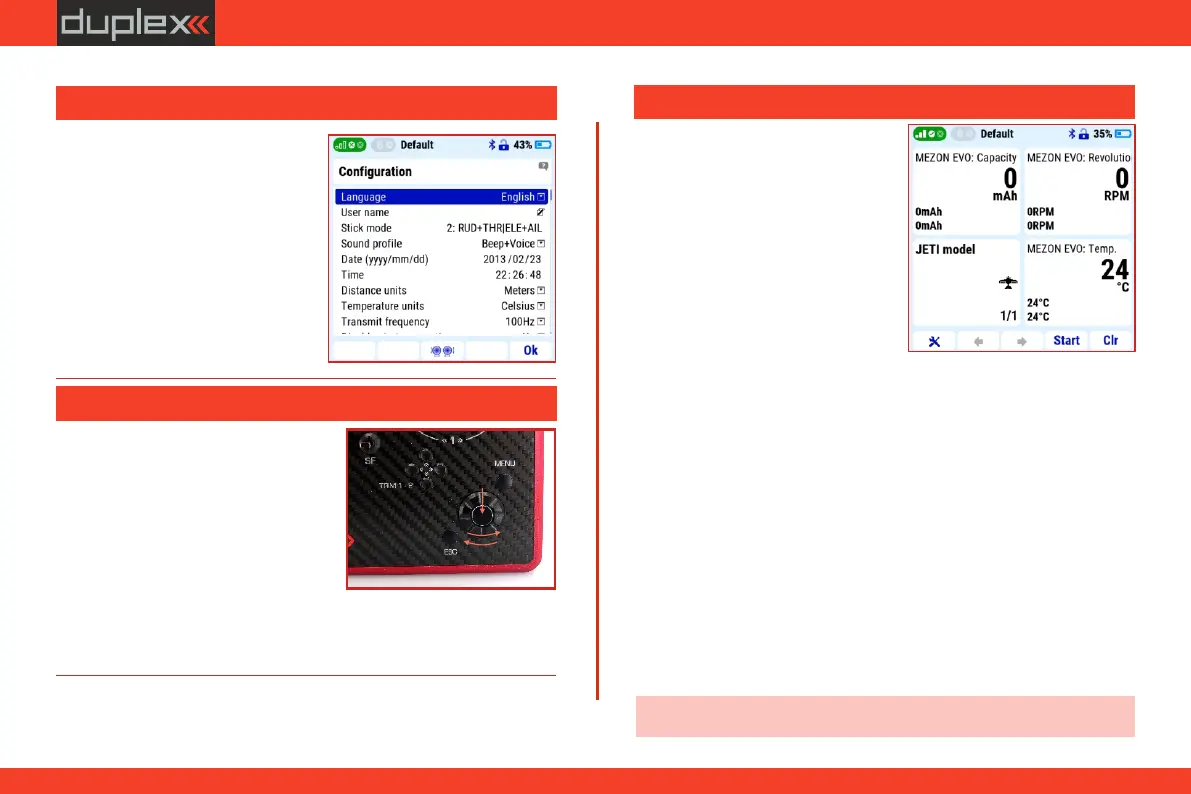
After turning on the transmitter,
there is a screwdriver and wrench icon in the lower left corner of the
start screen. Pressing the „F1" key (below this icon) opens the quick
settings menu with the following options:
„OFF“ - no telemetry data will be displayed or
saved.
„ON“ - telemetry data will be displayed and
stored in the transmitter's memory.
Note: we recommend always having telemetry turned "On".
3.4.1 Telemetry
Possible settings:
Enable or disable telemetry data. The setting is for the entire system,
i.e. all models in the transmitter's memory.
„Receive On / Log off“ - telemetry data will be displayed but not
stored in the transmitter's memory.
3.3 Description of the "menu", "esc" and 3D button
ź The default language version of
the transmitter is English. The
language of the transmitter can be
easily changed in the menu "Main
menu/System/Configuration"
item "Language".
b
a
c
ź the „3D” button is the basic
controller for s e t t i n g up t h e
transmitter. By turning the rotary
part of the 3D controller , you (a/b)
scroll through the menu items or set
the specific value of the selected
item. Pressing the 3D controller ( c )
opens the highlighted item or
3.4 Bottom bar of the display
3.2 Language selection
confirms the set value.”
ź pressing "ESC" means "one step back".
14



 To Next Page