radio control system
EN
Note: setting the devices installed in the model (receivers,
controllers, Central Box, telemetry sensors, etc.) from the
transmitter and without the need to remove them from the model
or connect them to special programmers is very practical and
convenient. Use the „F2" "Connected devices" button to access
this function directly.
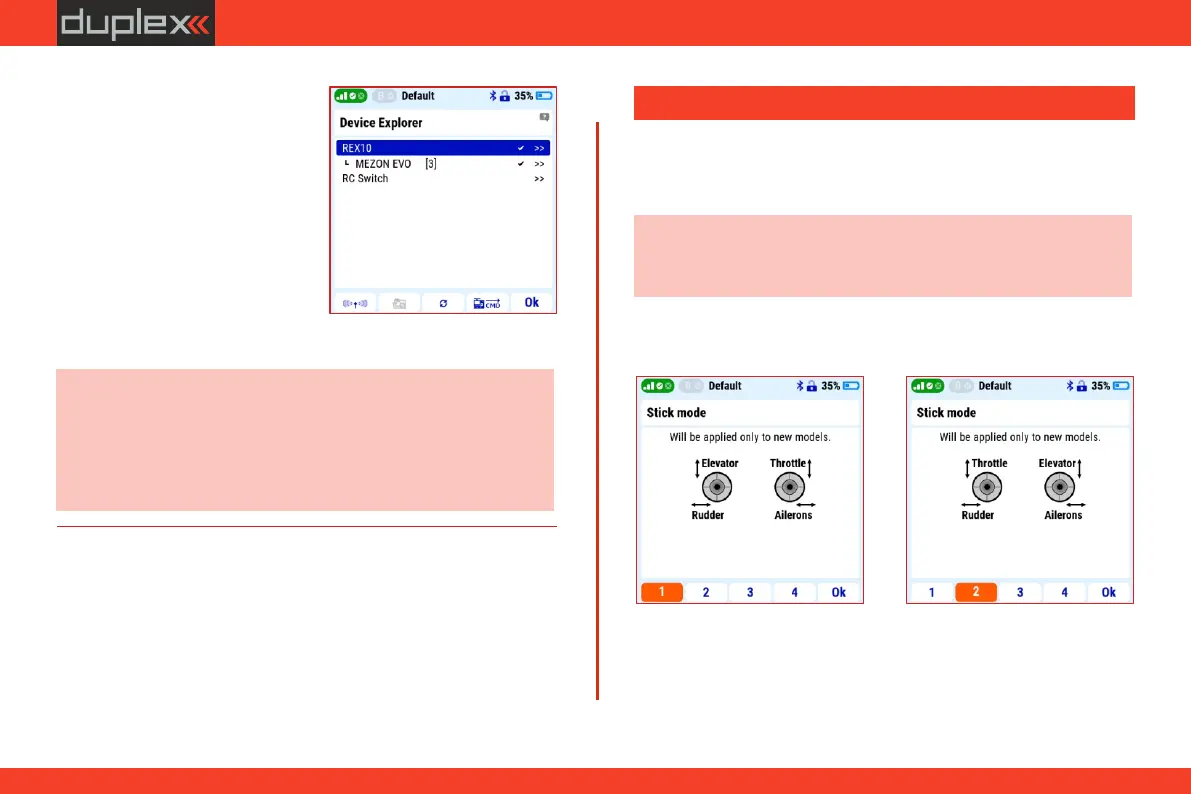
3. The icon with the directory
symbol ( „F5" button) is used to
direc tly enter the "Device
explorer" menu. All devices
used in the current model and
supporting the EX Bus protocol
a r e d i s p l a y e d h e r e . T h e
properties and status of these
device s can be monitored
directly on the transmitter
display and their settings can
also be changed from it.
The transmitter is manufactured in mode 1 or mode 2 as standard.
This modes can be changed very easily by the user at any time.
3.8.1 Setting the transmitter mode
Note: previously created models remain in their original mode.
The change is only valid for models created after switching to the
new mode.
3.8 Set preferred transmitter configuration
Description of modes:
Mode 1
Mode 2
18



 To Next Page