radio control system
EN
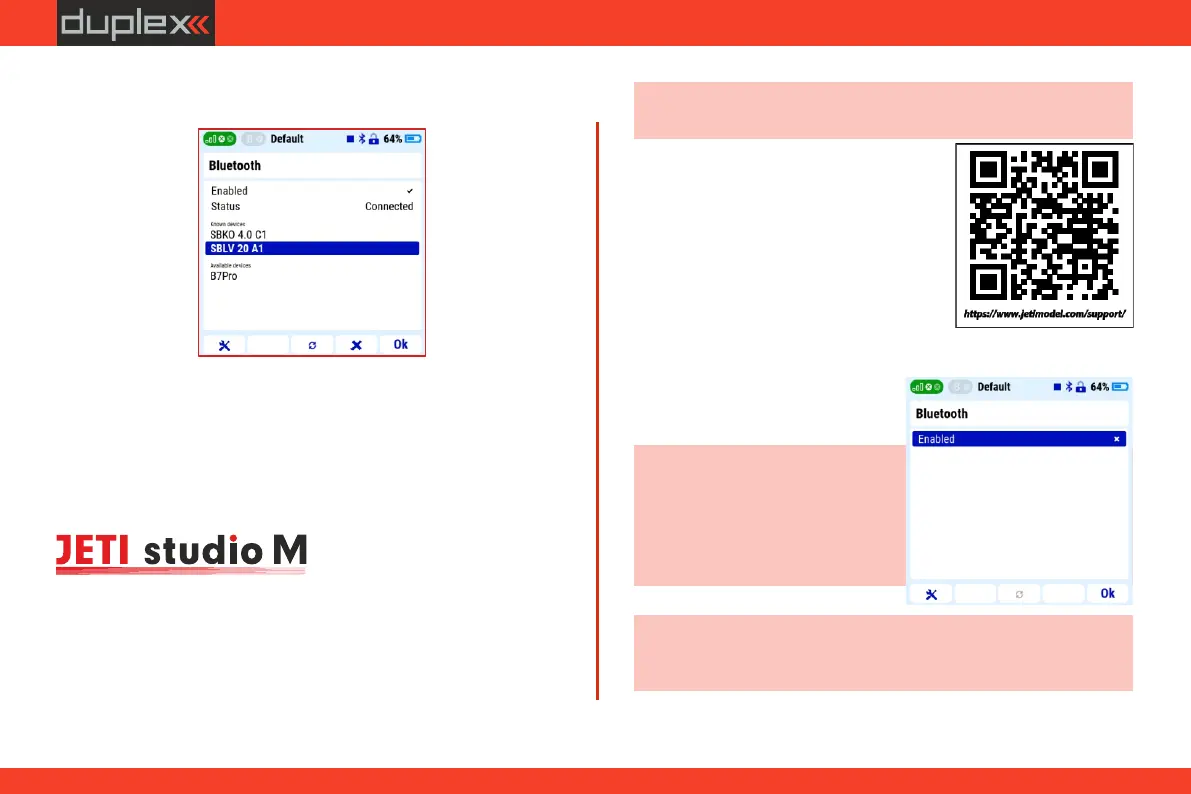
3. pair the selected device with the transmitter
You can find this application in Google Play for the Android
operating system or the Apple App Store for iOS.
The transmission of telemetry from the transmitter to a mobile
phone or tablet is made by Bluetooth Low Energy technology. To use
this function, it is necessary to install the "JETI Studio Mobile"
application on the mobile device.
Procedure:
1. install the JETI Studio Mobile app on your mobile device
4.5.2 Bluetooth module - transmission of telemetry to a
mobile phone or tablet
Note: more information on how to install the application and a
description of the application can be found in the QR link below:
Note: Wi-Fi or Bluetooth functions will be limited if the established
connection of the Duplex system shows limit parameters - weak
signal.
Note: re-establishing a connection
with an already paired Bluetooth
device is automatic after switching
on the transmitter, if the device is
switched on and in range of the
transmitter's Bluetooth module.
2. activate the Bluetooth telemetry function in the transmitter
menu „System-> Bluetooth”.
3. start the JETI Studio Mobile
app on your mobile device
34
https://www.jetimodel.com/support/



 To Next Page