radio control system
EN
Config - software configuration
Devices - device definitions used for communication with
intelligent devices based on EX Bus protocol
Lang - language configuration
Update - folder used for software updates
Apps - additional user applications written in Lua rogramming
language.
4.1.2 Folders to which we don't recommend making any
changes:
Help - transmitter files for context-help
Voice - audio samples for speech synthesis
ź telemetry display in real time.
ź setting devices such as receivers, Central BOX, controllers, etc.
from the computer.
ź graphic display of telemetry data flight records.
ź firmware updates of transmitters, receivers, sensors, etc.
JETI studio is an application for updating equipment and displaying
telemetry records of the Duplex system. The application can be
downloaded for free from our website (Windows/Mac/Linux):
The main functions of the program are:
www.jetimodel.com/support/
4.2 JETI studio and transmitter updates
1. Connect the transmitter to the computer by a USB cable.
4.2.1 Updating and backing up transmitter data
Connection procedure:
2. On the transmitter, confirm power on and then connect to USB.
3. Start JETI Studio on your computer.
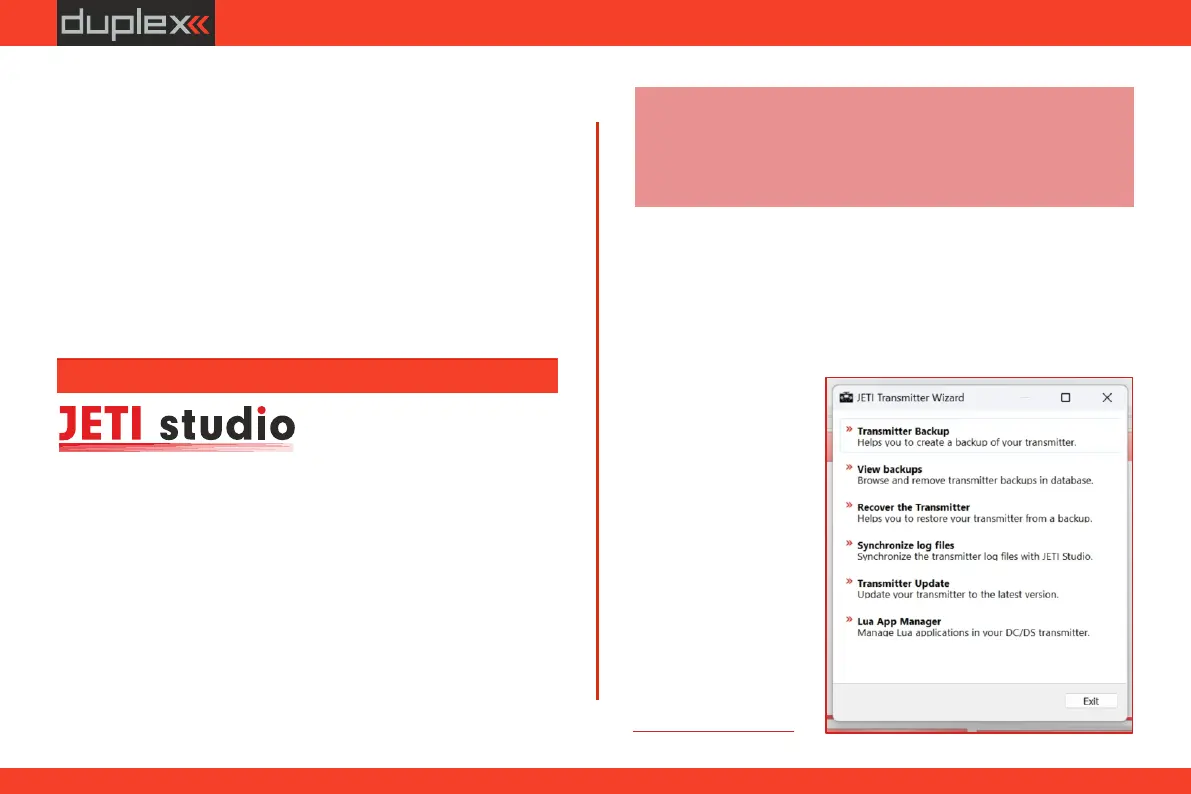
4. In the "Tools" directory, select the "Transmitter Wizard"
option.
5. S e l e c t t h e
"update" function
in the menu and
f o l l o w t h e
instructions of the
wizard.
Note: the development team of the JETI model company is
constantly working on improving the properties of the Duplex
system and adding new functions. Updates can improve the
functionality of your transmitter and other Duplex system
components. Therefore, we recommend installing them.
32



 To Next Page