radio control system
EN
DC transmitters can be very simply used as a joystick interface for
your PC. Connect your transmitter to a PC with the USB cable. Your
operating system will identify the transmitter as an HID (Human
Interface Device) gaming device.
4.3 PC Joystick
4.5 Bluetooth and Wi-Fi module.
4.5.1 Bluetooth module - wireless audio transmission
The module supports A2DP profile with SBC codec for audio
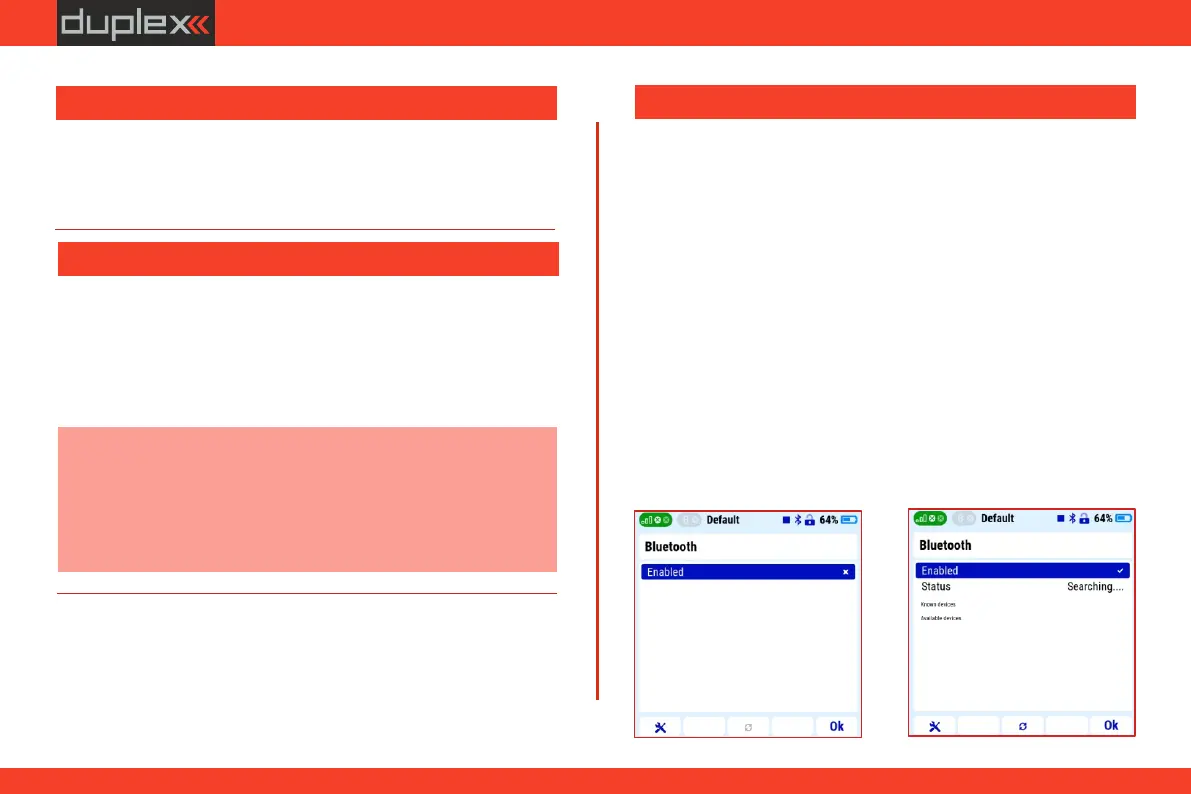
transmission. For the wireless audio function, you must first activate
Bluetooth in the transmitter and then pair the wireless speaker or
headphones according to the procedure:
2. start searching for compatible devices
1. activate the Bluetooth function in the „System/Bluetooth”
menu
The DC-24 II transmitter has an integrated Wi-Fi and Bluetooth
module that offers more transmitter connectivity options. Free
applications in the JETI Studio program will be gradually released for
the Wi-Fi module. The Bluetooth module offers two basic functions -
wireless audio transmission and telemetry transmission to a mobile
phone or tablet.
This technology allows the transmitter to connect to wireless
speakers or headphones and play the sounds of the transmitter.
4.4 Copying models between the transmitters
Configuration of all models in the transmitter are stored on the
internal SD card in the directory /Model/.
When you copy the selected model from one transmitter to another,
simply copy the *. jsn file again to the /Model/ directory of the
second transmitter.
Note: It is important that the two transmitters may not have the
same software equipment, so it is possible that the
configuration of the activated modules will not match each
other. In this case it is necessary to check the individual
functions of the model, since an attempt to load the model by
another transmitter may end up with error message.
33



 To Next Page