radio control system
EN
Note: After installation of the optional stick ends with switch or
button make sure that while adjusting the stick length you observe
the wires that pass through the stick shaft and through the gimbal
opening in order to prevent damaging the connecting cables. The
safest method is to remove the small set-screw from the side of the
stick housing to allow the switch or knob internals to remain
stationary while you rotate the stick housing for height adjustment.
9. Pass the switch wires through the same gimbal opening as the
hall sensor cable (through the center of the gimbal assembly).
11. Carefully move transmitter sticks to their full outside positions in
order to make sure that you have sufficient wire length and, if
needed, adjust accordingly. The connecting cables for all
moving parts of the unit should have sufficient length in order
not to be exposed to any mechanical damage and any bending
stresses.
10. Next insert wire ends through the opening of the printed circuit
board and solder them to the matching soldering points in such
a way that the same color wires lay on the top of each other.
14
XXX
YYY
SSS
15
13
13
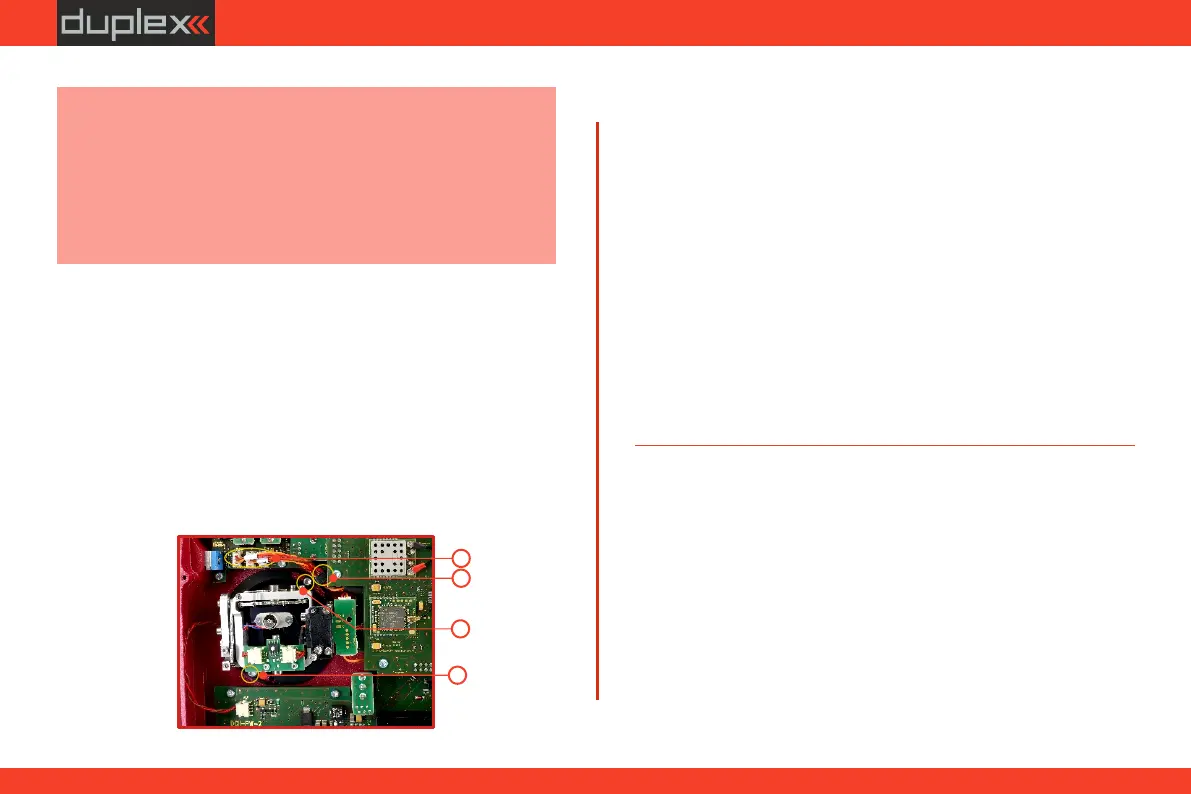
14. Connect control stick assembly wires to the Tx board connector
(3 wires ). Pay close attention to the wire lengths. Connect X, Y, S
the longest wire as the first one from the outside of the
transmitter (3 connectors ).X, Y, S
15. Secure the stick assembly wires into their holders.
16. Reconnect transmitter battery pack and reinstall radio back
cover and cover screws.
13. Install and secure the machine screws for the control stick
assembly.
12. Install stick unit assembly back to correct position.
After the switch has been installed into the stick assembly you have
to re-configure and enable it in the transmitter software before it will
function properly. This can be done in the transmitter menu "Main
menu->Advanced setup->Sticks/ switches setup“.
40



 To Next Page