JOHNSON CONTROLS
34
FORM 160.54-O1
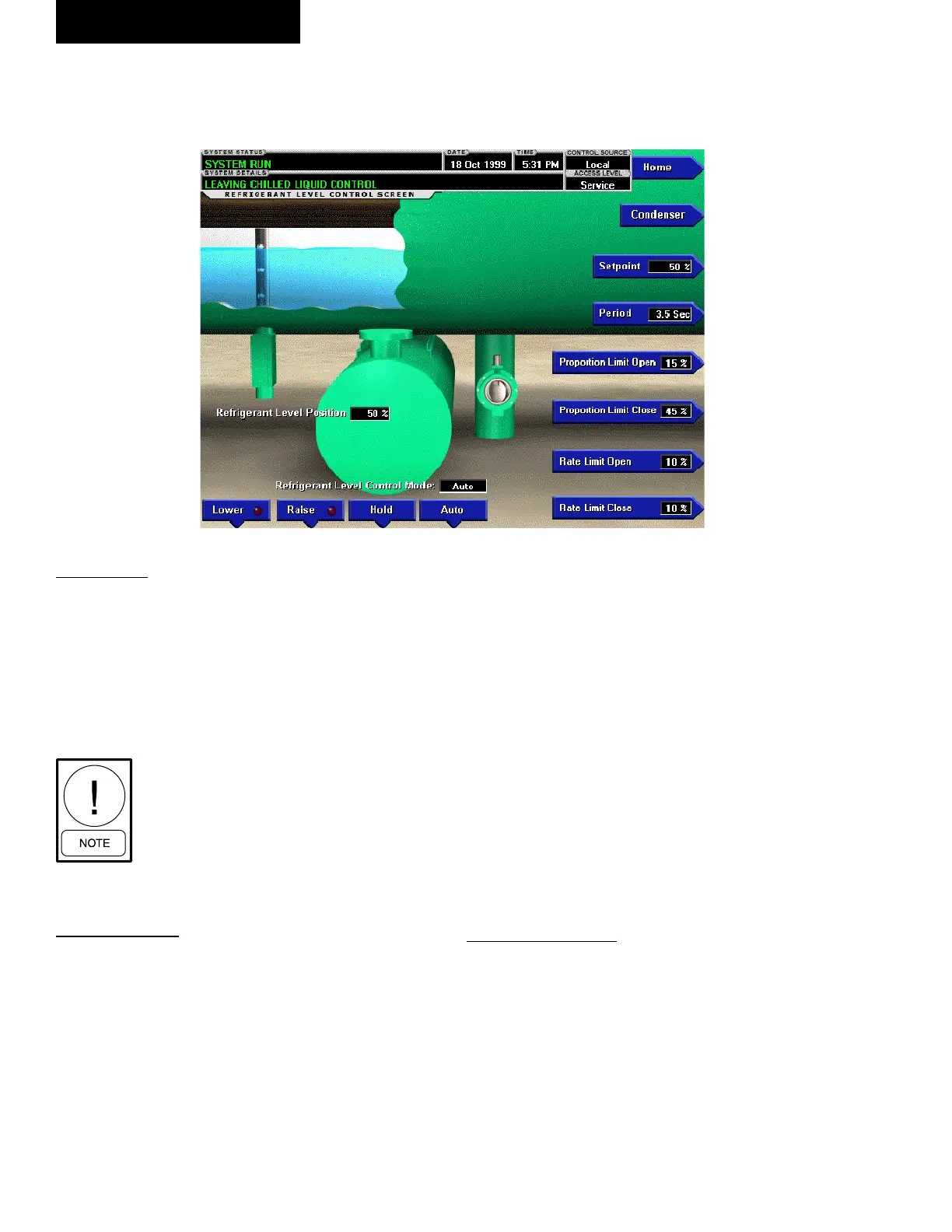
REFRIGERANT LEVEL CONTROL SCREEN
OVERVIEW
This screen displays a cutaway view of the chiller con-
denser, along with the liquid refrigerant level sensor and
the ow control valve. All setpoints relating to the liquid
level control are maintained on this screen. Through
animation, the variable orice position is displayed. In
addition, the refrigerant ow control valve (variable
orice) can be manually operated.
Requires a login access level of SER-
VICE. Service Technicians refer to
YORK Service Manual 160.54-M1 for
operation instructions and explanation
of all programmable setpoints and
displayed values.
DISPLAY ONLY
Refrigerant Level Position
Displays the present position of the liquid level. The
refrigerant level is animated in the cutaway view of the
condenser. When the actual level is 0% to 15%, the level
is shown about 50% full. When the actual level is 16%
to 31%, the level is shown about 60% full. When the
actual level is 32% to 47%, the level is shown about 70%
full. When the actual level is 48% to 63%, the level is
shown about 80% full. When the actual level is 64% to
79%, the level is shown as about 90% full. Actual levels
above 79%, shown as 100% full.
Refrigerant Level Control Mode
Indicates whether the liquid level control is under man-
ual or automatic control.
Raise (LED)
Is ON when the digital output controlling the Level
Raise contact is on.
Lower (LED)
Is ON when the digital output controlling the Level
Lower contact is on.
PROGRAMMABLE
[Refrigerant Level] Setpoint
Service Technicians refer to YORK Service Manual
160.54-M1.
[Refrigerant Level Control] Period
Service Technicians refer to YORK Service Manual
160.54-M1.
00303V P
FIG. 8
OptiView Control Center
(Flash memory Card versions C.MLM.01.06.xxx and earlier)












 To Next Page