– 25 –
■
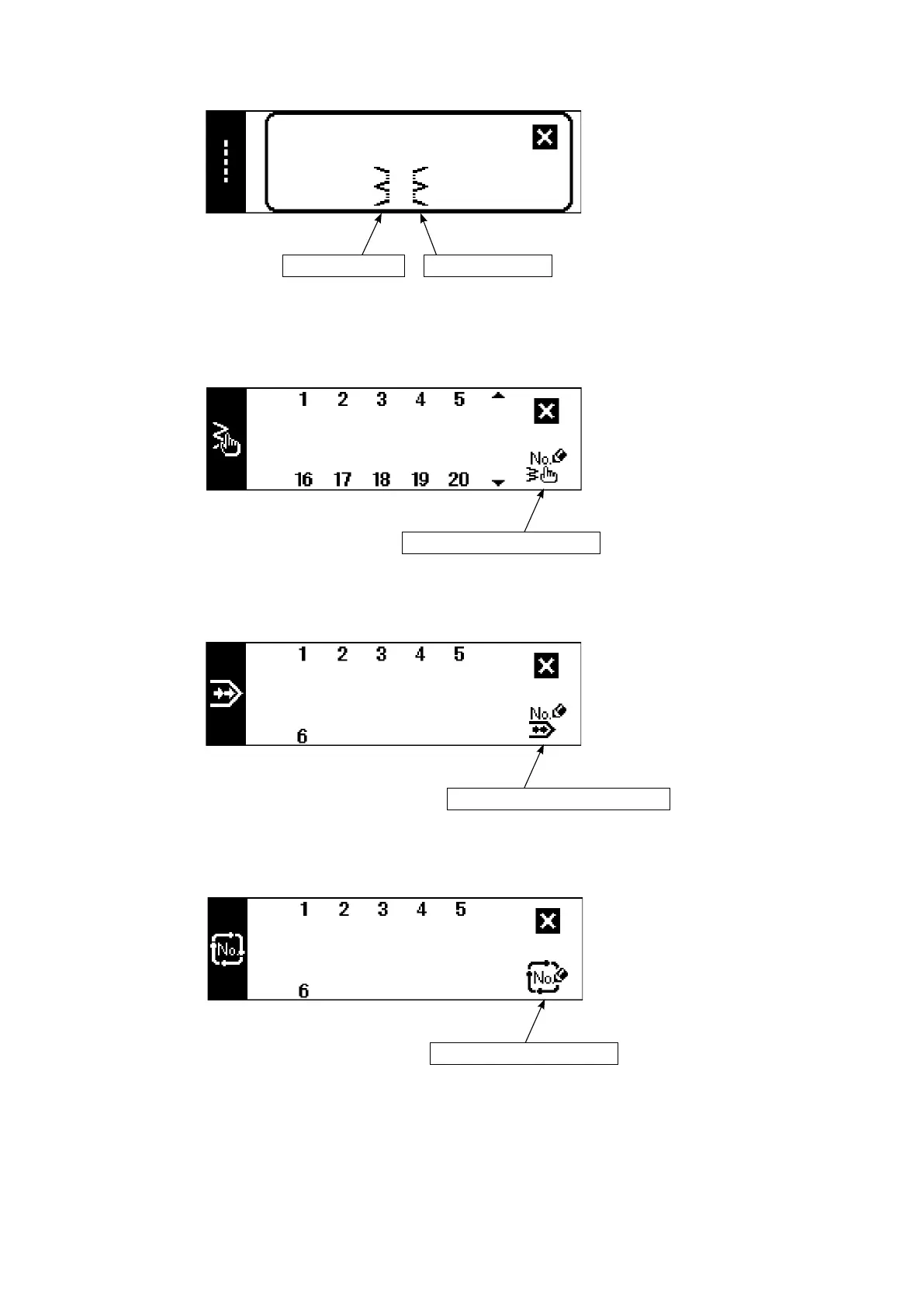
Custom pattern selection pop-up screen
■
Continuous stitching selection pop-up screen
■
Cycle stitching selection pop-up screen
Left blind stitch Right blind stitch
Custom pattern new creation
Continuous stitching new creation
Cycle stitching new creation
■
Blind stitch selection pop-up screen
The key lock level has been set to "1" at the time of delivery, and pictographs of new creation are not dis-
played. When performing new creation in each mode, change the key lock level to "0". (Refer to the second
screen of sewing common data setting of (1) Sewing common data of 6-15. Information. )
In addition, the display of pattern No. at the time of delivery is "1" only.











 To Next Page