Maintenance Guide
5-13
5-7 Replacing the STOP Sensor
5-7-1 Replacing the Front STOP Sensor Fiber
1) Pull out the fiber from the sensor amplifier.
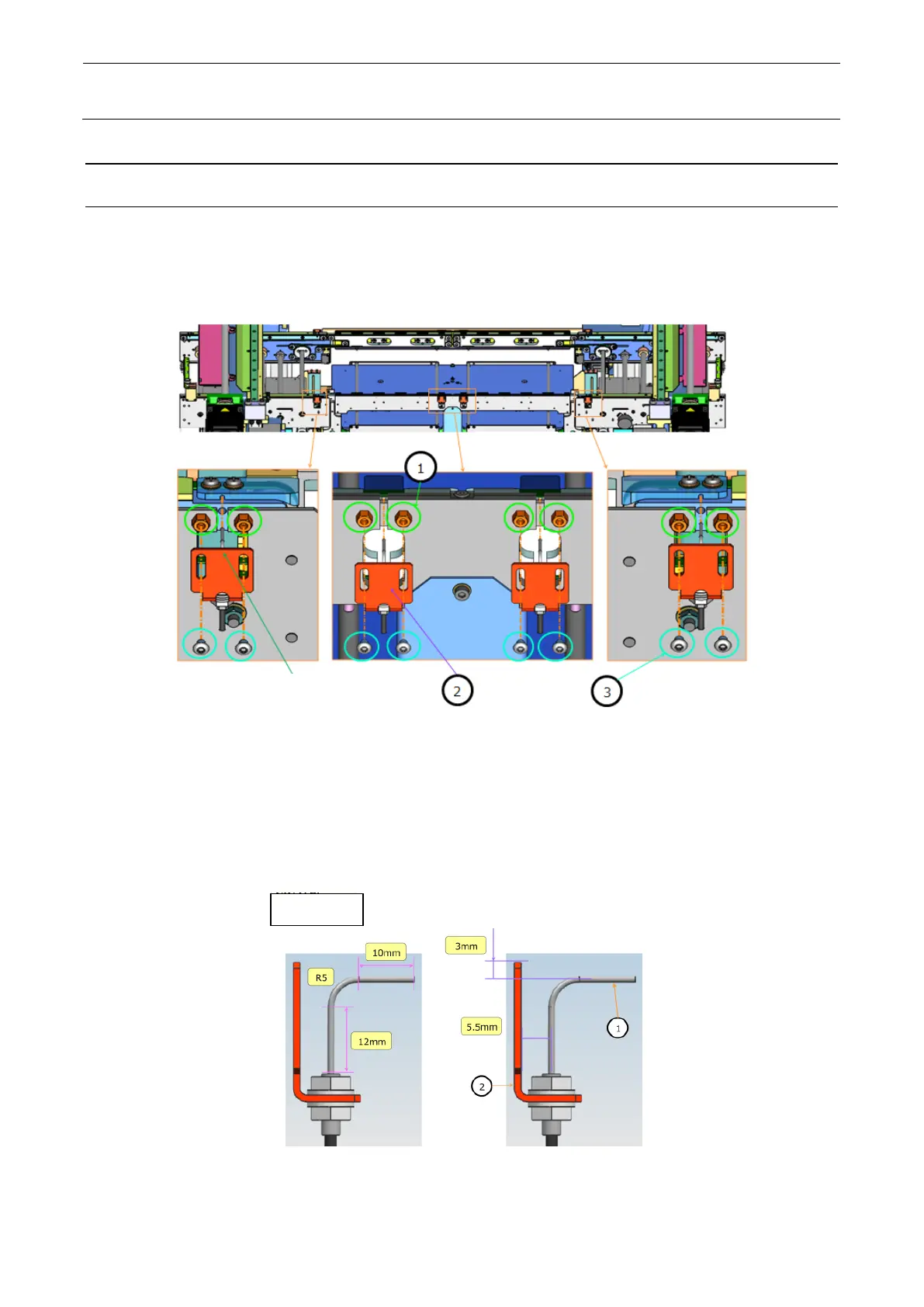
2) Loosen the screws ③ (2 pcs) and remove the bracket ②.
Figure 5-7-1-1 Front side fiber position
3) Bend a new fiber as shown in the Figure. At this time, use the jig supplied with the fiber.
4) Assemble the fiber to the bracket ② as shown in the Figure.
Front-side fiber assembly on conveyor
Pass the fiber through the
hole in each attachment
Front side
with the dimensions in the
2. Attach the fiber sensor to the
bracket with the dimensions shown
1 set x 2


 To Next Page