1-13
1-3. Replacing the Cableveyor
1-3-1. Replacing the X-Axis Cableveyor
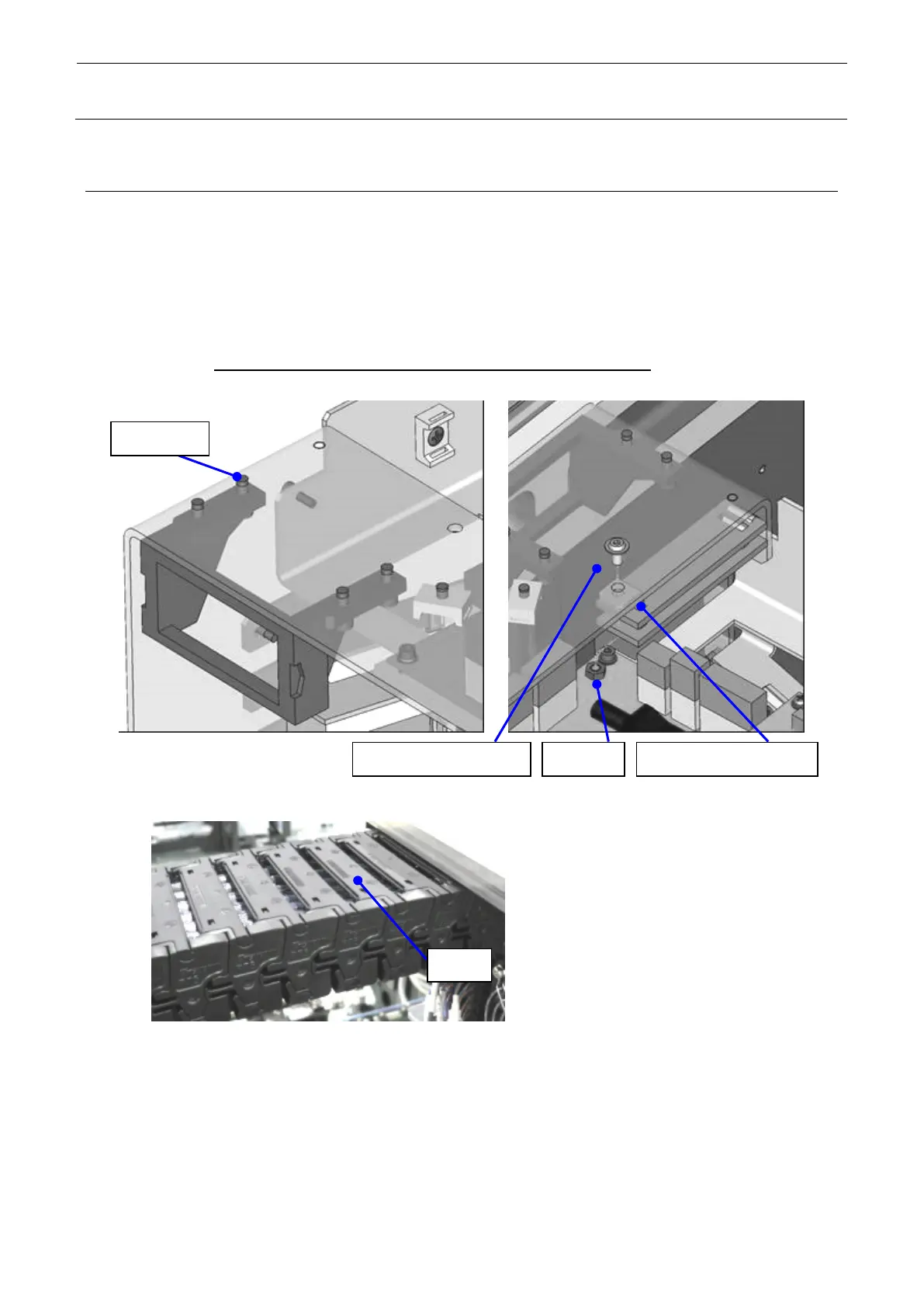
X_CABLE_BEAR (Part No.: 40110451)
1) Remove the hexagon socket head cap bolt (M4×10) to detach the X_CABLE_BEAR.
2) Remove B_COVER_SCREW and M4 nut and remove CABLE_CLAMP_X2
and FC_RUBBER.
3) Remove the arm of the X-axis cableveyor, take out the cables, and replace the cableveyor.
4) Reassemble the components in the reverse order of disassembly. At this time, pay special
attention so that the cables inside the cableveyor are not entangled.
Additionally, push the cables inside the X-cableveyor by hand to check that they are flexible.
Figure 1-3-1-1 X-Axis Cableveyor



 To Next Page