Guide
14-1
14 VCS
14-1 Replacing the VCS Cylinder (Up-Down cylinder)
1) Turn OFF the power to the machine main unit. (All work steps to be performed in Chapter 14
except for camera adjustment are performed with the power turned OFF.)
(If such work is performed with the power turned ON, this is very hazardous and may cause the
machine to malfunction.)
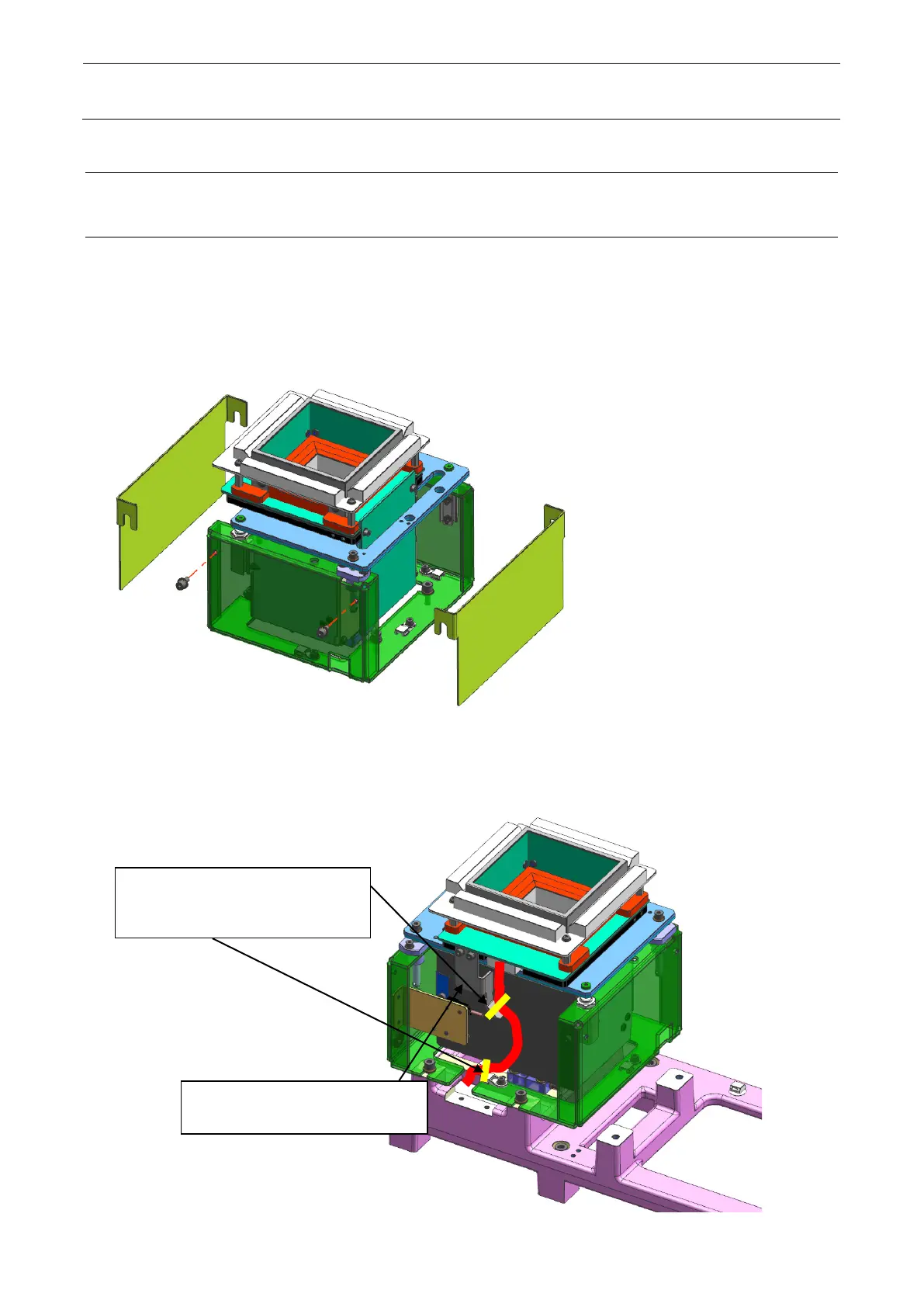
2) Remove the cover of the VCS frame (hereinafter referred to as a box)
.
Figure 14-1-1 Removing the cover
3) Cut the tie-up bands around the VCS cable and remove the cable.
Figure 14-1-2 Removing the cables
Cut the tie-up bands that secure
the cable coming from the left
Remove the relay connector of
the sensor cable.



 To Next Page