Industrial Sewing Machine SADE
72
7.1.2 Configuration
Choosing the right configuration to suit production requirements will decrease difficulty
when implementing and using the JUKI SADE. Below a step by step overview of the
configuration parameters will follow. Consult Your Juki distributor so he can assist with
the configuration to fit requirements.
The configuration screen is only accessible for users who have corresponding rights
(section 7.1.5.1 “Users”). There is only one defined user with all access rights. The code
for this user would be “1Z”.
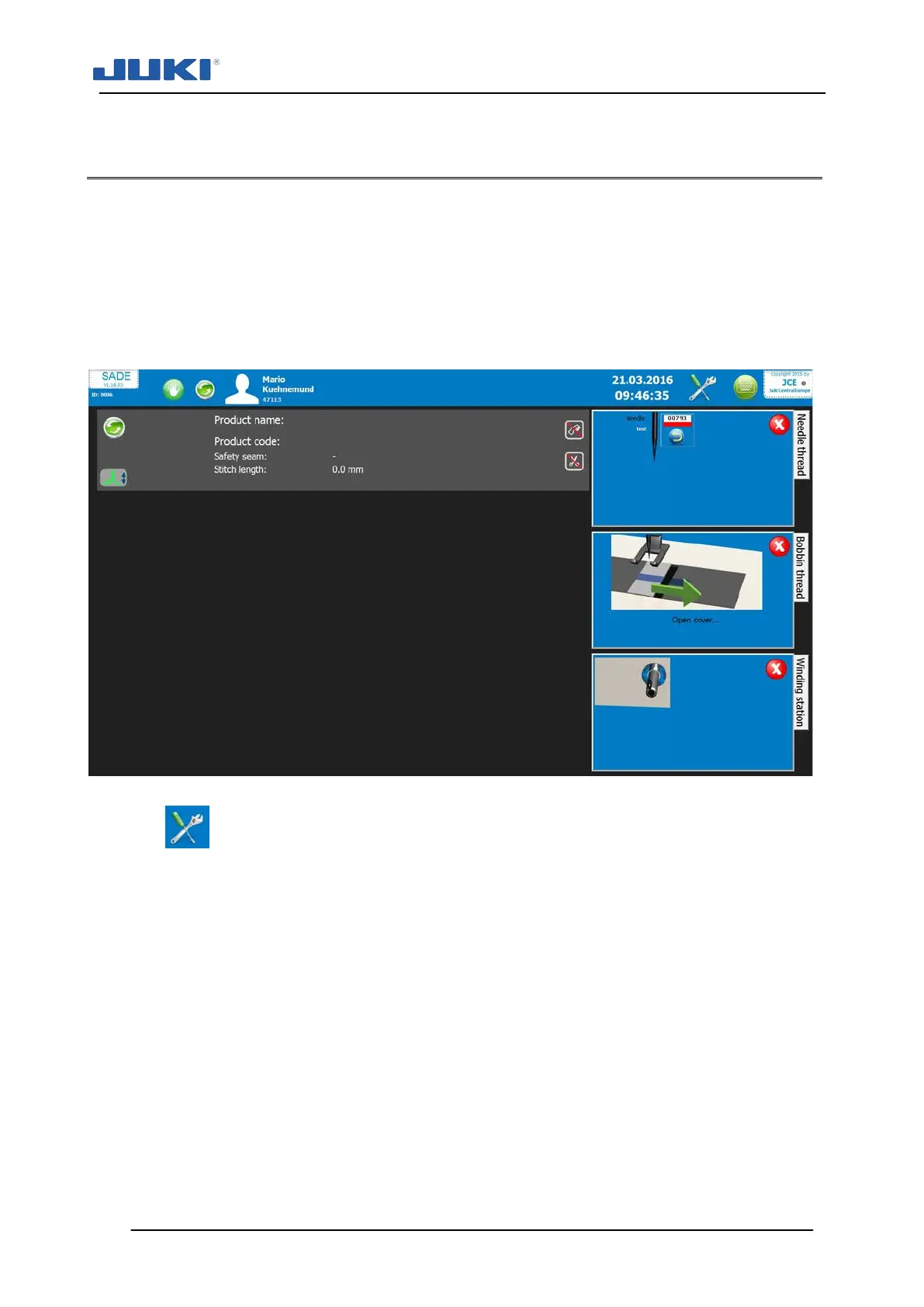
Fig. 34. SADE program
Click on in the upper right corner to access the configuration parameters. The
screen shown at fig. 35 will appear.
Any number of configurations can be saved independently. A saved configuration can
be loaded and transferred to other machines. Once Sade is started a log file is generat-
ed. The actual configuration file is listed in this log file (section 7.1.9). To ensure proper
logging, the name of a modified configuration file is pre-determined. It is recommended
to fill in the “Configuration info”-field to make files recognisable.
The configuration screen has 6 so-called tabs:
1) User management
2) Material
3) Labels
4) Sewing and Products
5) Search Archive (only if logged in operator is permitted this function)
6) Settings


 To Next Page