Industrial Sewing Machine SADE
94
7.1.4 Material editor
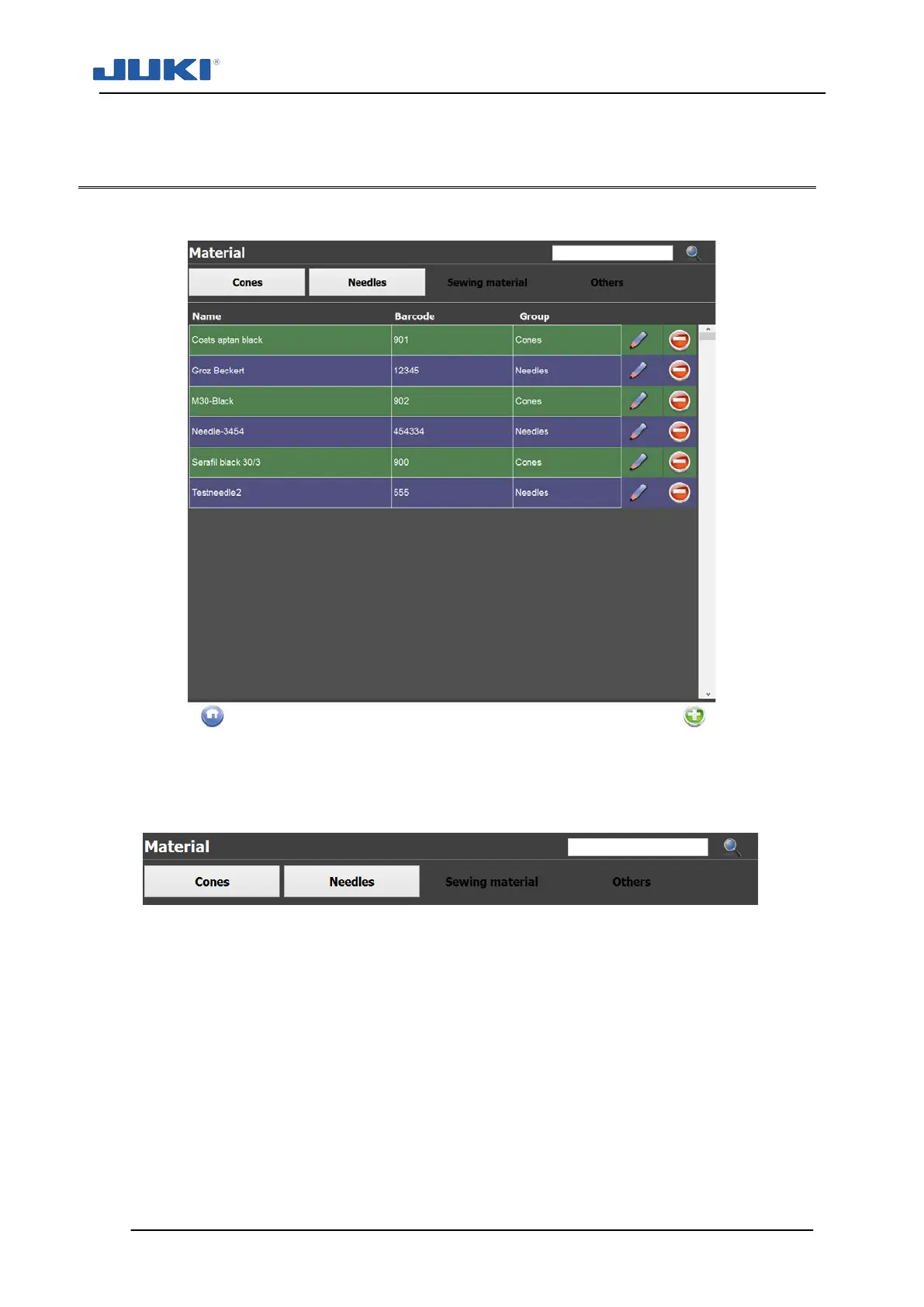
Click on [Materials] to access the editor. The following screen will appear:
Fig. 65. Material editor
Use the material editor to store material identification codes. Each material can be ac-
cessed by pressing the corresponding tab on the top.
Fig. 66. Material menu tab
The material code field holds the actual identification code which should match the ma-
terial code entered for a certain product identification.
The material name serves as a field to enter a description. You can add a photo of the
material by clicking on the pencil next to the No image window.


 To Next Page