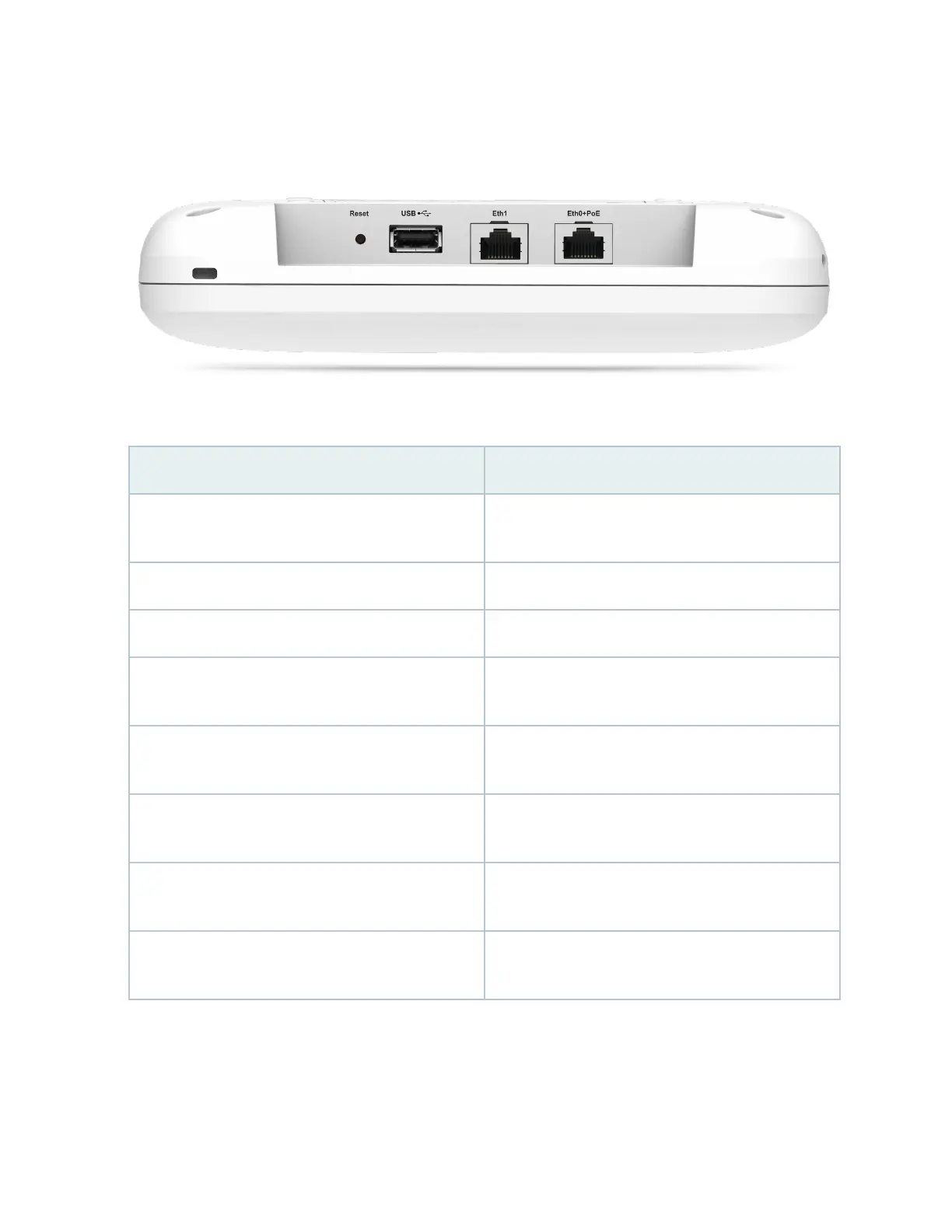
Figure 2: AP32 Components
Table 1: AP32 Components
Component Descripon
Reset A pinhole reset buon that you can use to reset the AP
conguraon to the factory default
USB USB 2.0 port
Eth1 10/100/1000BASE-T RJ-45 port
Eth0+PoE 10/100/1000BASE-T RJ-45 port that supports an
802.3at PoE-powered device
Antenna connectors (available only in AP32E models) Five reverse-polarity SubMiniature version A (RP-SMA)
connectors
Kensington lock slot Slot for a Kensington-style lock that you can use to
secure the AP
Safety e Slot for a safety e that you can use to either secure or
hold the AP in place
Status LED A mulcolor status LED to indicate the status of the
AP and to help troubleshoot issues.
5



 To Next Page