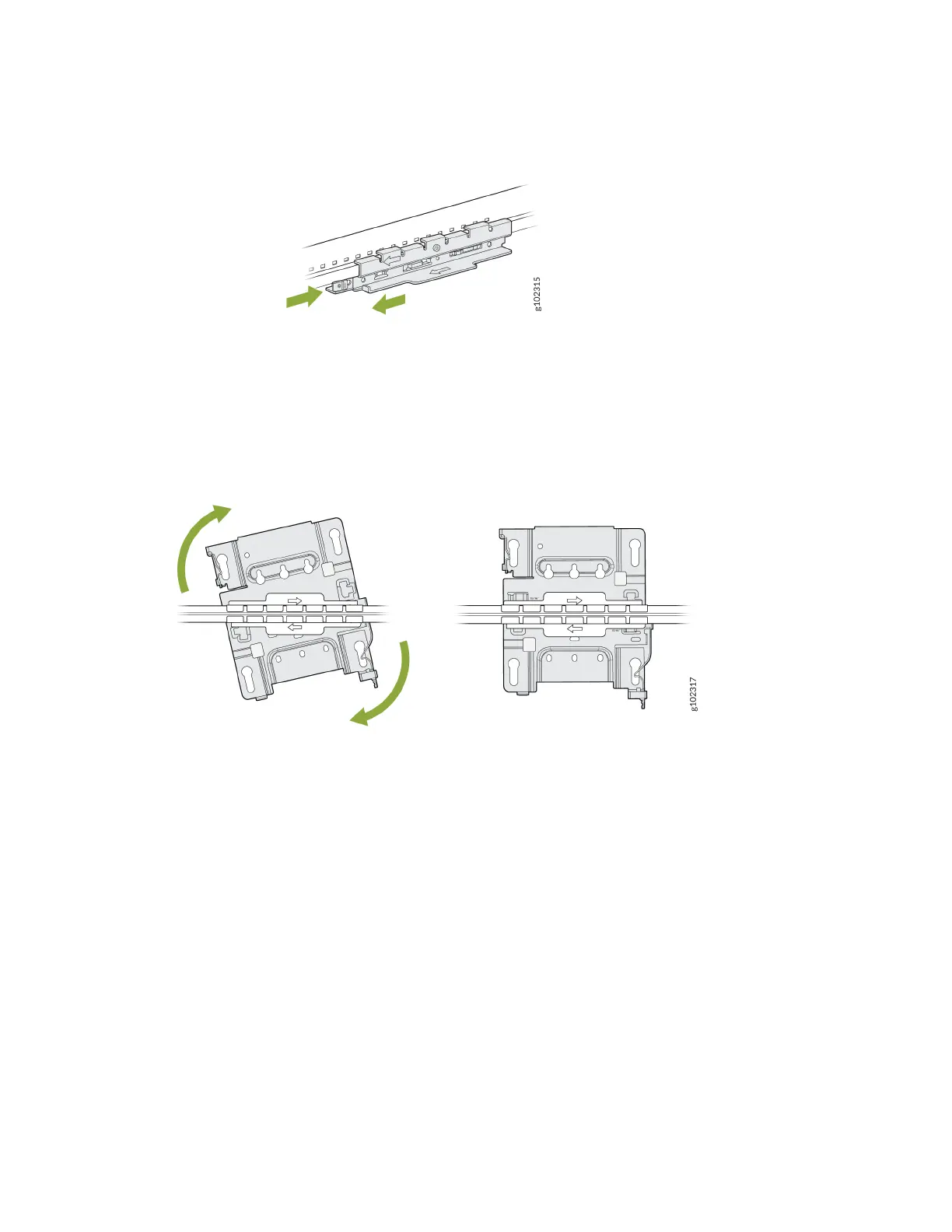
Figure 19: Aach the ADPR-ADP-CR9 Adapter to a Recessed 9/16-Inch Channel Rail
2. Aach the universal mounng bracket (APBR-U) to the adapter. Rotate the bracket unl you hear a
disnct click, which indicates that the bracket is locked in place.
Figure 20: Aach the APBR-U Mounng Bracket to the ADPR-ADP-CR9 Adapter
3. Posion the AP such that the keyholes of the mounng bracket engage with the shoulder screws on
the AP. Slide and lock the AP in place.
29



 To Next Page