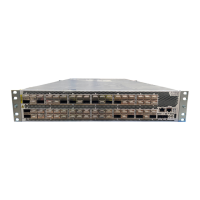
Figure 25: AC Power Supply LEDs on a QFX3500, QFX3600, or QFX3600-I
Device
Table 15 on page 40 describes the LEDs on the AC power supplies.
Table 15: AC Power Supply LEDs on a QFX3500, QFX3600, or QFX3600-I Device
DescriptionStateColorLED
The power supply is disconnected from power, or power is not coming
into the power supply.
OffUnlitAC OK
Power is coming into the power supply.On steadilyGreen
The power supply is disconnected from power, or the power supply is
not sending out power correctly.
OffUnlitDC OK
The power supply is sending out power correctly.On steadilyGreen
An error has been detected in the power supply. Replace the power
supply as soon as possible. To maintain proper airflow through the
chassis, leave the power supply installed in the chassis until you are
ready to replace it.
On steadilyAmberFault
NOTE: If the AC OK LED and the DC OK LED are unlit, either the AC power
cord is not installed properly or the power supply fuse has failed. If the AC
OK LED is lit and the DC OK LED is unlit, the AC power supply is installed
properly, but the power supply has an internal failure.
Related
Documentation
AC Power Supply for a QFX3500, QFX3600, or QFX3600-I Device on page 35•
• Connecting AC Power to a QFX3500, QFX3600, or QFX3600-I Device on page 85
DC Power Supply LEDs on a QFX3500, QFX3600, or QFX3600-I Device
Figure 26 on page 41 shows the location of the LEDs on the DC power supply.
Copyright © 2017, Juniper Networks, Inc.40
QFX3500 Device Hardware Documentation












 To Next Page