24 of 40
Other Features (continued)
Looping Setup (continued)
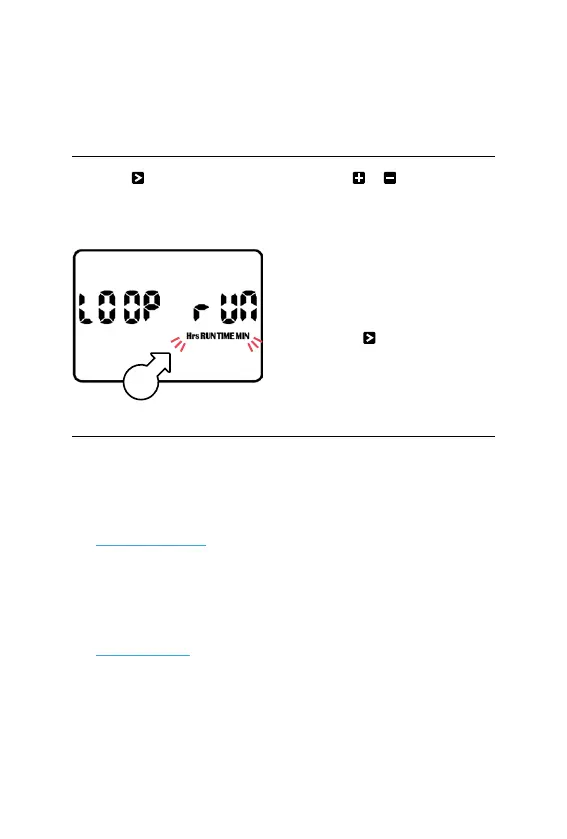
12. Press again and the
display will read LOOPRUN
[A] at this stage
13. Use or to toggle
between the Hrs MIN or
MIN SECS [A] time settings
that were previously set
L This will also change times
set for PROGRAM 5 to
Hrs MIN or MIN SECS
14. Press to save your loop
settings and return to
PROGRAM5 controls
Running Automatic Looping
1. Turn MAIN DIAL to
WATERINGDAYS and
set desired active days
for PROGRAM 5 (see
Set Watering Days)
2. Turn MAIN DIAL to
STARTTIMES and
set the desired times
for PROGRAM5 (see
Set Start Times)
3. Turn the MAIN DIAL
to AUTO to complete
the process
A



 To Next Page