138
APPENDIX VI
SYNCHRONIZE COMPUTER TO STENCIL 2
Stencil 2 is synchronized internally between the Velodyne, IMU, and computer. It is also possible
to synchronize a Linux based computer that is running ROS to Stencil 2. This allows it to share
localization and point cloud data in real time.
COMPUTER SETUP
If ROS (the Robot Operating System) is already installed on the computer, skip this step.
For a computer with Ubuntu 13.10 or 14.04 follow these instructions to install and setup ROS
Indigo: http://wiki.ros.org/indigo/Installation/Ubuntu
For a computer with Ubuntu 15.10 or 16.04 follow these instructions to install and setup ROS
Kinetic: http://wiki.ros.org/kinetic/Installation/Ubuntu
SETUP ETHERNET CONNECTION TO STENCIL 2
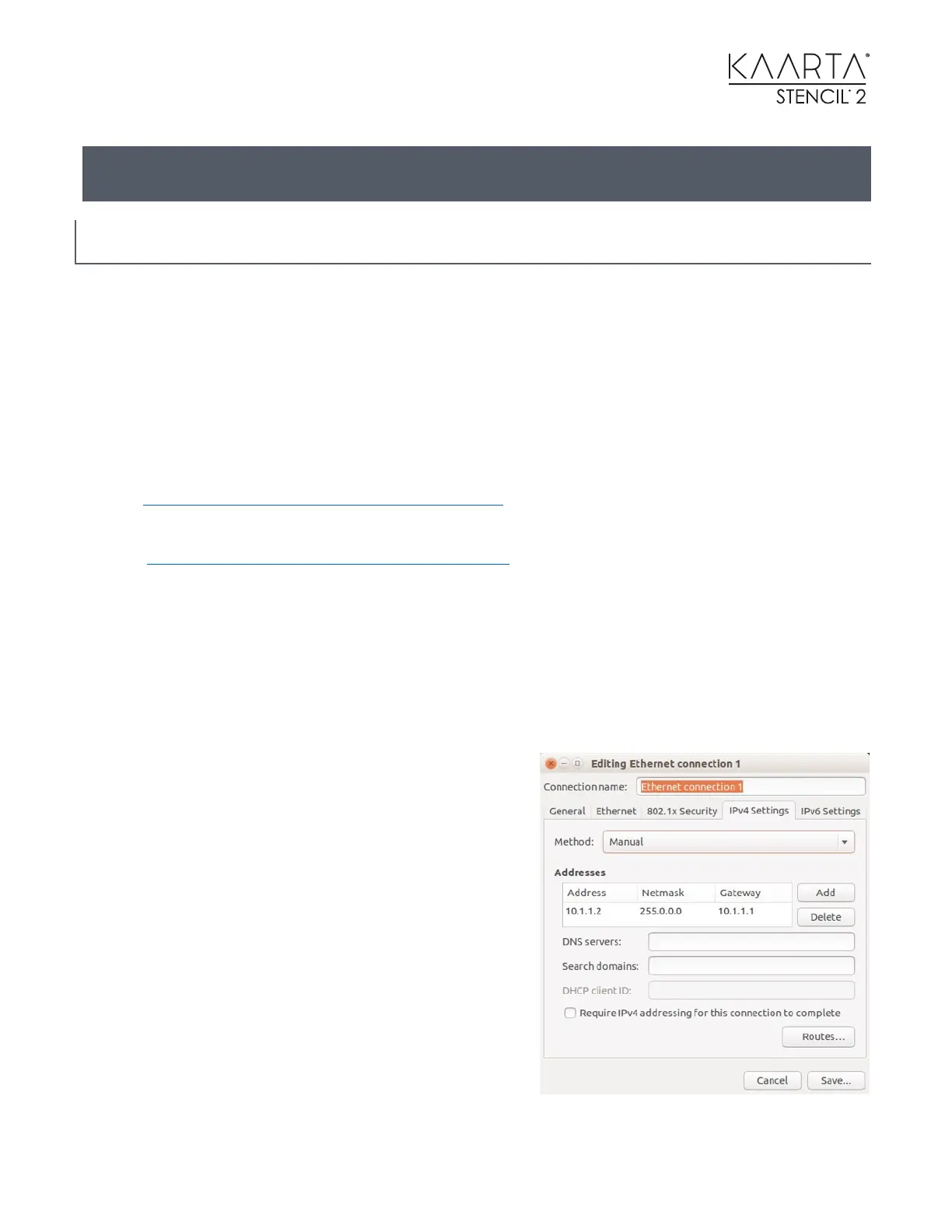
Connect the computer to Stencil 2 with an Ethernet cable. In the Ubuntu network manager on
the Customer Computer, add an Ethernet connection with a manual IP address and add the
following route (see image):
IP address: 10.1.1.2 Network mask: 255.255.255.0 Gateway: 10.1.1.1
Add an Ethernet connection on Stencil 2 with a manual
IP address with the following route:
IP address: 10.1.1.100
Network mask: 255.255.255.0
Gateway: 10.1.1.1
On the computer open the file etc/hosts (run sudo
gedit /etc/hosts in terminal) and add the line
10.1.1.100 Stencil to the file to add Stencil 2 as a known
host.
Now check the connection. In a terminal window on
the Computer, run ping Stencil to verify it is
connecting.



 To Next Page