141
Install chrony on the Customer Computer in a terminal window by sudo apt-get install
chrony. Then, replace the /etc/chrony/chrony.conf file on the Customer Computer by
the one provided (located on the Stencil 2 desktop) and restart chrony by sudo service
chrony restart on the Customer Computer.
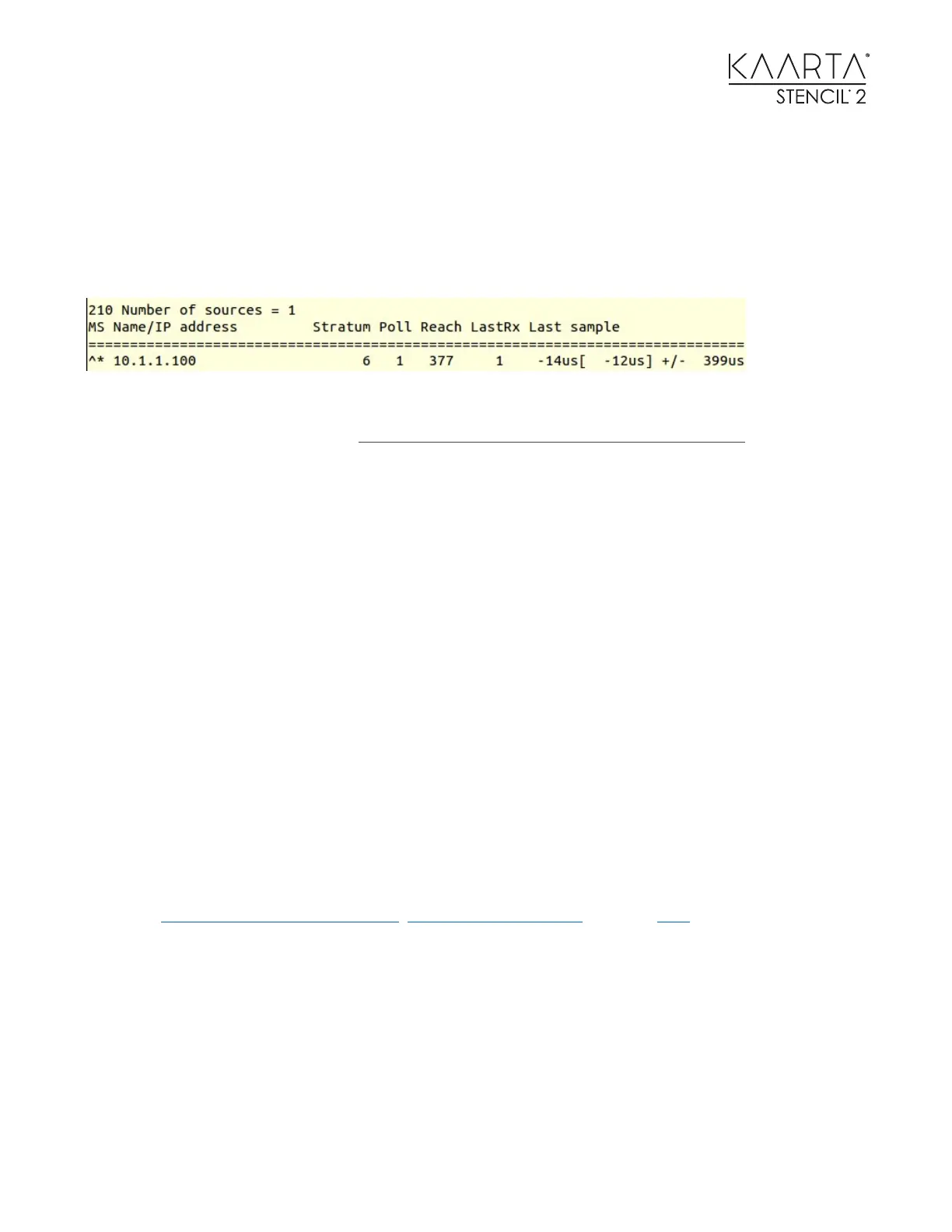
Use watch chronyc sources or watch chronyc tracking to check the synchronization
status. If using watch chronyc sources, you should see status as shown below.
Set use_chrony in the live_scanning.yaml parameters to true. If the Customer Computer is
connected to the Internet, it is possible the computer will synchronize to time servers over
the Internet, rather than Stencil 2. Please make sure Stencil 2 is the only timeserver.
Note: If the Stencil 2 IP address was modified to something other than 10.1.1.100, open the chrony
configuration file (in a terminal window run sudo gedit /etc/chrony/chrony.conf) and change the
line server 10.1.1.100 minpoll 1 maxpoll 2 in the file correspondingly.
SSH TO STENCIL 2
To SSH to Stencil 2, please use both username and password kaarta. Use the terminal command
ssh kaarta@Stencil. You can then use SSH to interact with Stencil 2 and/or transfer files.
MAPPING AND LOCALIZATION CONFIDENCE
Stencil 2 generates two confidence metrics that indicate whether the latest laser scan registered
properly in the map being created and in the apriori map. See the localization section of this
manual for a detailed description of these two values. This is not a guarantee of good or bad
matches, but an indication of the statistical likelihood that the match was good. The covariance
matrix is published under the aft_mapped_to_init for the mapping confidence value and
/map_localization_confidence for the localization confidence value.
To increase the level of confidence, users can adjust data collection techniques (e.g., avoiding
rapid rotations or going through narrow corridors) or adjusting the parameters (see additional
details in Tips for Collecting Better Data, Parameter Definitions, and the FAQ sections.



 To Next Page