3736
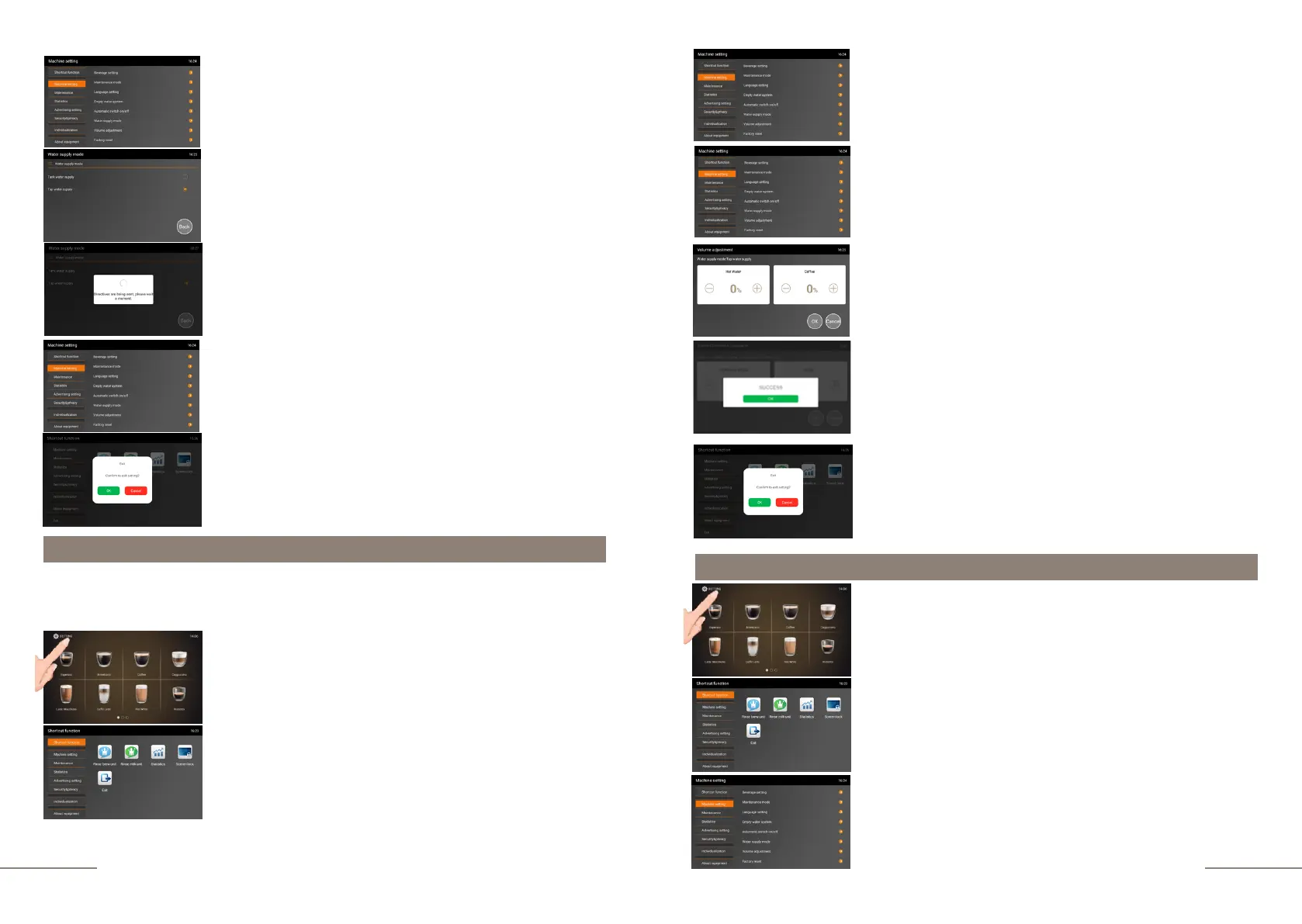
Press the "WATER SUPPLY MODE" tab. Select the operating
mode you need.
Select the operating mode you need.
Display message: DIRECTIVES ARE BEING SENT,
PLEASE WAIT A MOMENT.
Settings have been saved.
To exit the sub-menu, press BACK.
To exit the menu, press the EXIT touch icon and confirm your
choice by pressing the OK button.
Volume adjustment setting
In this menu item, you can adjust the volumes of water and coffee dispensed in the range
from -20% to +20%, thus correcting possible overfilling and underfilling of beverages.
Select the MACHINE SETTINGS tab and activate it.
The MACHINE SETTINGS tab is highlighted.
Choose the VOLUME ADJUSTMENT tab.
Set the desired value and press "OK" to save the selected
value.
Display message:SUCCESS.
Press OK to save current settings.
To exit the menu, press the EXIT touch icon and confirm
your choice by pressing the OK button.
Factory reset settings
The coffee machine is ready. Beverage preparation touch
icons are lit.
Press and hold the "SETTINGS" button for 2 seconds to
enter the programming menu.
The SHORTCUT FUNCTION tab is highlighted.
On the right, the shortcut function touch icons are
lit.
The coffee machine is ready. Beverage preparation touch
icons are lit.
Press and hold the "SETTINGS" button for 2 seconds to
enter the programming menu.
The SHORTCUT FUNCTION tab is highlighted.
On the right, the shortcut function touch icons are
lit.
Select the MACHINE SETTINGS tab and activate it.
The MACHINE SETTINGS tab is highlighted.



 To Next Page