6564
Cleaning water tank
Lime deposits can form on the walls of the water tank over time, so it is necessary to
periodically clean the tank from such deposits:
•
Rinse the hopper daily with running water before adding water.
•
Clean the hopper about once every two months. For cleaning, use gentle
descaling agents in accordance with the operating instructions of the
respective manufacturer.
•
If the water tank is damaged, contact the service center.
Cleaning the bean hopper
•
An oil film forms on the walls of the coffee bean hopper over time. It impairs
the taste characteristics of the beverage. For this reason, it is necessary to
clean the coffee bean hopper.
•
Please use a dry cloth or paper towel to clean the coffee oils from the hopper.
•
The coffee hopper lid serves to preserve the aroma of the coffee beans. If the
lid of the coffee bean hopper is damaged, please contact the service center.
Disassembling and cleaning the auto-cappuccino system
To ensure an excellent result when preparing drinks with milk, please clean the built-in
Auto Cappuccino system daily.
1.
Carefully remove the milk pipe. (photo 1).
2.
Press the release elements and carefully remove the Auto Cappuccino
system by pulling it down (photo 2).
3.
Disassemble it into separate parts in the sequence indicated on (photo 3).
4.
Rinse each part thoroughly under running water.
5.
Dry and reassemble the Auto Cappuccino system. Make sure that all the
individual parts are correctly and firmly connected to each other to ensure
optimal functioning of the device.
6.
Install the Auto Cappuccino system and fix it firmly (photo 4).
photo 1 photo 2 photo 3 photo 4
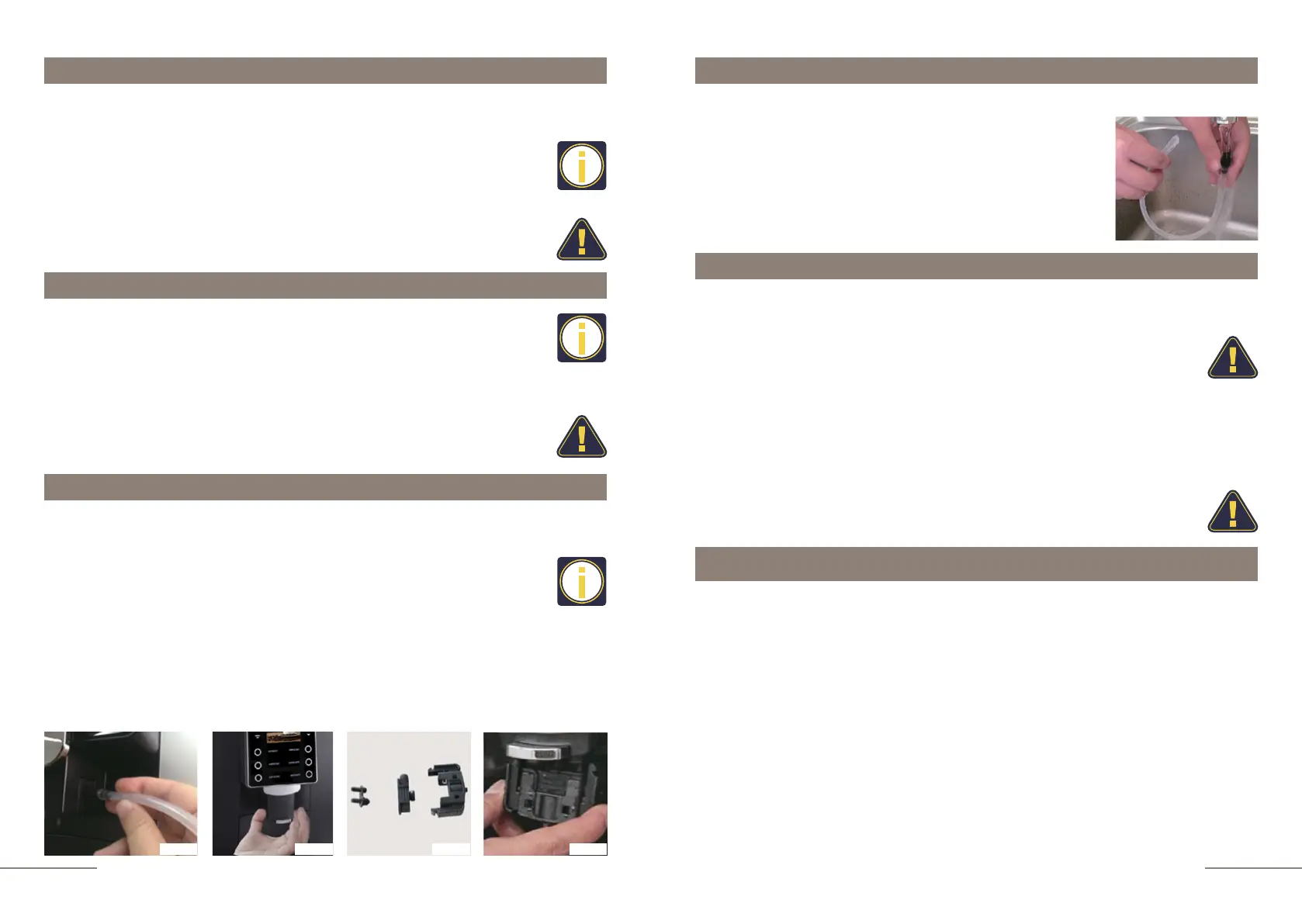
Cleaning the milk pipe
To keep the milk pipe clean, please wash it every day.
• Carefully remove the milk pipe.
• Rinse the pipe under running water.
• Shake the pipe to remove any remaining water.
• Connect the milk pipe to the Auto Cappuccino system with
right side of the combination dispenser.
Daily care
• For daily maintenance, please turn off
coffee machine from the mains.
• Never immerse the coffee machine in water! There is a risk of getting
electric shock.
•
•
•
The following payment systems can be used in the KAFFIT.com K96L coffee machine:
•
Payment by QR-code:
The coffee machine is in a locked state. When you select a beverage, a QR-code appears
on the display of the coffee machine, which you need to read and pay in a mobile banking
application. After payment, the coffee machine prepares the selected beverage and returns
to the locked state again. It is possible to set different prices for different types of coffee
beverage.
•
Payment via PayPass terminal:
The coffee machine is in a locked state. When you select a beverage, the coffee machine
displays an offer to pay for it through a payment terminal (connects to the coffee machine
via Bluetooth) using a credit card with a smart chip. After payment, the coffee machine
unlocks the preparation of the selected beverage and returns to the locked state again. It is
possible to set different prices for different types of coffee beverages.
Regularly check for spilled coffee inside the coffee machine.
Remove excess coffee with a brush.
Please use a dry microfiber cloth to clean the
display. The touch panel with indicator buttons is made of
glass, be careful not to damage it.
Please use a dry soft cloth or paper towel to
clean the surfaces of the coffee machine. Never use
abrasive materials, as this will damage the surfaces.
Additional functionality: payment system



 To Next Page