2726
Water settings
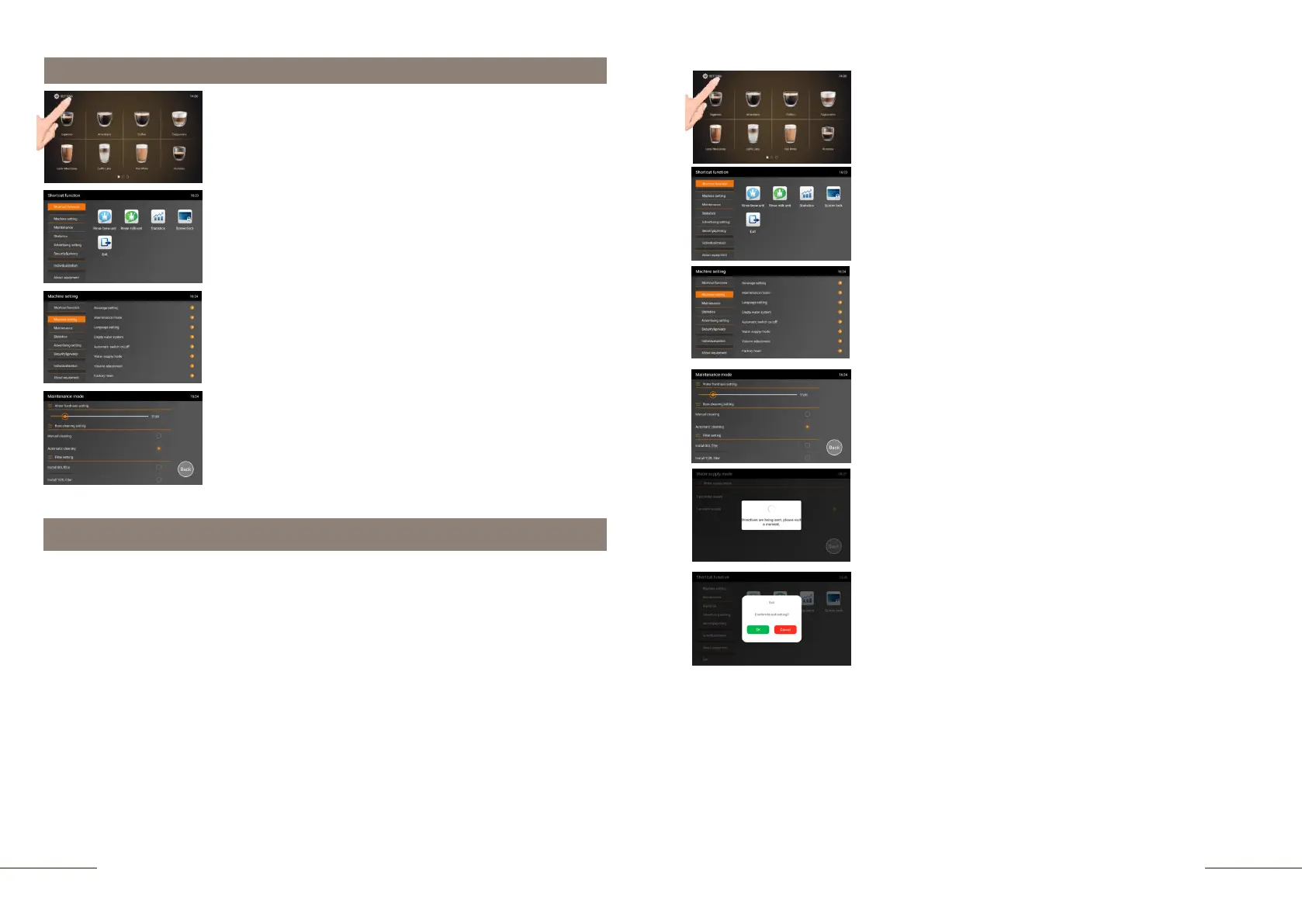
The coffee machine is ready. Beverage preparation touch
icons are lit.
Press and hold the "SETTINGS" button for 2 seconds to
enter the programming menu.
The SHORTCUT FUNCTION tab is highlighted.
On the right, the shortcut function touch icons are
lit.
Select the MACHINE SETTINGS tab and activate
it. The MACHINE SETTINGS tab is highlighted.
Press the WATER SUPPLY MODE tab. A
window with tabs will open:
- WATER HARDNESS SETTINGS
- BOOT CLEANING SETTINGS (enabels
automatic rinsing when turning the coffee
machine ON
- FILTER SETTINGS
For the correct operation of the coffee machine and in order to avoid
breakdowns, it is necessary to program the degree of hardness of the water
used.
- 1-4°dh Cleaning prompt will appear after 5000 cups have been prepared (not
covered by warranty)
- 5-9°dh Cleaning prompt will appear after 1000 cups have been prepared
(factory default setting)
- 10-14°dh Cleaning prompt will appear after 800 cups have been prepared
- 15-19°dh Cleaning prompt will appear after 500 cups have been prepared
- 20-24°dh Cleaning prompt will appear after 300 cups have been prepared
- 25-30°dh Cleaning prompt will appear after 100 cups have been prepared
The coffee machine is defaultly set to use very soft water. If you are using
bottled water, you will need to set the range to 10-14°dh. When using tap water,
set 20-24°dh.
Water hardness settings
The coffee machine is ready. Beverage preparation touch
icons are lit.
Press and hold the "SETTINGS" button for 2 seconds to
enter the programming menu.
The SHORTCUT FUNCTION tab is highlighted.
On the right, the shortcut function touch icons are
lit.
Select the MACHINE SETTINGS tab and activate it.
The MACHINE SETTINGS tab is highlighted.
Enter the MAINTENANCE MODE tab.
Move the icon from left to right on the hardness scale to the
value you need.
Display message: DIRECTIVES ARE BEING SENT,
PLEASE WAIT A MOMENT.
Settings have been saved.
To exit the sub-menu, press BACK.
To exit the menu, press the EXIT touch icon and confirm your
choice by pressing the OK button.



 To Next Page