1514
When the touch icons appear on the screen, your drink is
ready - enjoy!
To prepare a portion of milk, connect the milk pipe to the
cappuccinatore through the adapter. Dip the free end of the
pipe into the milk bag and press the touch icon HOT MILK.
The icon is located on the third page of the display. To go to
the third page, swipe twice on the display from right to left.
Using the navigation icons, at the time of preparation you can
select the desired amount of milk. Once a drink has been
prepared, the settings will not be saved.
At the end of the process, the touch icons for preparing drinks
will appear on the display.
Preparing a serving of hot milk
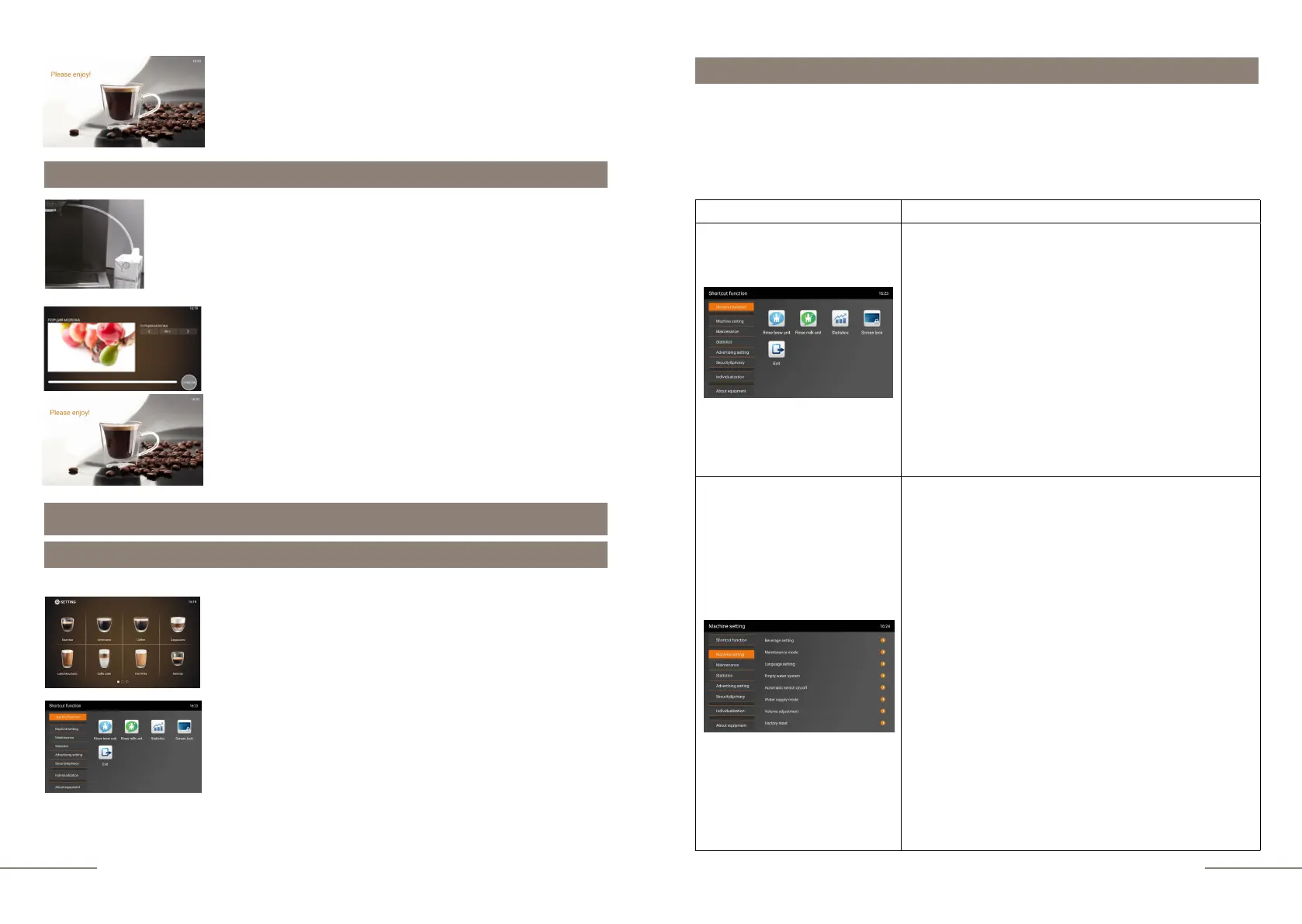
Press and hold the SETTINGS button for 2 seconds to enter
the programming menu.
The SHORTCUT FUNCTION tab is highlighted. On the right,
the quick menu touch icons are lit.
Permanent settings in programming mode
Entering the programming menu
To enter the programming menu, do the following:
Settings in the programming mode
With the KAFFIT.com coffee machine, you can easily make settings for preparing
coffee beveages according to your individual taste preferences. Using the navigation
buttons, you can view and execute the program steps and store the desired settings in
memory.
With this coffee machine, you can make the following permanent settings.
Programm item Description
SHORTCUT FUNCTION
MACHINE SETTING
In this menu, you can:
- start rinsing the brewer (forced heating of the system
before preparing a small portion of beverages) pg. 17
- start rinsing the Auto-Cappuccino system pg. 18
- view information about all prepared cups of
beverages
- lock the screen for 15 seconds to prevent accidental
icon pressing
- perform a quick exit from the programming menu
This menu will allow you to:
- select settings for preparing coffee and milk drinks.
- block, add or remove a drink.
- activate the "Strength +" function for preparing large
volume coffee beverages and beverages with milk.
pg 23
- Adjust the water hardness. pg 26
- Select the setting mode for rinsing when ON/OFF
(automatically or manually). pg. 28
- Customize the use of equipment with a water filter.
pg. 29
- Select language. pg. 30
- Drain the system for transportation. pg. 30
- Program the automatic ON/OFF time. pg.30
- Switch from water tank operation to tap water supply.
pg. 35



 To Next Page