5150
To exit the sub-menu press BACK.
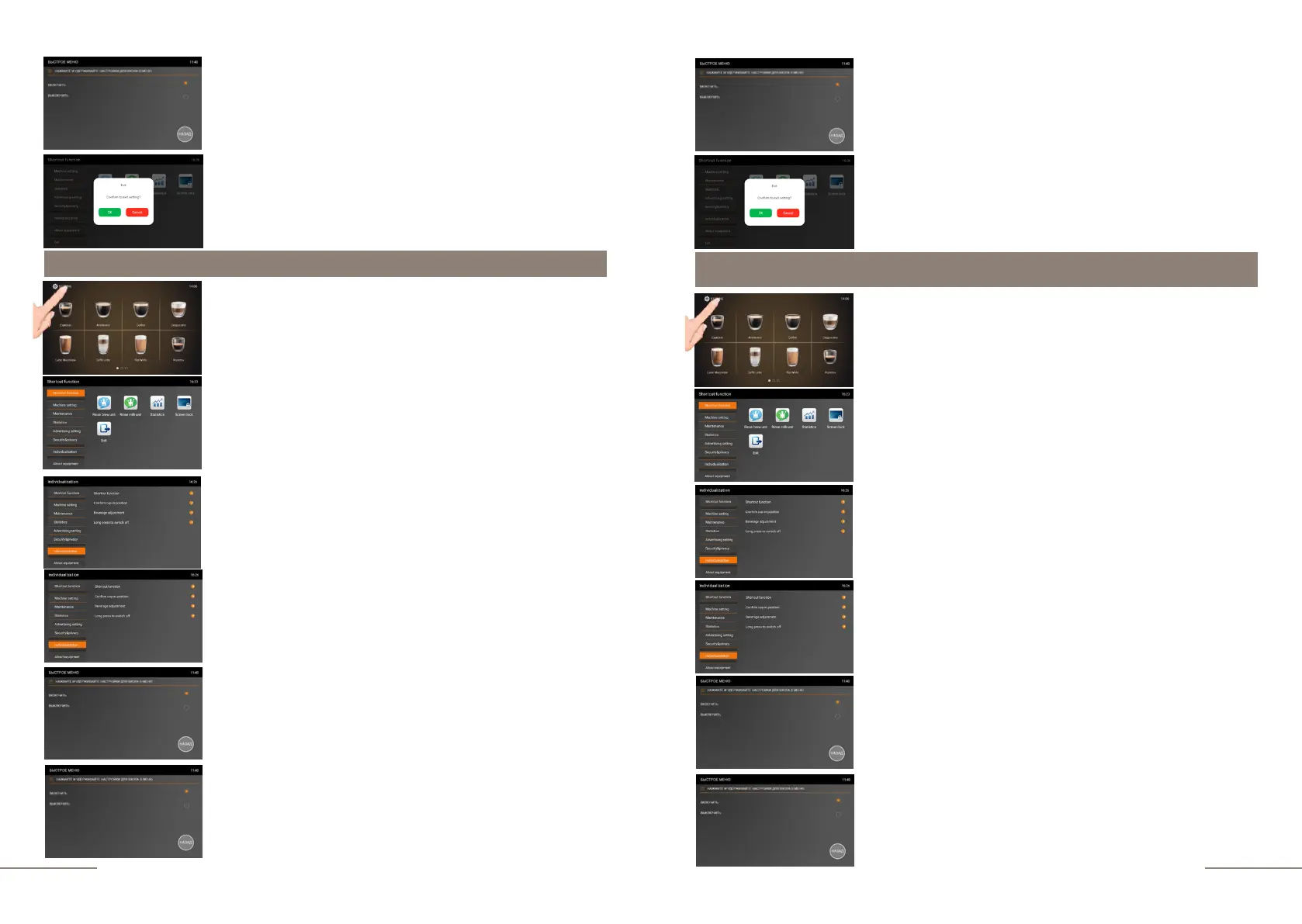
To exit the menu, press the EXIT touch icon and confirm
your choice by pressing the OK button.
Individualization. Confirming the cup in position.
Select the INDIVIDUALIZATION tab and activate it.
Select the CONFIRM THE CUP IN POSITION tab.
The CUP POSITION CONFIRMATION window will open with
two options to choose from: OPEN and CLOSE. If you select
CLOSE, beverage preparation will start as soon as the beverage
icon is pressed.
When you select the “CLOSE” value, a window will open with
the name of the beverage you have chosen and the
countdown will begin from 10 to 0 seconds. The coffee
machine display prompts you to insert the cup before making
a beverage. With a value of 0 seconds, the preparation of the
beverage will begin. To cancel the preparation of the drink,
press "BACK".
Individualization. Beverage adjustment.
The "BEVERAGE ADJUSTMENT" window will open with two
options to choose from "OPEN" and "CLOSE". If you select
"CLOSE", options such
as changing the strength and volume of
the beverage during preparation will become inaccessible, and
the navigation buttons will be blocked.
If you select the “OPEN” value, changing the beverage recipe
(strength and volume) during preparation will become
possible.
To exit the sub-menu press BACK.
To exit the menu, press the EXIT touch icon and confirm
your choice by pressing the OK button.
The coffee machine is ready. Beverage preparation touch
icons are lit.
Press and hold the "SETTINGS" button for 2 seconds to
enter the programming menu.
The SHORTCUT FUNCTION tab is highlighted.
On the right, the shortcut function touch icons are
lit.
The coffee machine is ready. Beverage preparation touch
icons are lit.
Press and hold the "SETTINGS" button for 2 seconds to
enter the programming menu.
The SHORTCUT FUNCTION tab is highlighted.
On the right, the shortcut function touch icons are
lit.
Select the INDIVIDUALIZATION tab and activate it.
Select the BEVERAGE ADJUSTMENT tab.



 To Next Page