54
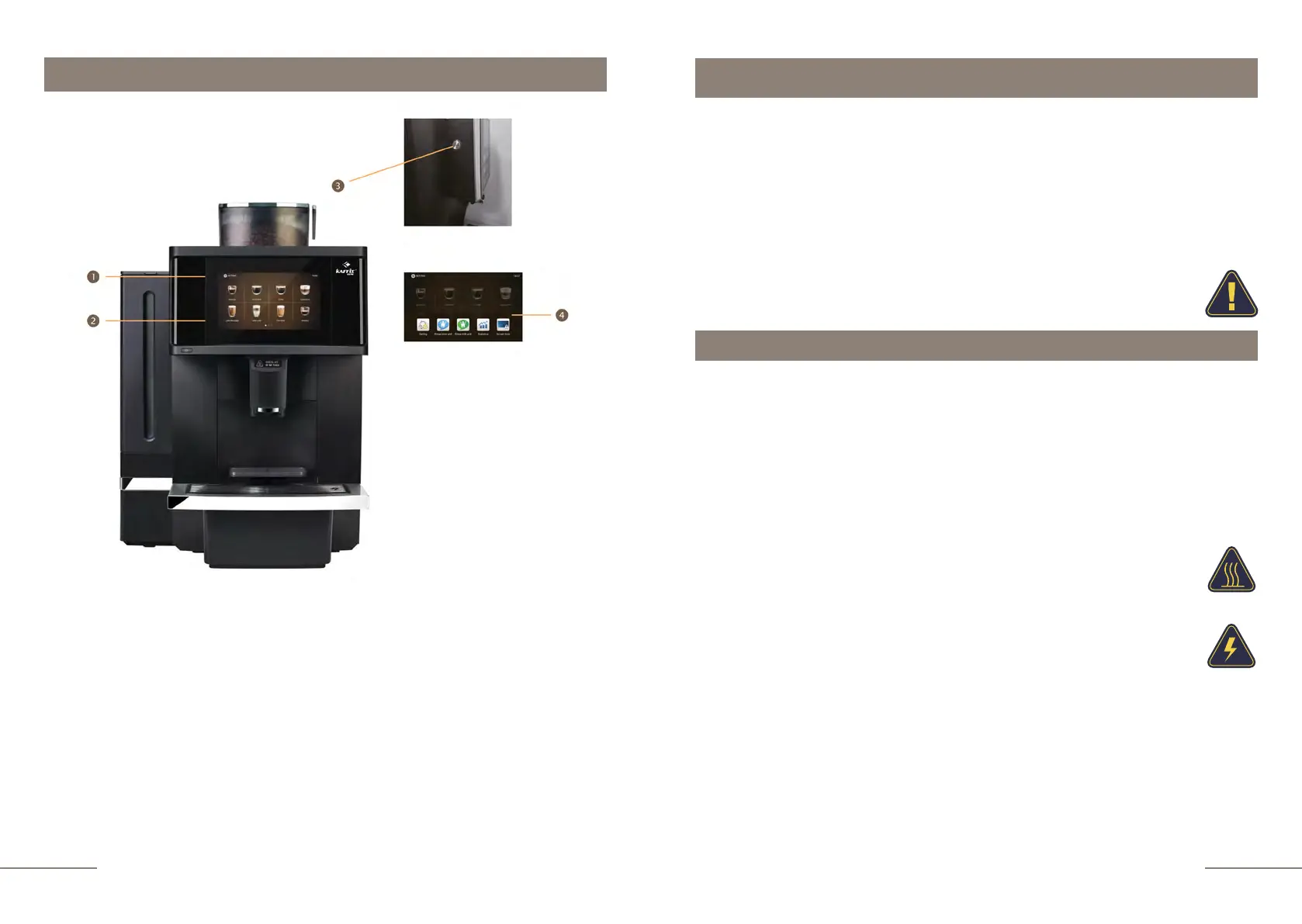
1.
Setting touch icon
2.
Beverage touch icons
3.
ON/OFF button
4.
Shortcut menu touch buttons
Introduction
Thank you for choosing the K96L fully automatic coffee machine.
The coffee machine must only be used to prepare coffee and coffee drinks with milk. We
are not responsible for the consequences of any misuse of the coffee machine. Please
read the contents of the instruction manual carefully.
Please keep this manual for future reference at any time. Before using the coffee
machine, read this user manual carefully and familiarize yourself with the technical
data on page 68.
Damage caused by failure to follow the instruction manual is not covered by the
warranty. Keep this instruction manual for the coffee machine.
Safety instruction
Please read and carefully follow the following important safety instructions.
• Your coffee machine can be connected to the water line. Act in accordance with this
instruction to connect the water supply correctly.
•
•
• Watch your water supply! If the water is turned off and the pump is idle for some time, it
will break. THIS IS NOT COVERED UNDER WARRANTY!
• When connecting, place the coffee machine on a flat horizontal surface.
When preparing beverages, please do not touch the coffee spout to
avoid burns.
• Please do not allow the power cord, socket and the device itself to come into contact with
water.
Never operate a coffee machine with a defect or a damaged power cord. If
the power cord is damaged, it must be replaced immediately by an
appropriately qualified person in order to avoid a hazard.
• Make sure that the coffee machine and power cord are not near hot surfaces, and that the
cord is not pinched or rubbed against sharp edges.
• Never leave the power cord hanging down, you may trip over it.
• For extended absences, switch off the coffee machine and unplug the power cord from the
socket.
• Always turn off the coffee machine before cleaning.
• This coffee machine is intended for use by staff and users with special skills in
different companies for commercial and representatives.
• maximum inlet water pressure is 5 bar
• minimum inlet water pressure is 1 bar
Controls and display
Model K96L



 To Next Page