5352
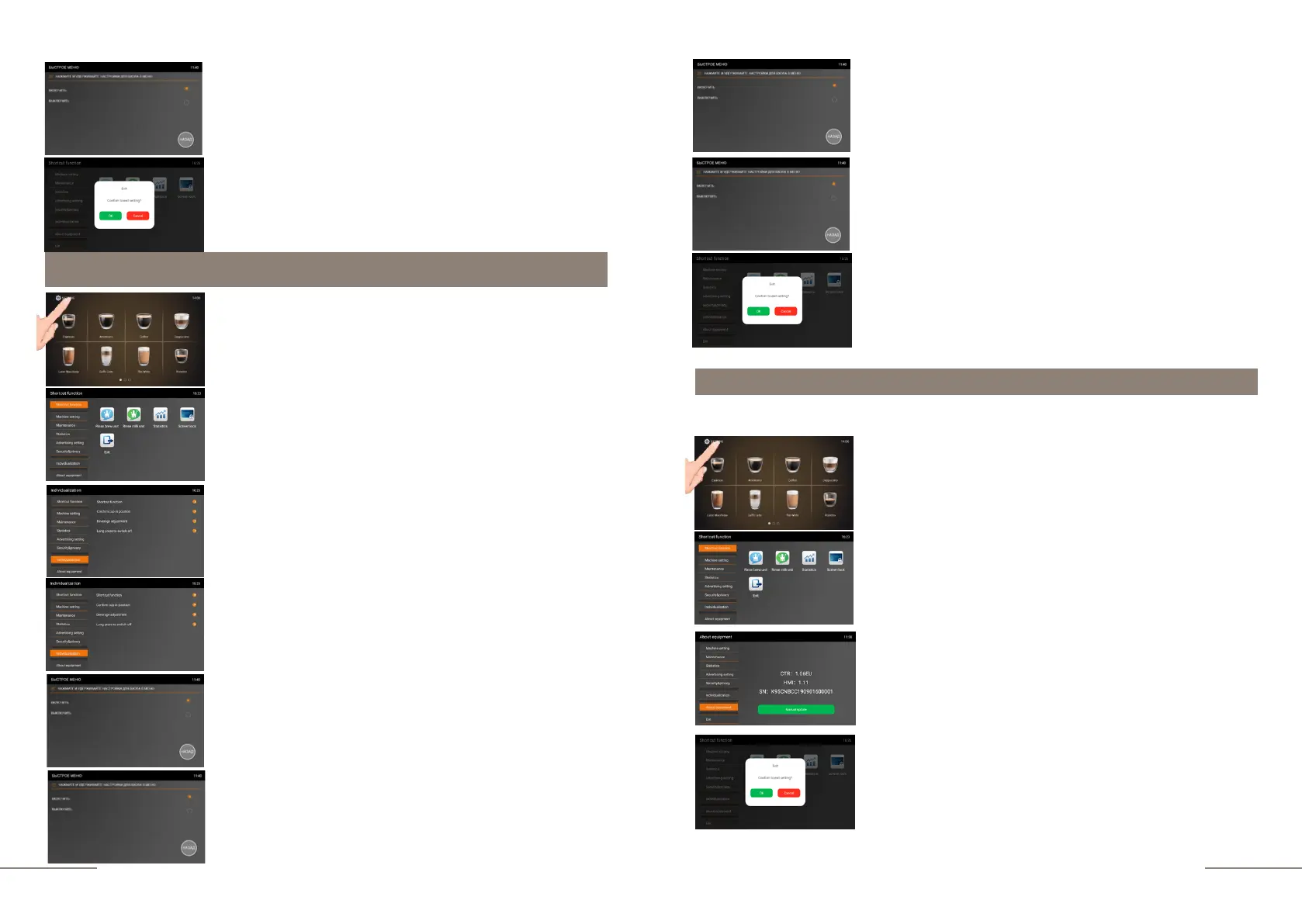
Individualization. Protection agains accidental pressing.
When "OPEN" is selected
the coffee machine will turn on and off only after holding the
button for 3 seconds.
About equipement.
Follow these steps to verify the serial number of the coffee machine.
Select the ABOUT EQUIPMENT tab and activate it. The
ABOUT DEVICE tab is highlighted.
Information about your coffee machine (CTR and HMI
firmware versions) is displayed on the right. SN is the serial
number.
To exit the sub-menu press BACK.
To exit the menu, press the EXIT touch icon and confirm
your choice by pressing the OK button.
The coffee machine is ready. Beverage preparation touch
icons are lit.
Press and hold the "SETTINGS" button for 2 seconds to
enter the programming menu.
The SHORTCUT FUNCTION tab is highlighted.
On the right, the shortcut function touch icons are
lit.
Select the SECURITY&PRIVACY tab and activate it.
Select the LONG PRESS TO SWITCH OFF tab.
The LONG PRESS TO SWITCH OFF (for three seconds)
window opens, with two values to choose from "OPEN" and
"CLOSE".
If "CLOSE" is selected, the coffee machine will turn on and
off automatically when the button is pressed.
To exit the sub-menu press BACK.
To exit the menu, press the EXIT touch icon and confirm
your choice by pressing the OK button.
The coffee machine is ready. Beverage preparation touch
icons are lit.
Press and hold the "SETTINGS" button for 2 seconds to
enter the programming menu.
The SHORTCUT FUNCTION tab is highlighted.
On the right, the shortcut function touch icons are
lit.
To exit the menu, press the EXIT touch icon and confirm
your choice by pressing the OK button.



 To Next Page