6362
Cleaning coffee grounds container and drip tray.
•
Do not use chemical solvents, abrasive or aggressive cleaners to clean the coffee grounds
container and waste water tray.
•
The drip tray and coffee grounds container are not dishwasher safe.
•
Do not use metal objects or abrasive materials to clean the metal contacts of
the waste water tray.
•
If you want your coffee machine to serve for a long time, do not forget to
service it daily.
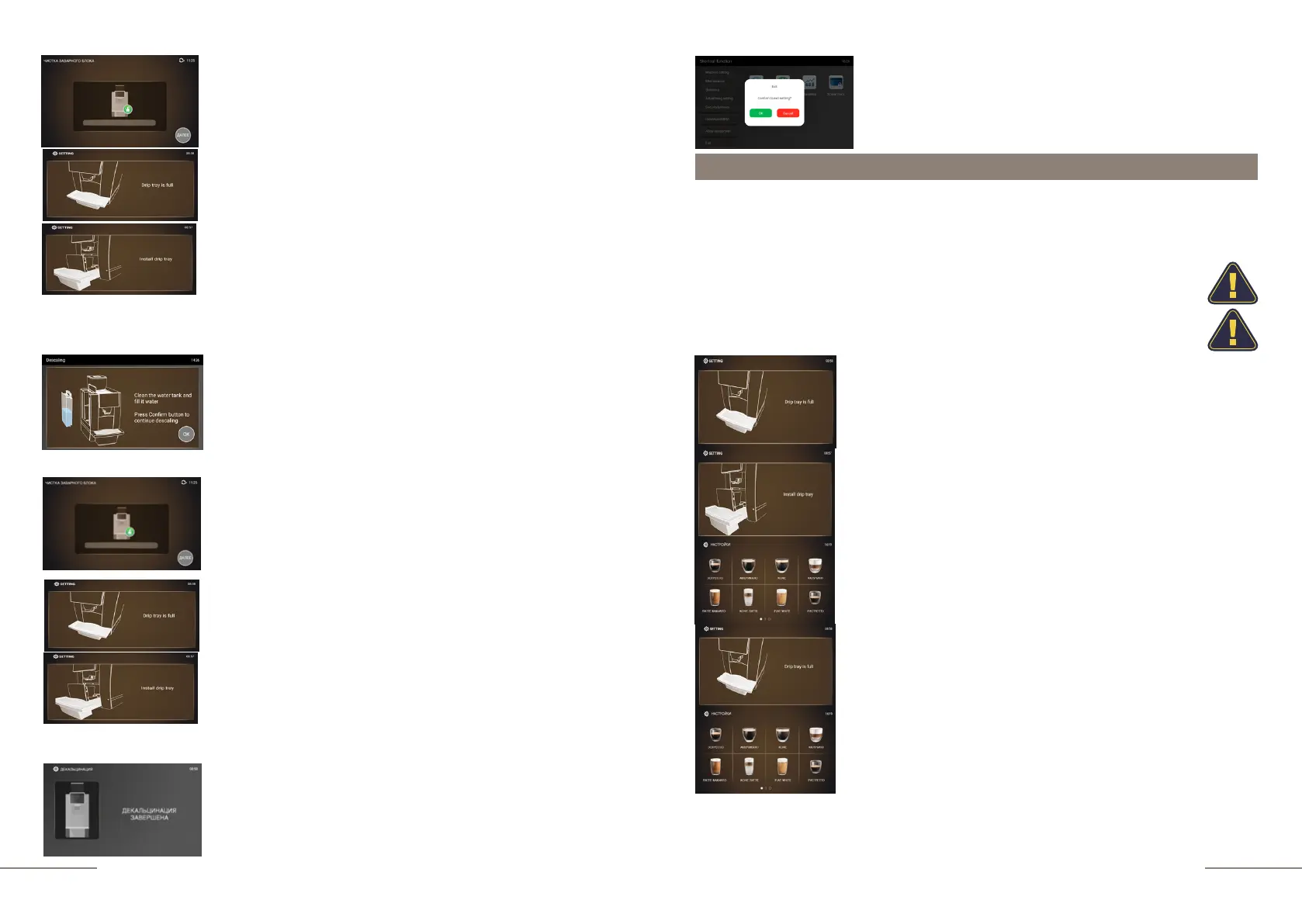
Over time, the display will automatically show the
message: "DRIP TRAY IS FULL".
Display message: "INSTALL DRIP TRAY". Please remove
coffee grounds from the container. Place the drip tray back
into the coffee machine. Press the rotary control to reset
the request.
Display message: READY.
If the drip tray is full, the display will automatically show the
message "DRIP TRAY IS FULL". Remove the waste water
collection tray and empty it.
Place the drip tray back into the coffee machine and it will
automatically go into standby mode.
Display message: READY TO WORK.
Every time you clean the coffee grounds container, please also clean the waste
water tray.
After cleaning the drip tray, please dry the metal contacts and then put it back into
the machine.
Display message: CLEAN THE WATER TANK AND FILL IT
WITH WATER. PRESS CONFIRM BUTTON TO
CONTUNUE DESCALING
At the end of the first cleaning step, remove the water tank
and rinse it well. Fill it with clean water and put it back in the
coffee machine. Place a container with a capacity of 0.5 l
under the coffee spout. Press the OK button to start the
second cleaning step.
Display message: DESCALING COMPLETE.
Display message: DESCALING.
The display prompts: DRIP TRAY FULL / INSTALL DRIP
TRAY. Fulfill these requirements.
Display message: DESCALING.
The display prompts: DRIP TRAY FULL / INSTALL DRIP
TRAY. Fulfill these requirements.
To exit the menu, press the EXIT touch icon and confirm
your choice by pressing the OK button.



 To Next Page