4948
Security&Privacy
In this menu item you can set and activate a password to enter the programming menu. To
activate the operating mode of the coffee machine with a password request, you must
perform the following steps:
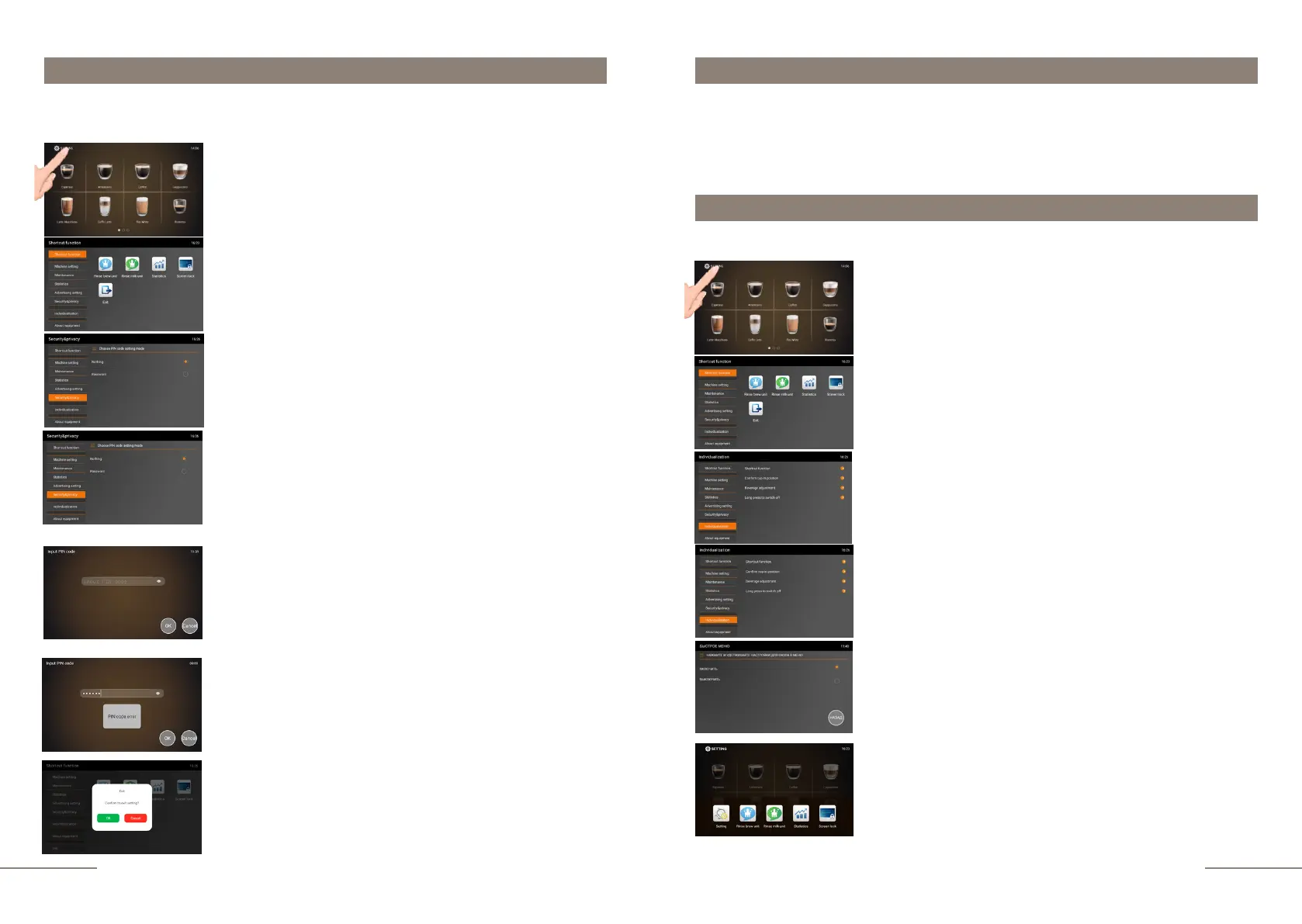
Select the SECURITY&PRIVACY tab and activate it. By
default, the coffee machine is set to NOTHING (no password
mode). The no password mode provides free access to the
programming menu.
To secure access to the programming menu, select
PASSWORD. When the mode is activated, the INPUT PIN-
CODE window will open.
To activate the password in the settings, enter 6 characters to
create a password. Activating the field will open the keyboard.
Dial 6 digits and press OK icon . Re-enter the password in the
second field.
Press "OK" to activate the password.
If the correct redial is entered, the password will be activated.
Now, when you enter the programming menu, the display will
prompt ENTER PASSWORD window.
If you retyped the password incorrectly, the PIN CODE
ERROR window pops up.
To exit the menu, press the EXIT touch icon and confirm your
choice by pressing the OK button.
Individualization
Individualization. Shortcut function options.
To activate instant access to the shortcut function, do the following:
Select the INDIVIDUALIZATION tab and activate it.
Select the SHORTCUT FUNCTION tab.
The "SHORTCUT FUNCTION" window will open with two
options to choose from "OPEN" and "CLOSE".
If "CLOSE" is selected, access to the quick menu will be possible
(will open) only through entering the programming menu.
When you select "OPEN" in ready mode, simply swipe up
from the bottom of the screen and the SHORTCUT
FUNCTION touch icons will appear at the bottom of the
display. In order to hide the icons of the quick menu, simply
press any of the required icons or enter the setting menu by
pressing and holdig the setting icon for 2 seconds.
The coffee machine is ready. Beverage preparation touch
icons are lit.
Press and hold the "SETTINGS" button for 2 seconds to
enter the programming menu.
The SHORTCUT FUNCTION tab is highlighted.
On the right, the shortcut function touch icons are
lit.
The coffee machine is ready. Beverage preparation touch
icons are lit.
Press and hold the "SETTINGS" button for 2 seconds to
enter the programming menu.
The SHORTCUT FUNCTION tab is highlighted.
On the right, the shortcut function touch icons are
lit.
In this menu item you can:
- activate instant access to the shortcut option.
- activate the prompt for confirming the installation of the cup.
- enable/disable settings changes during beverage preparing. - activate protection
against accidental ON / OFF.



 To Next Page