2120
The coffee machine is ready to go. Beverage preparation
touch icons are lit.
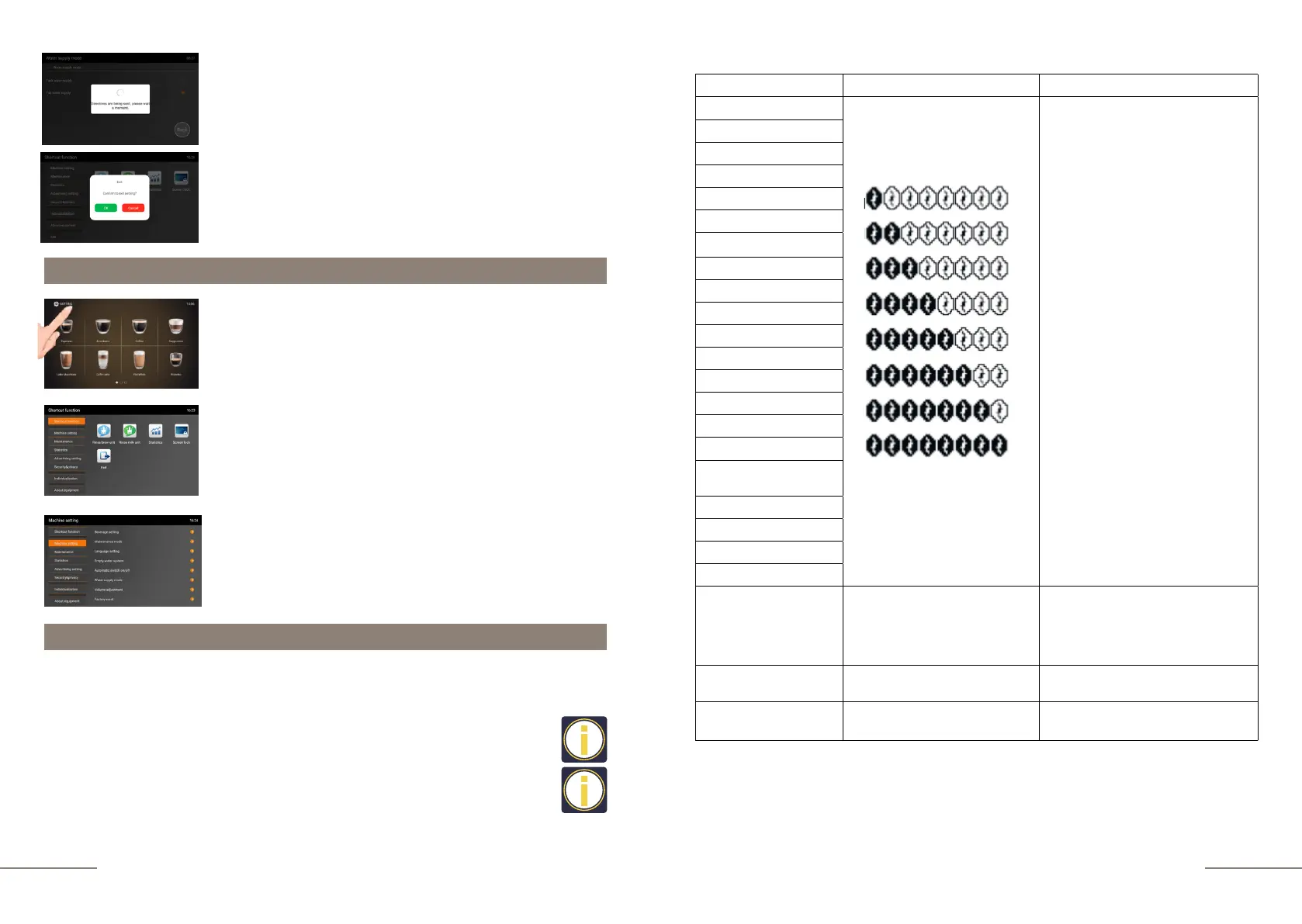
Press and hold the "SETTINGS" button for 2 seconds to
enter the programming menu.
The SHORTCUT FUNCTION tab is highlighted.
On the right, the shortcut function touch icons are
lit.
Select the MACHINE SETTINGS tab and activate it.
The MACHINE SETTINGS tab is highlighted.
Display message: The screen will be unlocked in 15 seconds.
The countdown starts.
As soon as the countdown shows a value of 0 seconds, the
screen will be unlocked.
To exit the menu, press the EXIT touch icon and confirm your
choice by pressing the OK button.
Beverage settings
In this menu item, you can make individual preparation settings for any coffee
beverage, create your own, as well as block or delete a beverage.
• We recommend setting a higher temperature for light roast beans or if you are
using 100% Arabica.
• We recommend setting a lower temperature for beverages made from heavily
roasted beans or if the coffee blend has a high Robusta content.
Beverage Strength Settings
ESPRESSO
BEVERAGE RECIPE:
-Coffee
-Coffee +Hot water
-Hot water
- Hot milk + Coffee
- Hot milk + Milk cream + Coffee
(at the same time)
- Hot milk + Milk cream + Coffee
(in sequence)
- Hot milk
- Milk cream
Coffee volume: 15-300 ml
Coffee temperature: 15 options
Pre-brew option: YES/NO
Block/Delete
Strength+
AMERICANO
COFFEE
CAPPUCCINO
LATTE MACCHIATO
LATTE
FLAT WHITE
RISTRETTO
MACCHIATO
COFFEE CREM
2 ESPRESSO
2 AMERICANO
2 COFFEE
2 CAPPUCCINO
2 LATTE MACCHIATO
2 LATTE
2 FLAT WHITE
2 RISTRETTO
2 MACCHIATO
2 COFFEE CREAM
COFFEE POT
HOT WATER
Hot water: 25-300 ml
Water temperature: 15 options
Block/Delete
HOT MILK
Hot milk (sec.): 5-120 seconds
Block/Delete
MILK CREAM
Milk cream (sec.): 5-120 seconds
Block/Delete
Permanent settings in programming mode are always made as shown below.
Example: changing the recipe for preparing an Espresso beverage according to your
taste preferences.
See the table below for details on the setting options.
Machine settings



 To Next Page