ERGOcom 3
5 Operation | 5.1 Operation, general
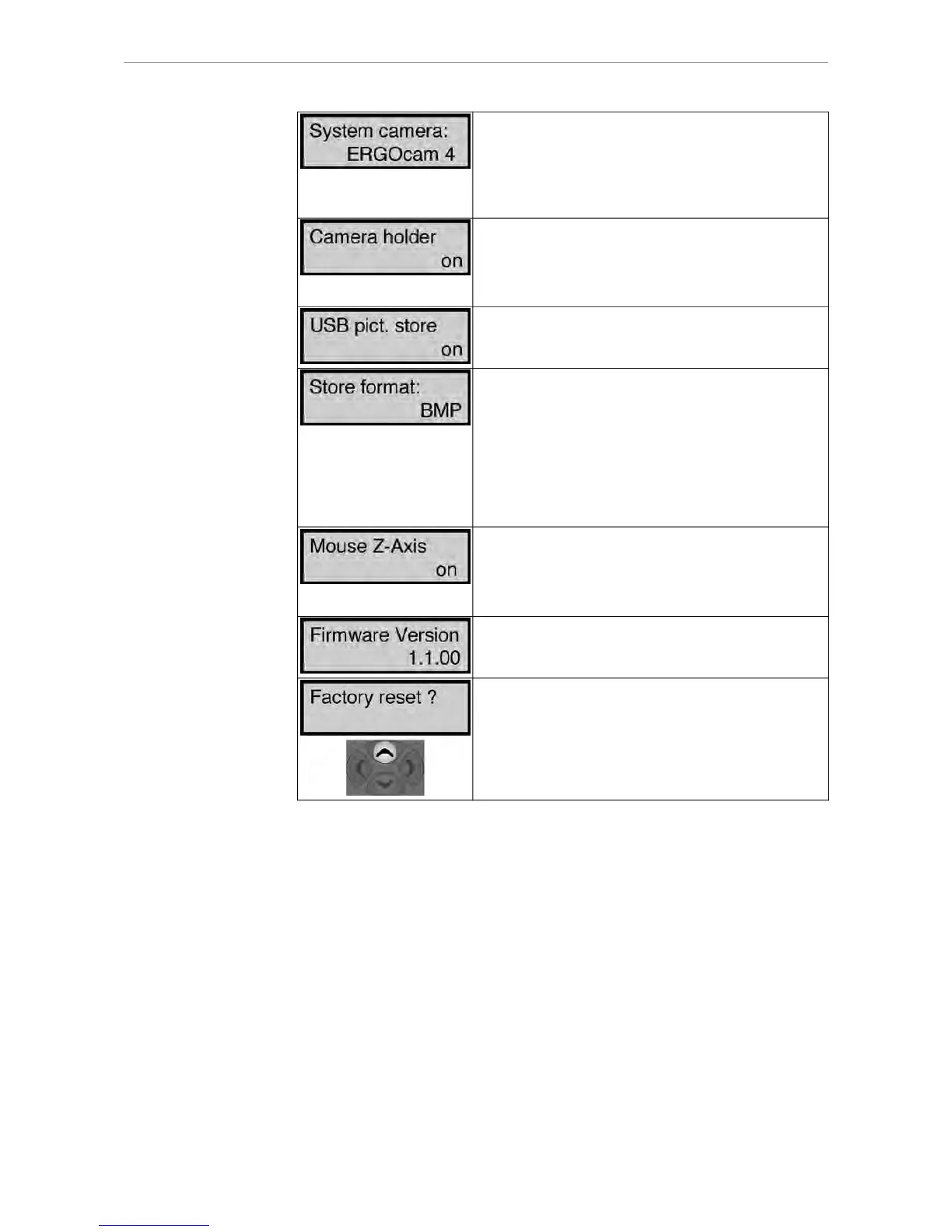
Various setting parameters for image functions are of-
fered on account of the various technical systems in the
intraoral cameras ERGOcam 3 and ERGOcam 4 offe-
red by KaVo. For optimum setting, the KaVo intraoral
camera built into the treatment device should be se-
lected here.
On: When the internal / external camera is taken out of
the holder, the camera image is automatically dis-
played on the monitor.
Off: Automatic operations are not available. The came-
ra image has to be selected manually.
On: When saving in Video mode, the images are saved
to the USB drive ERGOCOM3.
Off: Nothing is saved to the USB drive ERGOCOM3.
Determining the image format in which the images are
to be saved to the USB drive.
BMP stands for bitmap and is supported by all popular
image processing programs. The current YUV format
is converted to BMP beforehand (save time approx. 8
seconds).
YUV stands for video format and is supported by only
a few programs. However, this format is saved consi-
derably more quickly (save time approx. 2 seconds).
Here, whenERGOremote is used, the use of the Z-Axis
of the joystick is determined.
On: Clicking / double-clicking possible with the joystick.
Off: Clicking / double-clicking not possible with the joy-
stick.
Display of Firmware version number of ERGOcom 3
Mainboard.
Reset all menu points to factory settings.
CAUTION: VGA IN, VGA OUT, VIDEO IN and VIDEO
OUT will also be reset to factory settings if you select
this command.
The factory settings are restored using Navigation up.
26/56















 To Next Page