ERGOcom 3
5 Operation | 5.2 Operation, no display interface (classic)
See also:
5.4.5 Menu point, other, Page 49
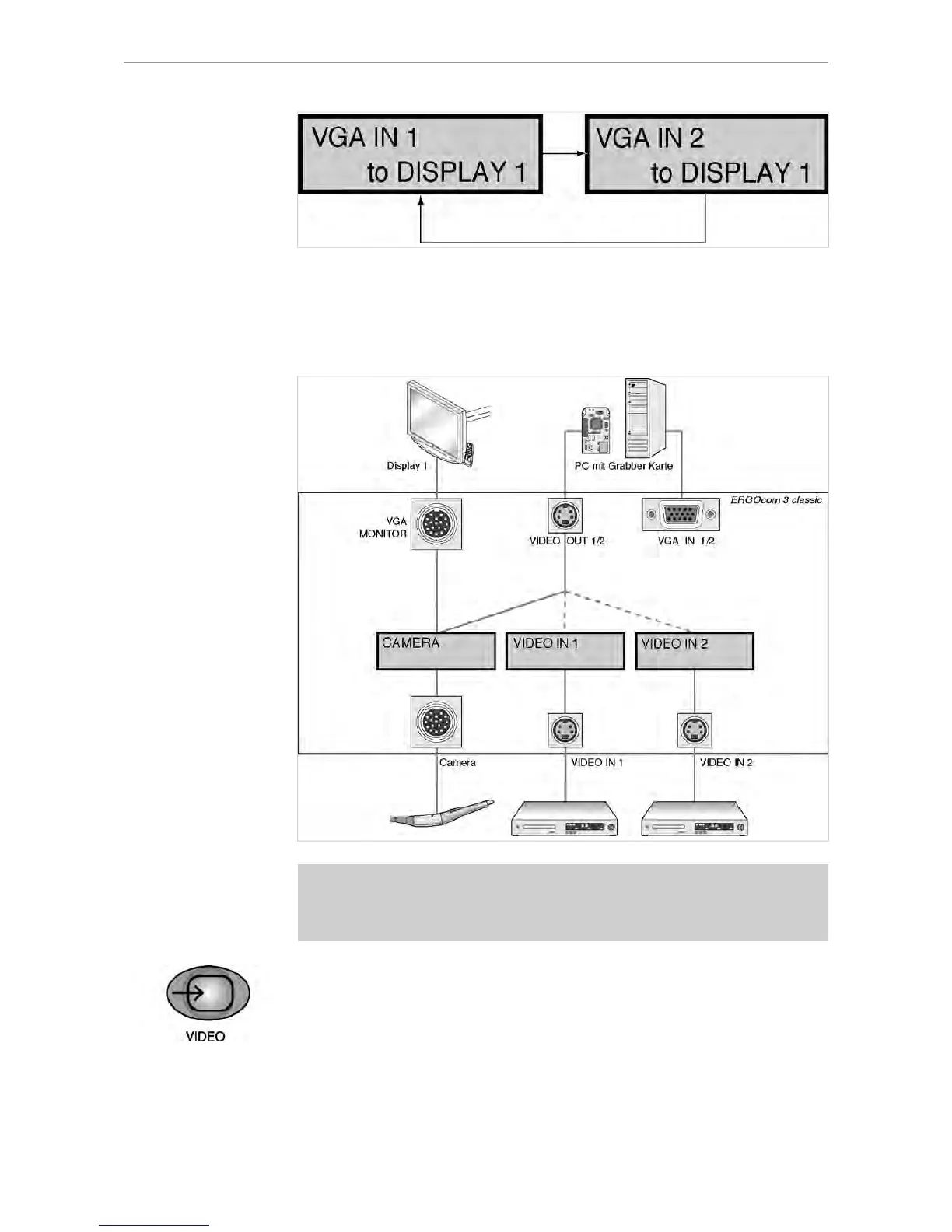
VIDEO IN - set image source
Prerequisite
● A grabber card has to be installed in the PC in order to show video sources on
Display 1.
● VIDEO OUT 1 or VIDEO OUT 2 has to be connected to the grabber card.
▶ Press the VIDEO IN button.
If a VGA image source was selected before, the last VIDEO IN image source
selected will be shown in the status display.
28/56















 To Next Page