33
Basic Operation
4 Hands
4 Hands
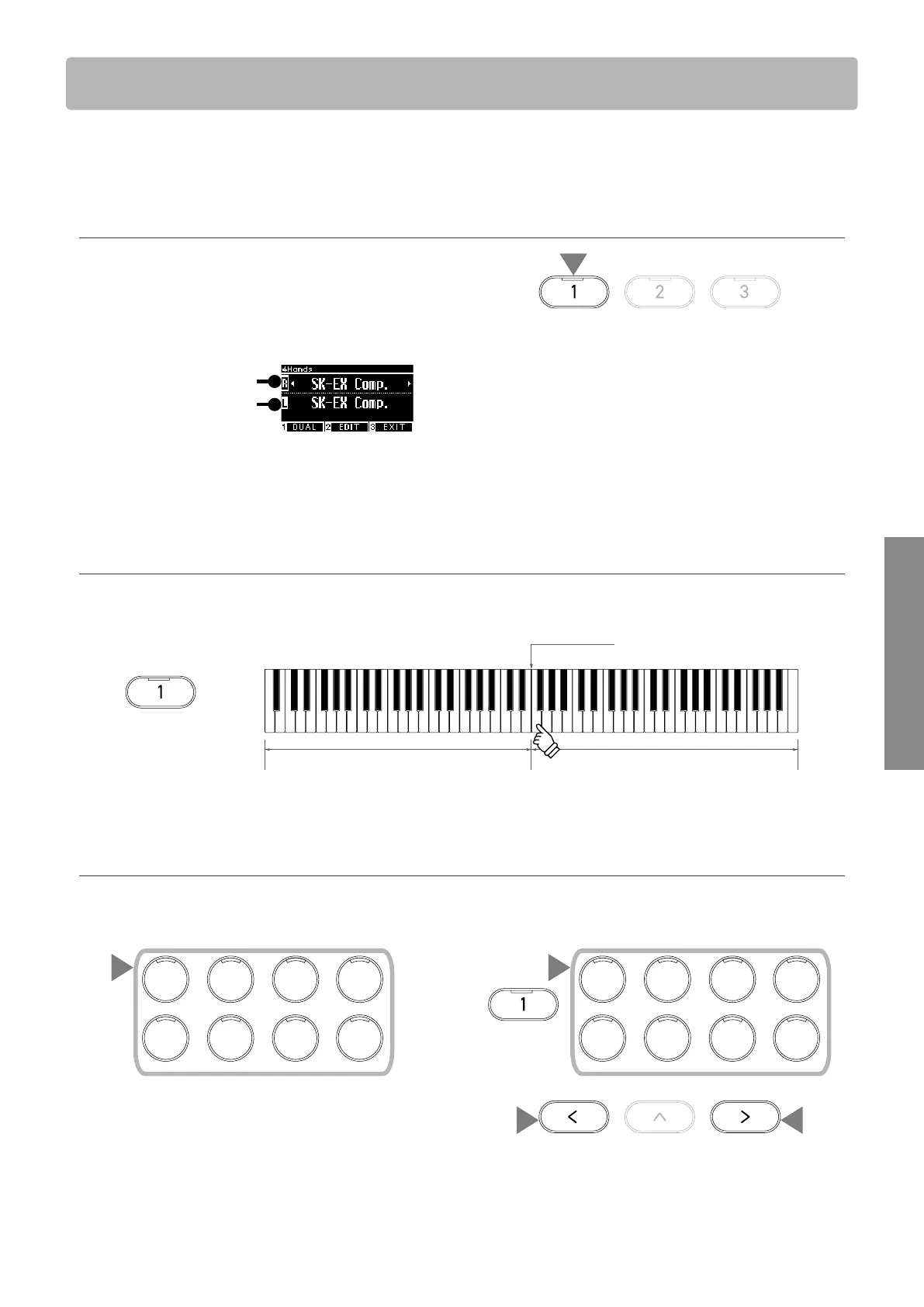
The Four Hands function divides the keyboard into left and right sections, each of which can be played
in the same key range. At this time, the damper pedal (right) acts as a damper pedal for the right section,
and the soft pedal (left) acts as a damper pedal for the left section.
Entering Four Hands
• On the Split screen, press the [1] button to enter the Four
Hands screen.
The LED indicator for the SOUND button assigned to the right
section will turn on.
The LED indicator for the SOUND button assigned to the left
section will ash.
Right section sound
Left section sound
• By default, the right and left sections will both be set to the
“SK-EX Competition Grand Piano | Concert” sound.
• Pressing the [3] button will return to the Home screen.
▋ Changing the Four Hands split point
Press and hold the [1] button, then press the desired split key on the keyboard.
The pressed split key will become the lowest note in the right section.
Left section Right section
Split point
hold
• The default setting of the split point is F4.
▋ Changing the right/left section sounds
1. Press a SOUND button to set the sound for the right section.
Press and hold the [1] button, then press a SOUND button to set the sound for the left section.
Right section Left section
hold
1
3
E.PIANO
4
ORGAN
6
STRINGS
7
PA D
5
HARPS I
8
BASS
1
PIANO1
2
PIANO2
3
E.PIANO
4
ORGAN
6
STRINGS
7
PA D
5
HARPS I
8
BASS
1
PIANO1
2
PIANO2
1
2. Press the [LEFT]/[RIGHT] button to set the sound for each sec-
tion.
1
2 2



 To Next Page