75
Adjustments & Settings
Settings Menu
10 Rename File
Characters that can be used
0 – 9 A – Z a – z ! # $ % & ' ( ) + , - . ; = @ [ ] ^ _ ` { }
▋ Renaming a le
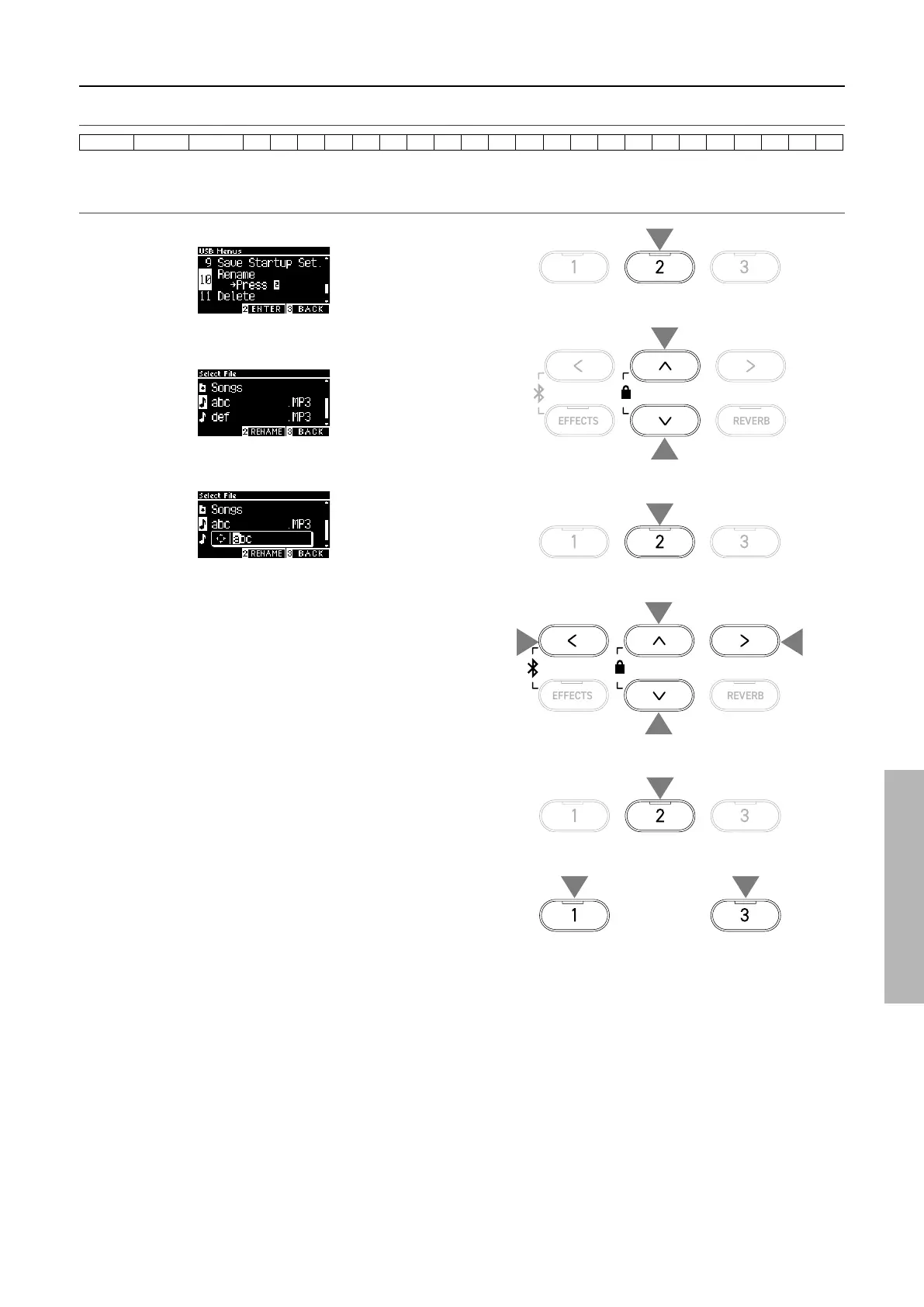
1. With “Rename” selected, press the [2] button.
2. Press the [UP]/[DOWN] button to select the le to be re-
named.
3. Press the [2] button.
4. Enter the new name.
Press the [LEFT]/[RIGHT] button to move the cursor and press
the [UP]/[DOWN] button to change characters.
Up to 12 characters can be specied for the le name.
5. Press the [2] button after entering the le name.
6. Press the [1] button to save, or press the [3] button to cancel.
1
2
2
3
5
or
66
4
4
4
4



 To Next Page