35
Basic Operation
Music Menu
Music Menu
The Music Menu contains four functions consisting of Demo Songs, Piano Music, Lesson, and Concert
Magic.
Music Menu list
Function Description
Demo Songs A selection of short songs to demonstrate each sound.
P81
Sound/Demo Songs List
Piano Music A selection of 29 popular piano works ranging from the Baroque period such as Rameau, to the Ro-
mantic period such as Chopin. Notated scores are provided in the separate “Classical Piano Collection”
book*.
Depending on market location.
Lesson A collection of contemporary lesson songs and classical etudes.
For a complete listing of available Lesson songs, please refer to the separate “Internal Song Lists” book-
let.
Concert Magic A selection of 176 Concert Magic songs. The Concert Magic function allows players to experience a
real piano performance by simply tapping any key with their nger. Concert Magic songs can also be
played back as demo songs.
For a complete listing of available Concert Magic songs, please refer to the separate “Internal Song
Lists” booklet.
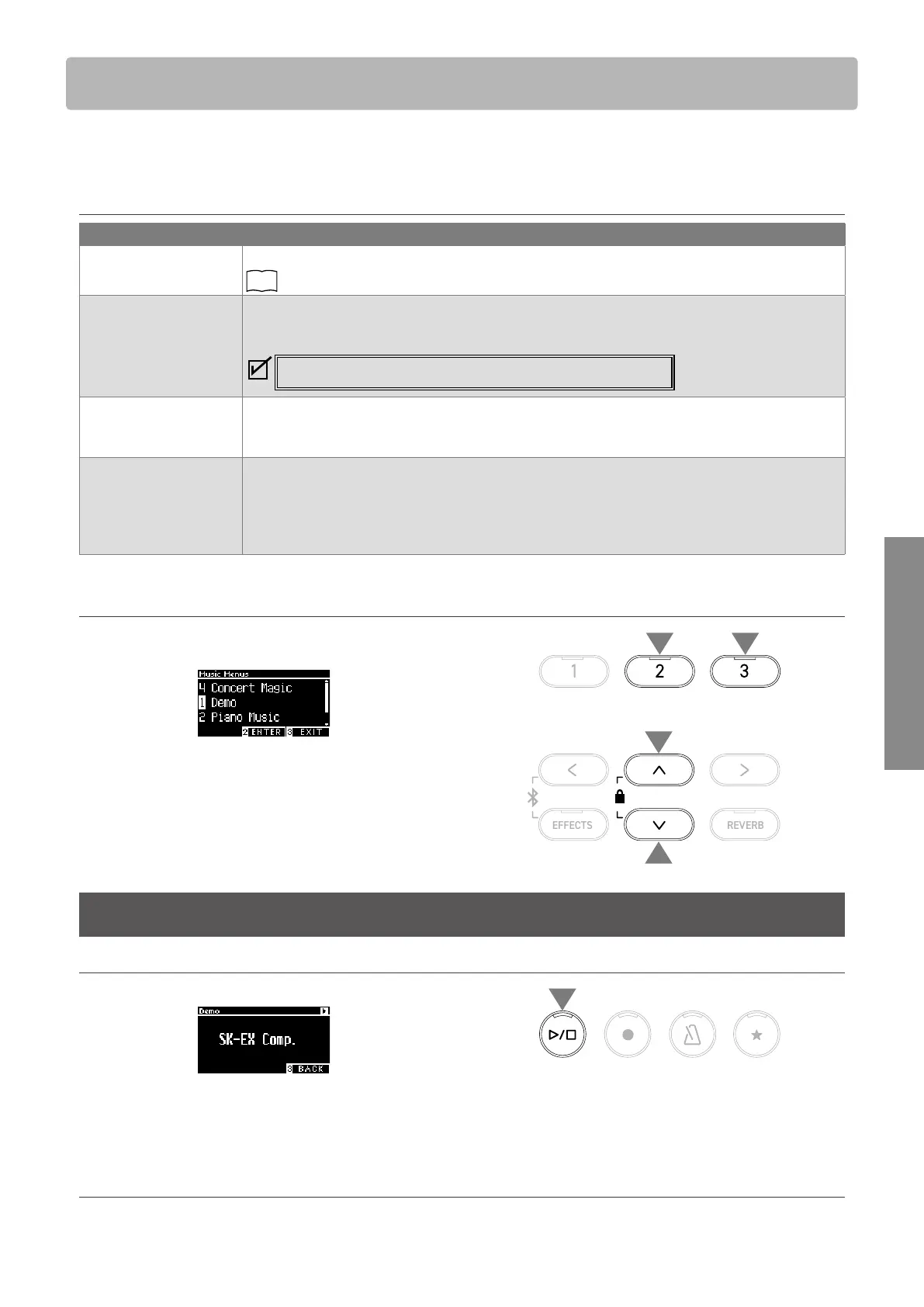
▋ Entering the Music Menu mode
1. On the Home screen, press the [3] button to enter the Music
Menu screen.
2. Press the [UP]/[DOWN] button to select the function to use.
3. Press the [2] button to enter the selected function.
Demo Songs
Playing/Stopping demo songs
• A demo song starts when the Demo Songs screen appears.
• Pressing the [PLAY/STOP] button will stop the song.
• Pressing the [PLAY/STOP] button again will play the song from
the beginning.
▋ Changing demo songs
• The demo song changes if the sound is changed by pressing the SOUND button or an ARROW button in the Demo Songs screen.
• Demo songs can be changed during playback.
2
2
3 1



 To Next Page