48
Adjustments & Settings
Settings Menu
3 Tone Control
The Tone Control setting allows players to optimise the sound quality in order to achieve the best sound
quality within the area that the instrument is located.
Tone Control types
Type Description
Flat Tone control adjustment is not applied.
Brilliance Adjusts the overall brightness of the sound.
Bass boost Emphasises low-range frequencies, creating a deeper sound.
Bass cut Reduces low-range frequencies, creating a clearer sound.
Mid boost Emphasises mid-range frequencies, creating a harder sound.
Loudness Emphasises frequencies to retain the instrument’s sound character even at low volume levels.
Bright Emphasises high-range frequencies, creating a brighter sound.
Mellow Reduces high-range frequencies, creating a softer sound.
User Allows the low, mid, and high-range frequency bands to be adjusted separately.
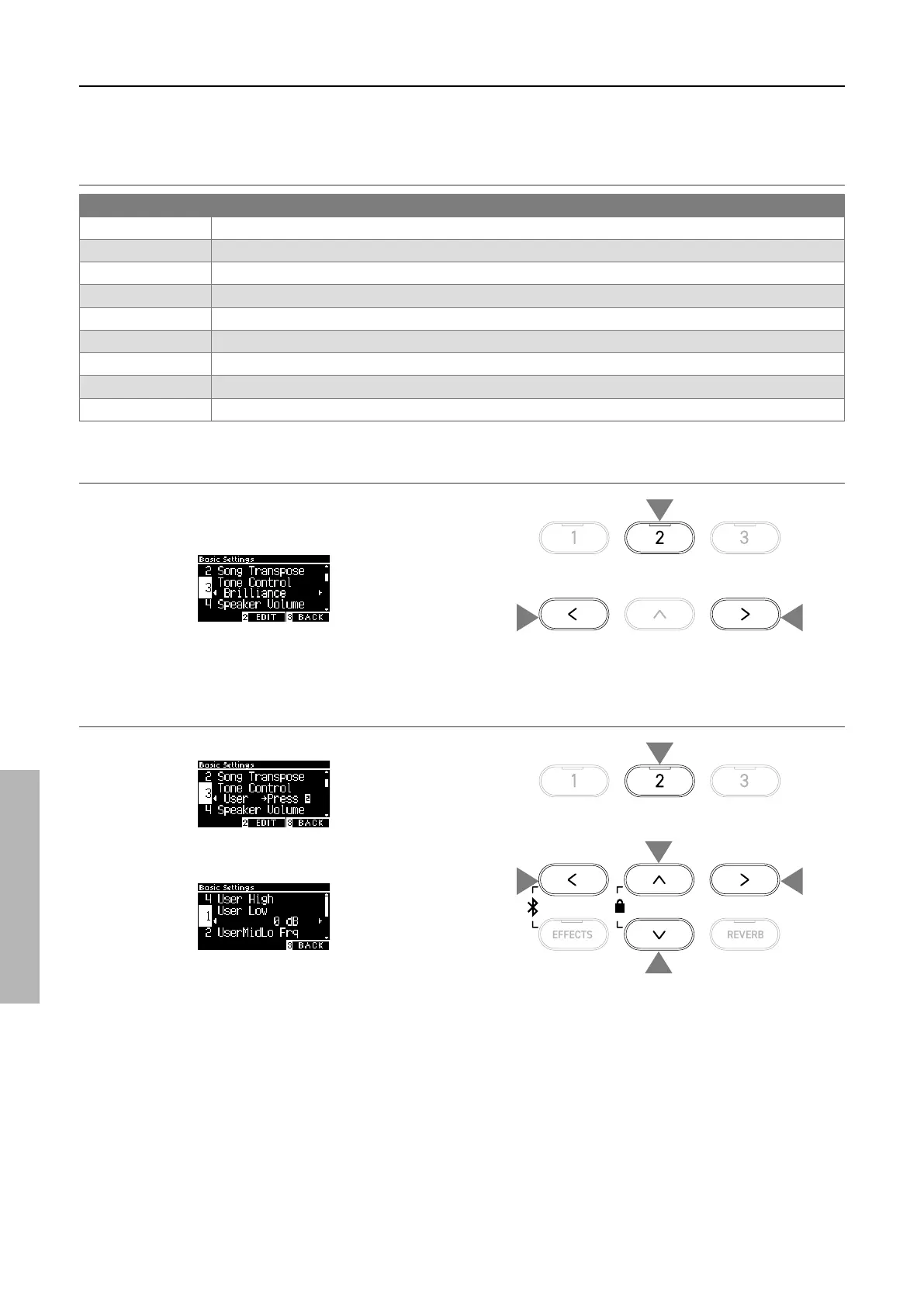
▋ Adjusting the Brilliance level
Tone Control type Brilliance can adjust the brightness of the
sound between -10 and +10.
1. With “Brilliance” selected, press the [2] button.
2. Press the [LEFT]/[RIGHT] button to set the value.
The greater the value the brighter of the sound.
▋ Adjusting the User Tone Control value
1. With “User” selected, press the [2] button.
2. Press the [UP]/[DOWN] button to select the band to be ad-
justed.
3. Press the [LEFT]/[RIGHT] button to set the volume and fre-
quency.
2 2
1
1
2
2
3
3


 To Next Page