67
Adjustments & Settings
Settings Menu
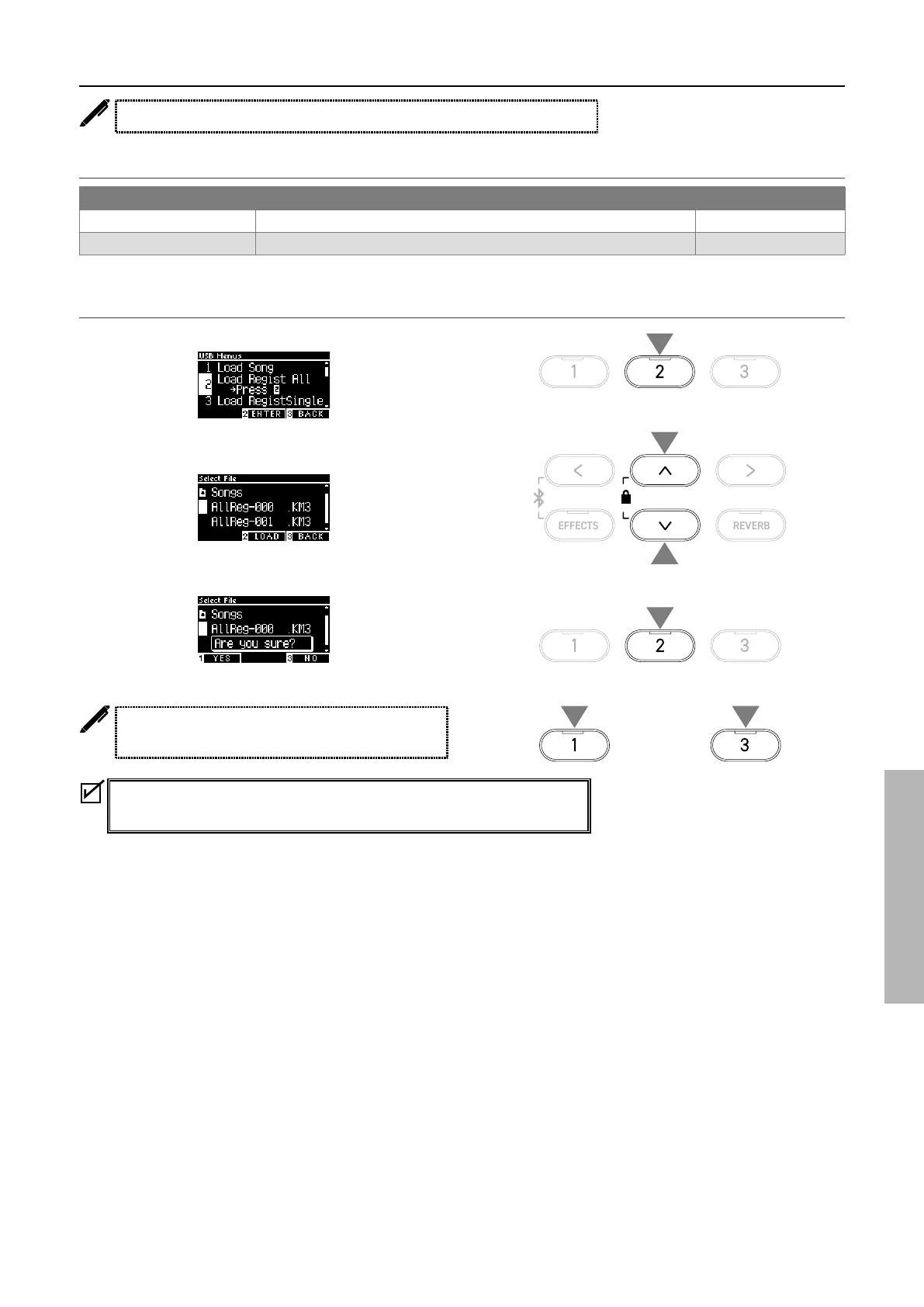
2 Load Registration All
The display shows “Load Regist All”.
Type of registration les
Type Description Extension
Single Stores a single registration. KM6
All Stores all of 16 registrations. KM3
▋ Loading
1. With “Load Regist All” selected, press the [2] button.
2. Press the [UP]/[DOWN] button to select a registration le
(type All) [.KM3] to be loaded.
3. Press the [2] button.
4. Press the [1] button to load, or press the [3] button to cancel.
The extension of the type All registration le is “KM3”.
The le is not compatible with other models.
Registrations set on the instrument will be all overwritten when the Load
Registration All function is executed. Check carefully before using this function.
1
3
or
44
2
2



 To Next Page