68
Adjustments & Settings
Settings Menu
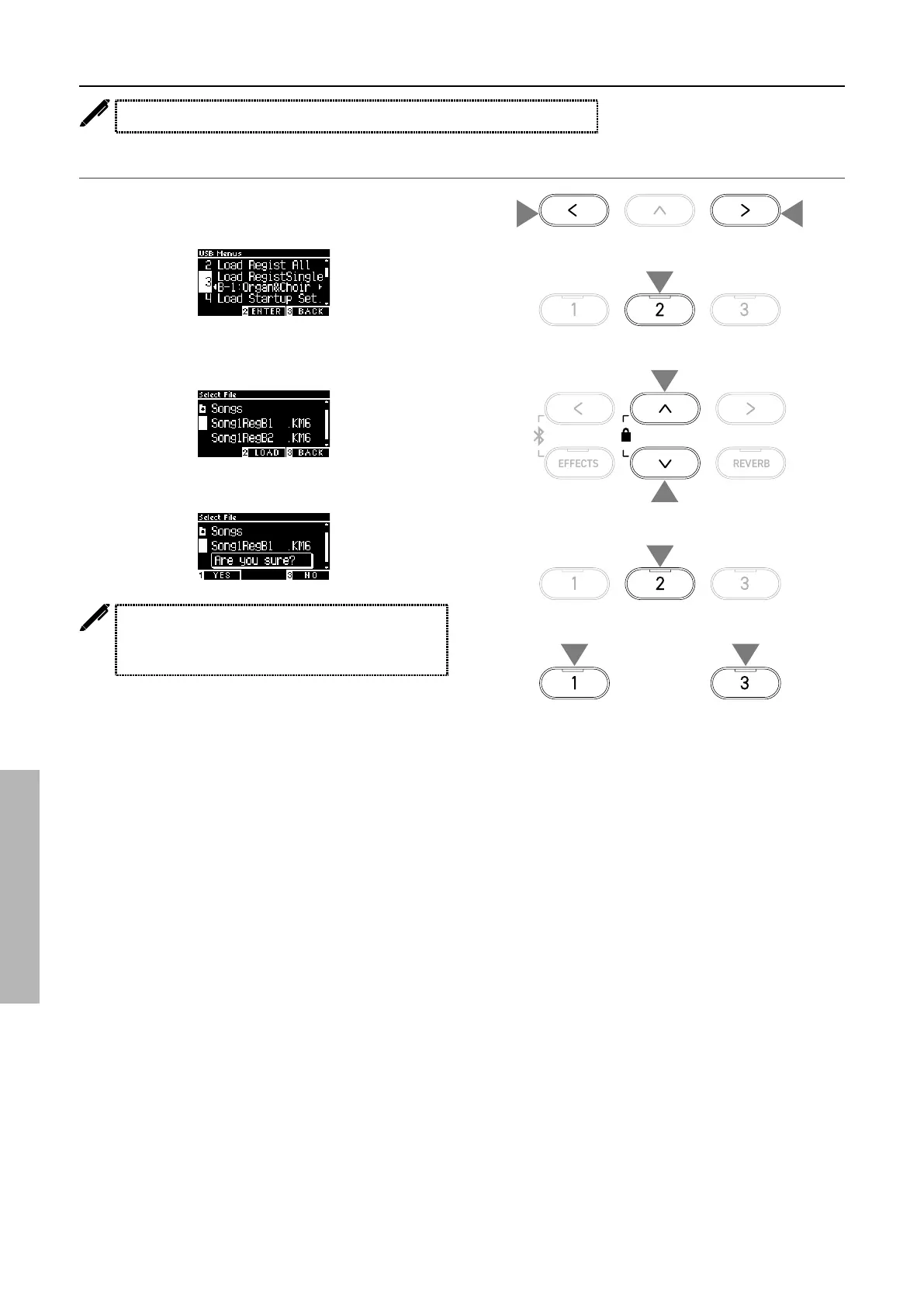
3 Load Registration Single
The display shows “Load RegistSingle”.
Loading
1. With “Load RegistSingle” selected, press the [LEFT]/[RIGHT]
button to select the registration memory for the registration
to be loaded into.
2. Press the [2] button.
3. Press the [UP]/[DOWN] button to select the registration le
(type Single) [.KM6] to be loaded.
4. Press the [2] button.
5. Press the [1] button to load, or press the [3] button to cancel.
The extension of the type Single registration le is
“KM6”.
The le is not compatible with other models.
3
3
1 1
2
4
or
55



 To Next Page