34
4 Hands
Basic Operation
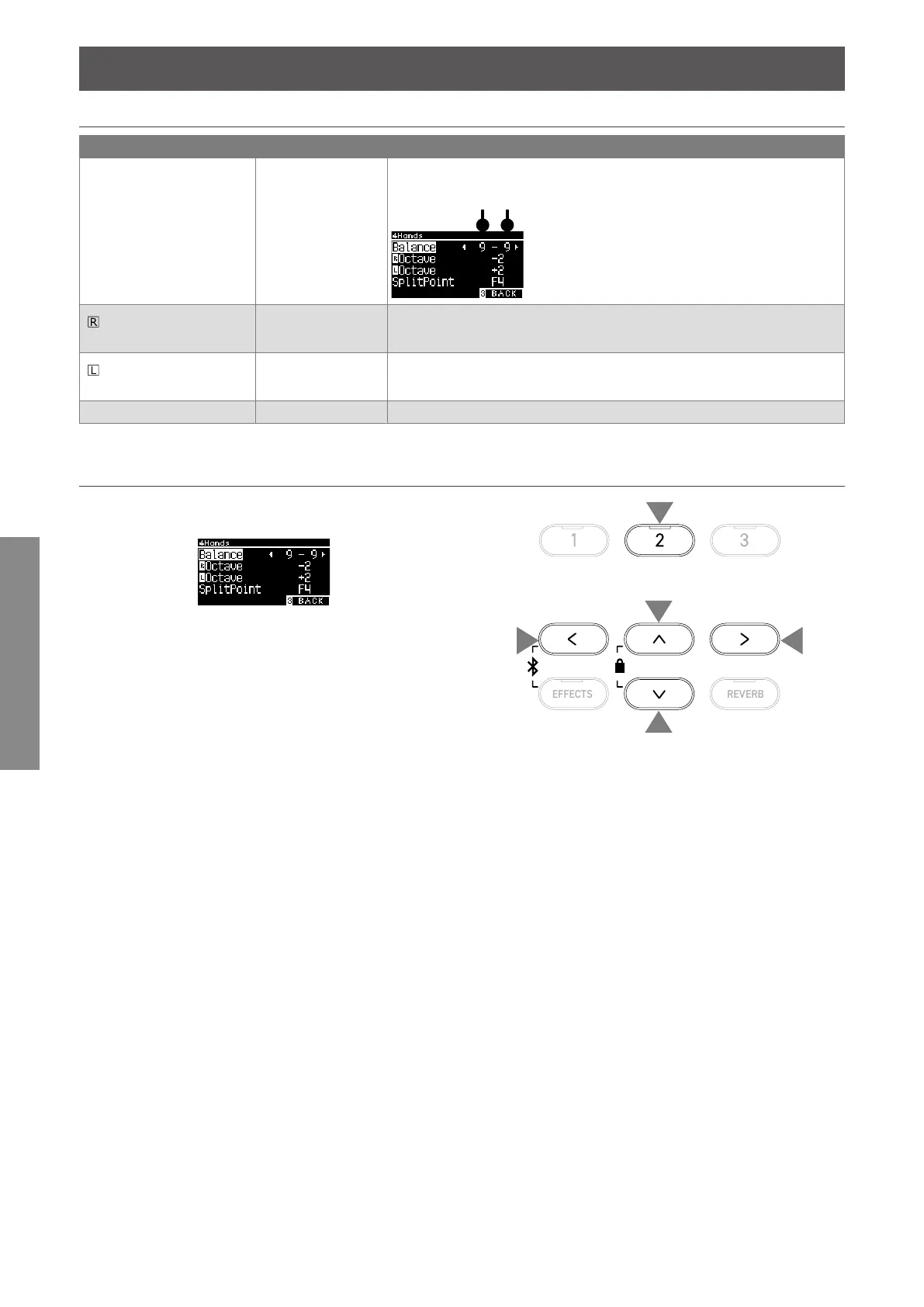
Four Hands Settings
List of Four Hands settings
Four Hands Edit setting Default setting Description
Balance 9-9 Adjust the volume balance of the two sounds.
Right sectionLeft section
Octave
(Right Octave Shift)
-2 Adjust the sound range of the right section between -3 and 0 octaves.
Octave
(Left Octave Shift)
2 Adjust the sound range of the left section between 0 and +3 octaves.
Split Point F4 Set the split point in the range from A#0 to C8.
▋ Four Hands settings
1. On the Four Hands screen, press the [2] button to enter the
Four Hands Edit screen.
Four Hands Edit screen
2. Press the [UP]/[DOWN] button to select the settings menu.
3. Press the [LEFT]/[RIGHT] button to set the value.
• Pressing the [LEFT]/[RIGHT] buttons simultaneously will re-
store the default setting.
• Pressing the [3] button twice will return to the Home screen.
1
2
2
3
3



 To Next Page