64
Adjustments & Settings
Settings Menu
▋ Checking connection of a USB memory device
A USB icon appears in the display while a USB memory device is connected to the instrument.
P13
Home screen
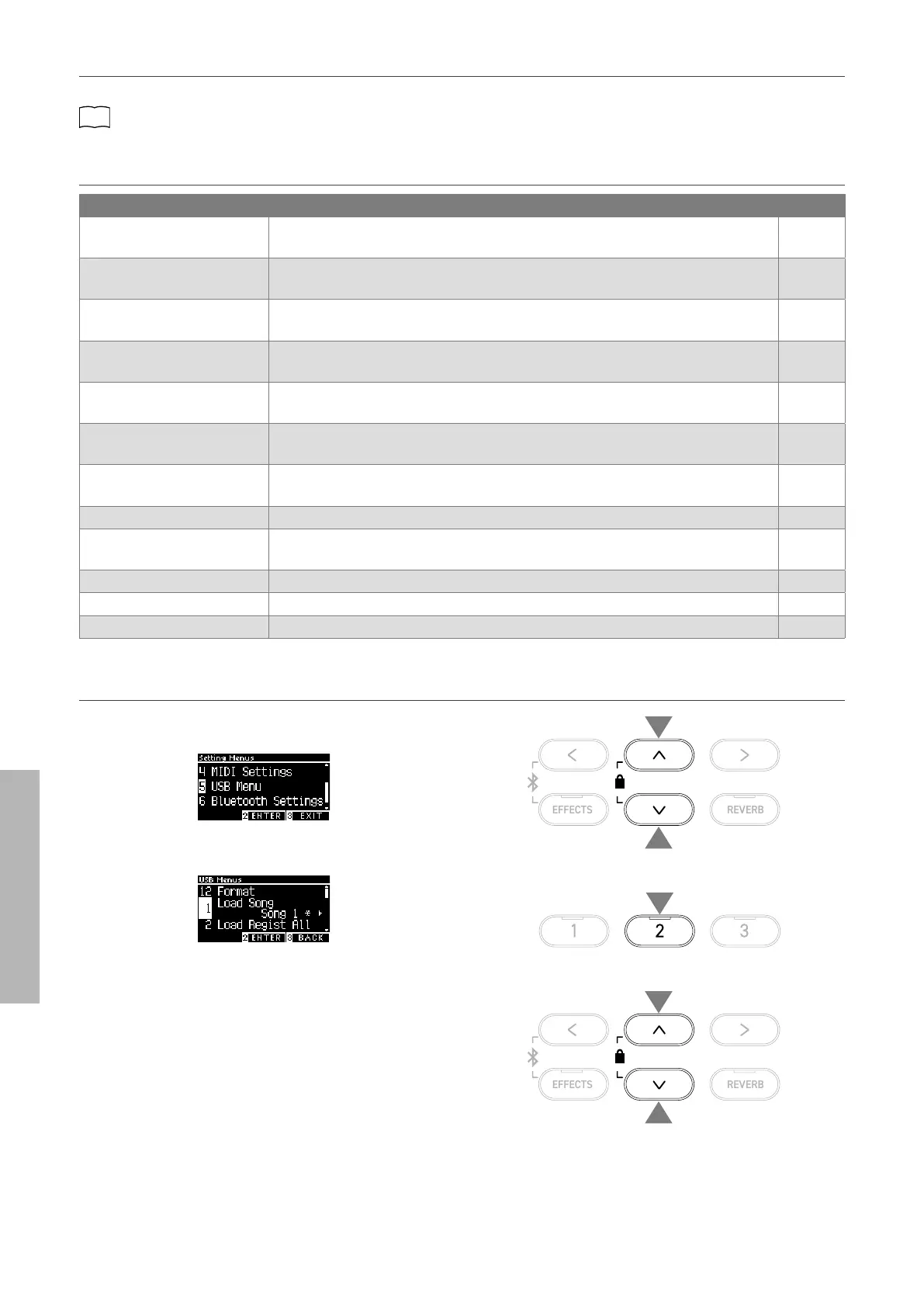
▋ USB Menu functions
Function Description Page
1. Load Song Load a song le (KSO le) from a USB memory device into the instrument’s internal
memory.
P66
2. Load Registration All Load the registration le (All/KM3 le) from a USB memory device into the instru-
ment’s internal memory.
P67
3. Load Registration Single Load the registration le (Single/KM6 le) from a USB memory device into the instru-
ment’s internal memory.
P68
4. Load Startup Setting Load a startup setting le (KM1 le) from a USB memory device into the instrument’s
internal memory.
P69
5. Save Internal Song Save the song recorded in the instrument’s internal memory to a USB memory device
in KSO le format.
P70
6. Save SMF Song Save the song recorded in the instrument’s internal memory to a USB memory device
in SMF le format.
P71
7. Save Registration All Save all of the registrations set on the instrument to a USB memory device in KM3 le
format.
P72
8. Save Registration Single Save a registration set on the instrument to a USB memory device in KM6 le format. P73
9. Save Startup Setting Save the startup setting set on the instrument to a USB memory device in KM1 le
format.
P74
10. Rename File Rename a le in a USB memory device. P75
11. Delete File Delete a le in a USB memory device. P76
12. Format USB Format a USB memory device. P76
▋ Entering the USB Menu screen
1. On the Settings Menu screen, press the [UP]/[DOWN] button
to select “USB Menu”.
2. Press the [2] button to enter the USB Menu screen.
3. Press the [UP]/[DOWN] button to select the item to use.
1
1
2
3
3



 To Next Page