102
USB Menu
USB Menu Functions
4. Save All Sound
This function saves the parameters for all internal sounds to a
USB memory device.
After selecting this function, enter a name for the saved
AllSound le using control knobs A and B, then press the F4
function button (EXEC).
5. Save All Setup
This function saves all of the SETUP memories stored in the
instrument to a USB memory device.
After selecting this function, enter a name for the saved AllSetup
le using control knobs A and B, then press the F4 function
button (EXEC).
6. Save All Backup
This function saves the parameters for all internal sounds, all SETUP memories, and all SYSTEM settings to a USB memory device.
After selecting this function, enter a name for the saved AllBackup le using control knobs A and B, then press the F4 function button
(EXEC).
3
Delete
These functions allow data stored on a USB memory device to be deleted.
Delete functions will erase data from the connected USB memory device.
Exercise caution when using these functions in order to prevent accidental data loss.
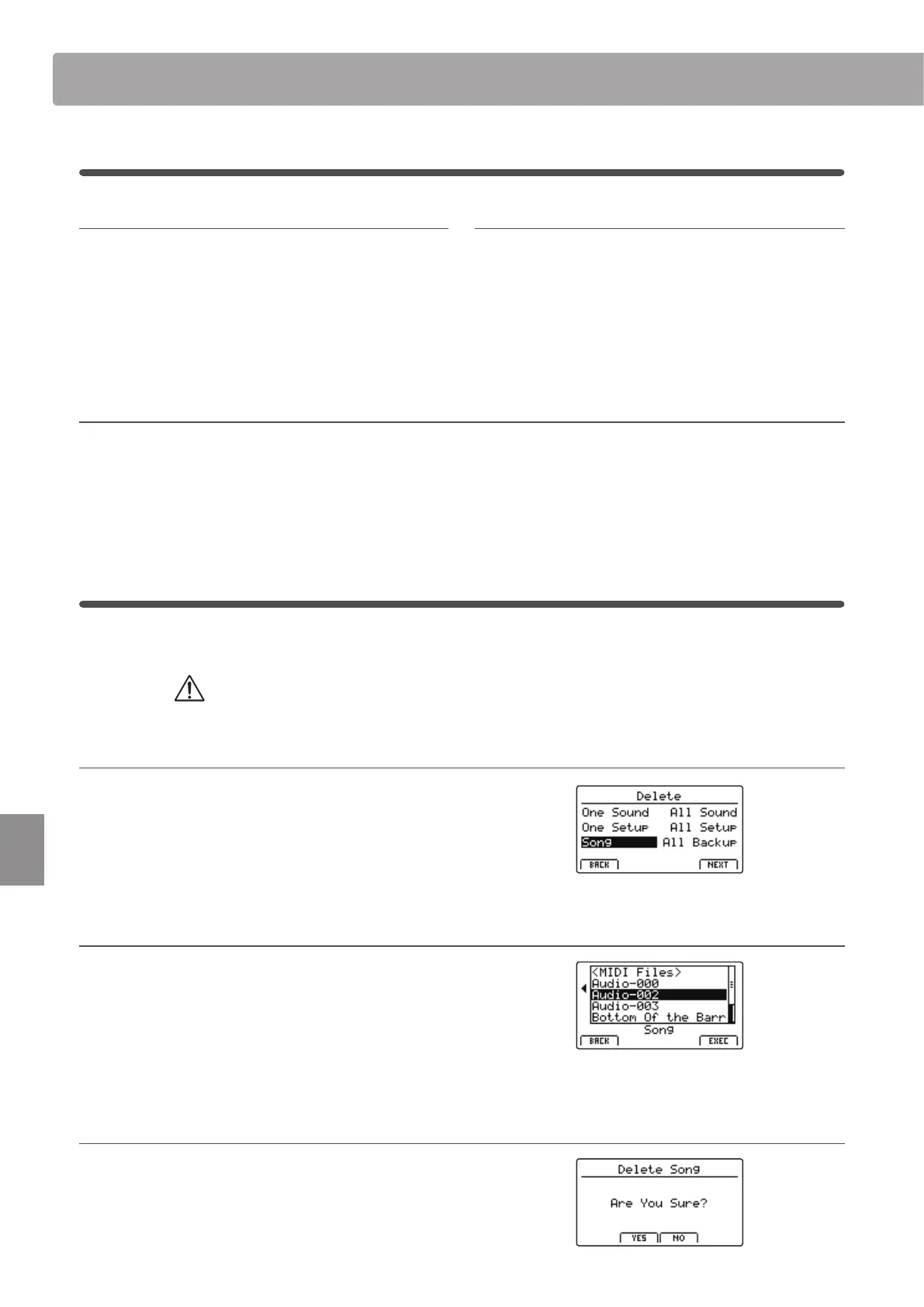
1. Selecting the type of le to delete
Press the CURSOR buttons then the +/YES button or F4 function
button (NEXT) to select the type of le to be deleted.
Press the –/NO or F1 function button (BACK) to return to the
previous screen.
2. Selecting the le to delete
Turn control knob A or press the CURSOR buttons to move the
selection cursor. Then press the +/YES button or F4 function
button (EXEC) to delete the le.
Press the –/NO or F1 function button (BACK) to return to the
previous screen.
3. Conrming the le deletion
Press the F2 function button (YES) or F3 function button (NO) to
conrm or cancel the delete le operation.
After deleting the le, the main USB Menu will screen will be
shown in the LCD display.
2
Save (cont.)



 To Next Page