23
Main Operation
2
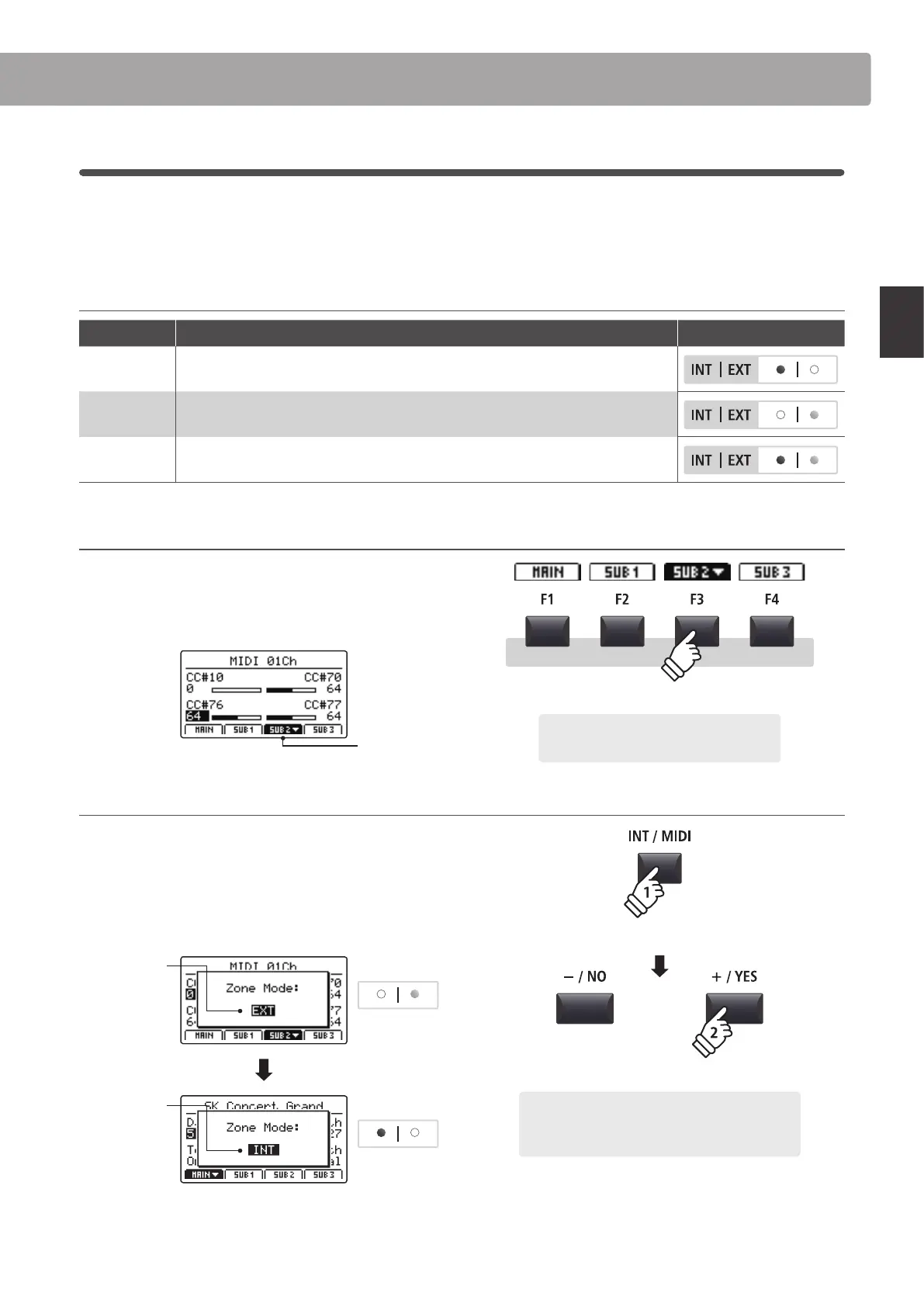
Zone Modes (int/ext/both)
Also noted in the introduction, the MP7SE’s four zones can each be set to control the instrument’s internal sounds
(INT), external MIDI devices (EXT), or both internal and external simultaneously (BOTH). This page will outline the
dierences between the zone modes, and explain how to switch between them.
Zone modes
Zone mode Description Panel Appearance
INT The zone will control internal sounds only.
EXT The zone will control external MIDI devices only.
BOTH The zone will control both internal sounds and external MIDI devices simultaneously.
Selecting zones
Press the F1~F4 function buttons located below the LCD display
to select the desired zone.
The selected zone will be shown in the LCD display.
SUB2 zone
selected
Changing the zone mode
Press and hold the INT/MIDI button, then press the +/YES or –/
NO buttons to cycle through the dierent zone modes.
The LED indicator for the zone will change to indicate the
selected zone mode, and the Zone Mode pop-up will briey be
shown in the LCD display.
Before:
EXT mode
Zone LED
After:
INT mode
Zone LED
* By default, the MAIN and SUB1 zones will be set to INT mode, and the SUB2
and SUB3 zones will be set to EXT mode.
Example: To select the SUB2 zone, press the
F3 function button.
hold
Example: To change the SUB2 zone from EXT mode to
INT mode, press and hold the INT/MIDI button, then
press the +/YES button twice.
× 2
Zone Functions



 To Next Page