103
USB Menu
USB Menu Functions
4
Rename
These functions allow data stored on a USB memory device to be renamed.
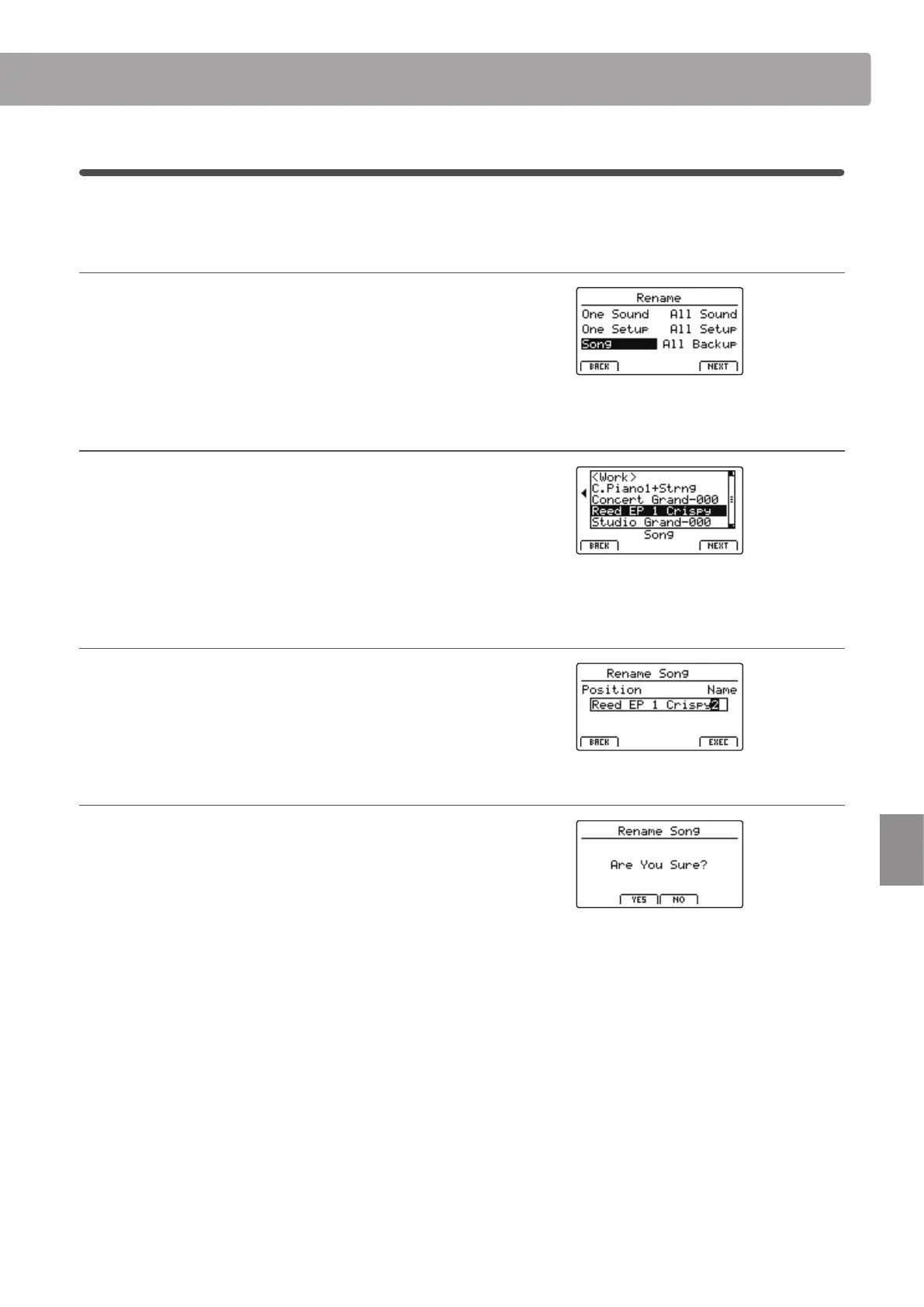
1. Selecting the type of le to rename
Press the CURSOR buttons then the +/YES button or F4 function
button (NEXT) to select the type of le to be renamed.
Press the –/NO or F1 function button (BACK) to return to the
previous screen.
2. Selecting the le to rename
Turn control knob A or press the CURSOR buttons to move the
selection cursor. Then press the +/YES button or F4 function
button (EXEC) to rename the le.
Press the –/NO or F1 function button (BACK) to return to the
previous screen.
3. Renaming the le
Turn control knobs A and B to move the position of the cursor
and change the character, then press F4 function button (EXEC)
to rename the le.
4. Conrming the le rename
Press the F2 function button (YES) or F3 function button (NO) to
conrm or cancel the rename le operation.
After renaming the le, the main USB Menu will screen will be
shown in the LCD display.



 To Next Page