115
SYSTEM Menu
SYSTEM Menu Parameters & Functions
Creating a User Stretch Tuning
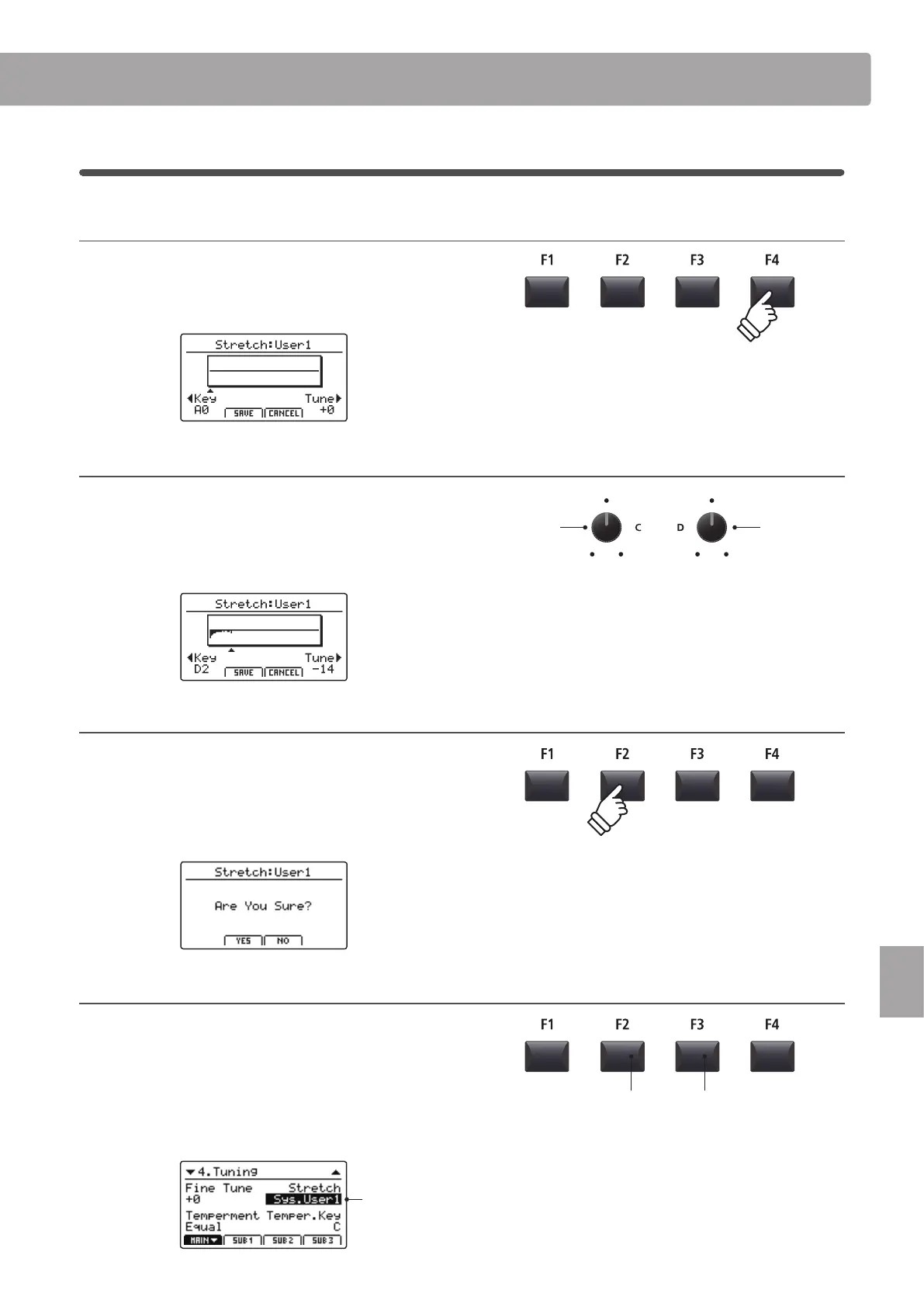
1. Selecting the User Stretch Tuning editor
After selecting the User Stretch Tuning to be edited:
Press the F4 function button (NEXT) to select the User Stretch
Tuning editor.
2. Adjusting the User Stretch Tuning
Turn control knob C to select the key to be adjusted.
Turn control knob D to adjust the pitch of the selected key.
* The pitch of each key can be adjusted within the range of –50 ~ +50 cents.
One semi-tone = 100 cents.
* To select a note directly, press the desired key.
3. Saving the User Stretch Tuning
After adjusting the key pitches:
Press the F2 function button (SAVE) to save the adjusted User
Stretch Tuning.
A store conrmation screen will be shown in the LCD display.
4. Conrming the store operation
Press the F2 button (YES) to conrm the store operation, or the
F3 button (NO) to return to the previous screen.
* The +/YES and –/NO buttons can also be used to conrm or cancel the
store operation.
The new User Stretch Tuning will be used for the selected sound
section temporarily.
Selected User
Stretch Tuning
F3 button:
NO: Cancel
F2 button:
YES: Conrm
Select key Adjust pitch
* Please use the Store SOUND function to ensure that the created User
Stretch Tuning is used automatically when the sound is selected.



 To Next Page