65
STORE Button & SETUPs
Overview of the STORE Button
2
Storing a SETUP
This function will store all the EDIT menu parameters for the MAIN and SUB zones, panel button and knob states,
and EQ settings to one of the MP7SE’s 256 SETUP memories.
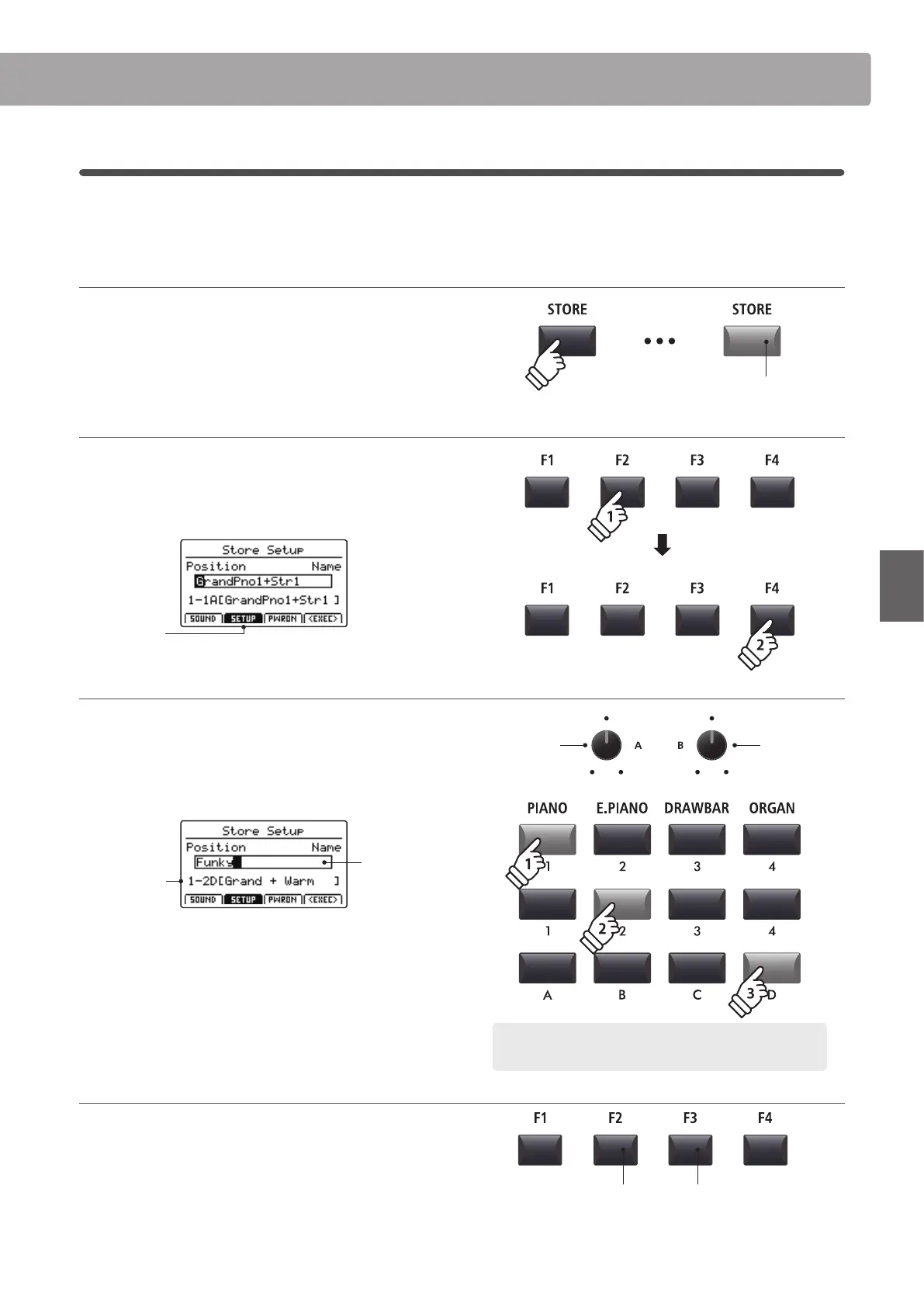
1. Entering the STORE screen
Press the STORE button.
The LED indicator for the STORE button will turn ON, and the
store selection screen will be shown in the LCD display.
2. Selecting the Store Setup function
Press the F2 button (SETUP) to select the Store Setup function,
then press the F4 button (EXEC).
The Store Setup screen will be shown in the LCD display.
SETUP
selected
3. Naming the SETUP, selecting the SETUP memory
Turn control knobs A and B to move the cursor position and
select the characters for the SETUP name.
Press the SETUP memory buttons to select the memory location
for the new SETUP.
SETUP
memory
SETUP
name
Press the F4 function button (EXEC).
The Store Setup conrmation screen will be shown in the LCD
display.
4. Conrming the Store Setup operation
Press the F2 button (YES) to conrm the Store Setup operation,
or the F3 button (NO) to return to the previous screen.
* The existing SETUP memory will be overwritten with the new SETUP.
* The +/YES and –/NO buttons can also be used to conrm or cancel the
store operation.
* When the SETUP has been stored and the SETUP button has been turned
OFF, the panel settings will return to the POWERON state.
LED indicator ON:
STORE mode is selected
Move cursor
position
Select
character
Example: To select SETUP memory 1-2D, press ‘PIANO’ category
button, the ‘2’ sub-category button, and the ‘D’ variation button.
F3 button:
NO: Cancel
F2 button:
YES: Conrm



 To Next Page