48
EDIT Menu
EDIT Menu parameters (INT mode)
11./12. Velocity Switch / Velocity Switch Value mode: off, soft, loud / value: 0 ~ 127
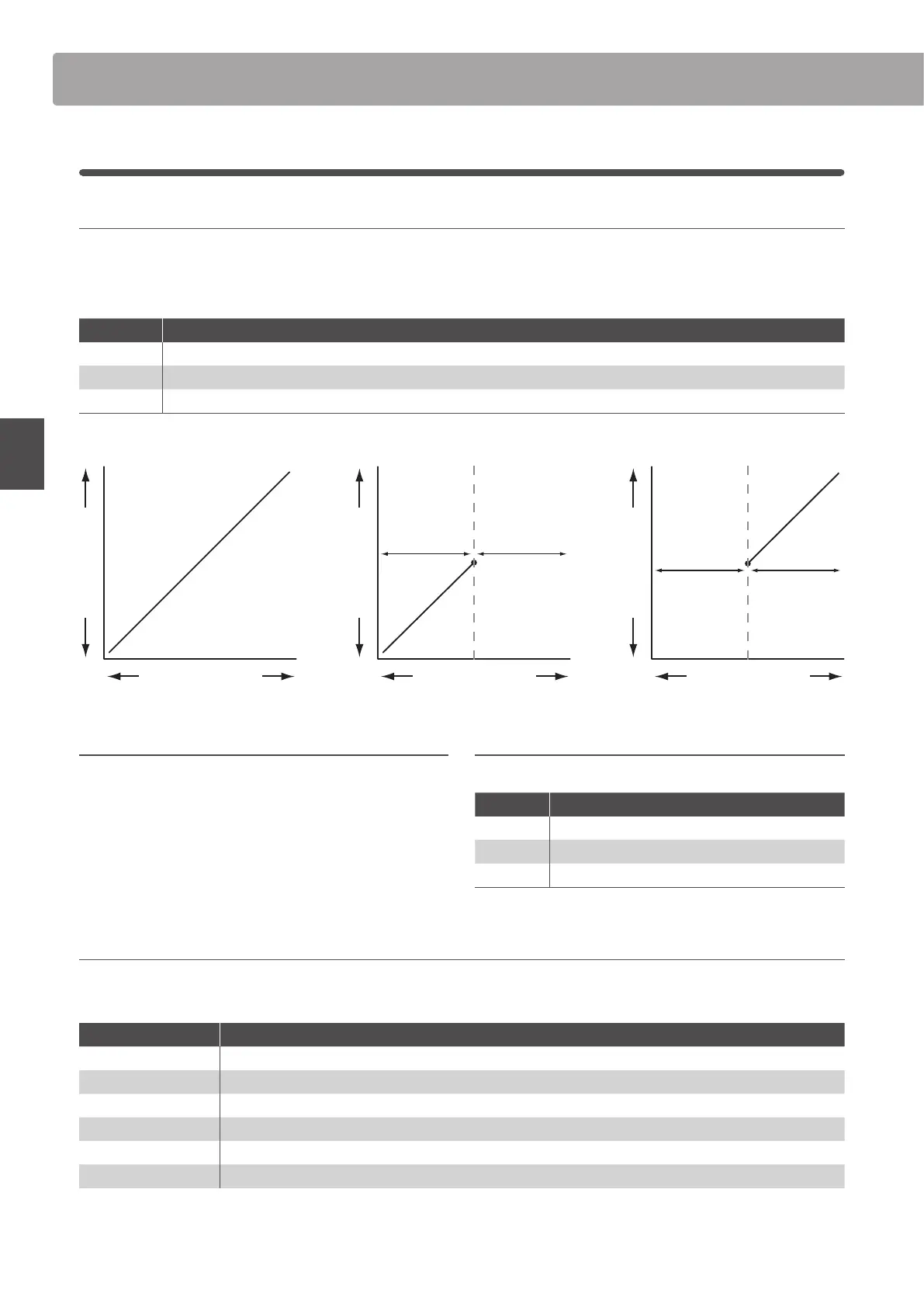
These parameters enable velocity switching, and set the velocity switch type and value.
Velocity Switching is useful when combining multiple zones, allowing dierent sounds to be played depending on the velocity of the key strike.
* This parameter is not stored to SOUND but to SETUP only.
Switch Mode Description
O The selected sound will play normally (i.e. no velocity switching).
Soft The selected sound will play only when the velocity is lower than the dened velocity switch value.
Loud The selected sound will play only when the velocity is higher than the dened velocity switch value.
Sound Volume
Velocity Switch O
Keyboard Velocity
Sound Volume
Velocity Switch Soft
Keyboard Velocity
Velocity Switch value
Non-sound rangeSound range
Sound Volume
Velocity Switch Loud
Keyboard Velocity
Velocity Switch value
Sound rangeNon-sound range
13. Solo on, off
This parameter determines whether or not playing will be
restricted to single notes, even when more than one note is
played simultaneously.
This parameters can be used to eectively simulate the performance
characteristics of a monophonic synthesizer.
14. Solo Mode last, HigH, low
This parameter selects the solo mode for the selected zone.
Solo Mode Description
Last Play the last note of a group of notes.
High Play the highest note of a group of notes.
Low Play the lowest note of a group of notes.
15. Key Volume 5 types + 5 user
This parameter selects the Key Volume setting for the selected sound section, if desired.
* For information about creating User Key Volumes, please refer to the User Edit explanation in the SYSTEM menu chapter (page 114).
Key Volume Description
Normal
(default) An evenly balanced volume throughout the keyboard.
High Damping Gradually reduces the volume of the keyboard towards the treble region.
Low Damping Gradually reduces the volume of the keyboard towards the bass region.
High & Low Damping Gradually reduces the volume of the keyboard in both the treble and bass regions.
Center Damping Gradually reduces the volume of the keyboard in the central region.
User A custom keyboard volume, allowing the volume of each key to be individually adjusted.
5
Key Setup (cont.)



 To Next Page