66
STORE Button & SETUPs
Overview of the STORE Button
3
Storing POWERON settings
This function will store the EQ setting and current state (Zone ON/OFF, selected sound) of all four zones to the
MP7SE’s default POWERON memory.
* Please note that only the selected SOUND position (e.g. SK Concert Grand) will be stored to POWERON memory, not the individual EDIT menu settings (e.g.
String Resonance) of that SOUND.
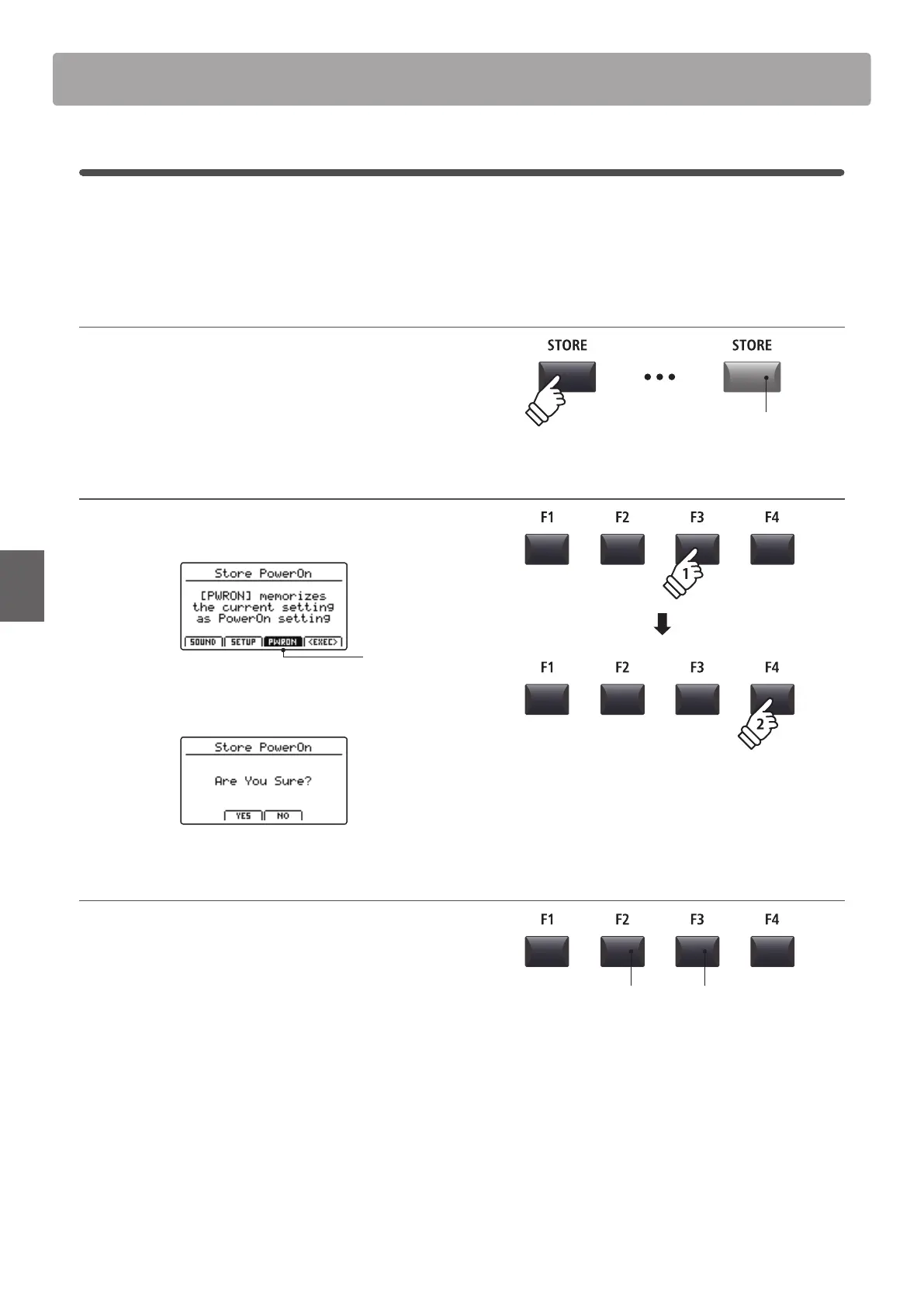
1. Entering the STORE screen
Press the STORE button.
The LED indicator for the STORE button will turn ON, and the
store selection screen will be shown in the LCD display.
2. Selecting the Store PowerOn function
Press the F3 function button (PWRON) to select the Store
PowerOn function, then press the F4 button (EXEC).
POWERON
selected
The Store PowerOn conrmation screen will be shown in the
LCD display.
3. Conrming the Store PowerOn operation
Press the F2 button (YES) to conrm the Store PowerOn
operation, or the F3 (NO) button to return to the previous
screen.
* The existing POWERON memory will be overwritten.
* The +/YES and –/NO buttons can also be used to conrm or cancel the
store operation.
* Please note that only the selected SOUND position (e.g. SK Concert
Grand) will be stored to POWERON memory, not the individual EDIT menu
settings (e.g. String Resonance) of that SOUND.
In order to memorise EDIT menu settings for a SOUND, please use the
Store SOUND function. (see page 64)
LED indicator ON:
STORE mode is selected
F3 button:
NO: Cancel
F2 button:
YES: Conrm



 To Next Page