25
Main Operation
2. Setting the MAIN zone key range
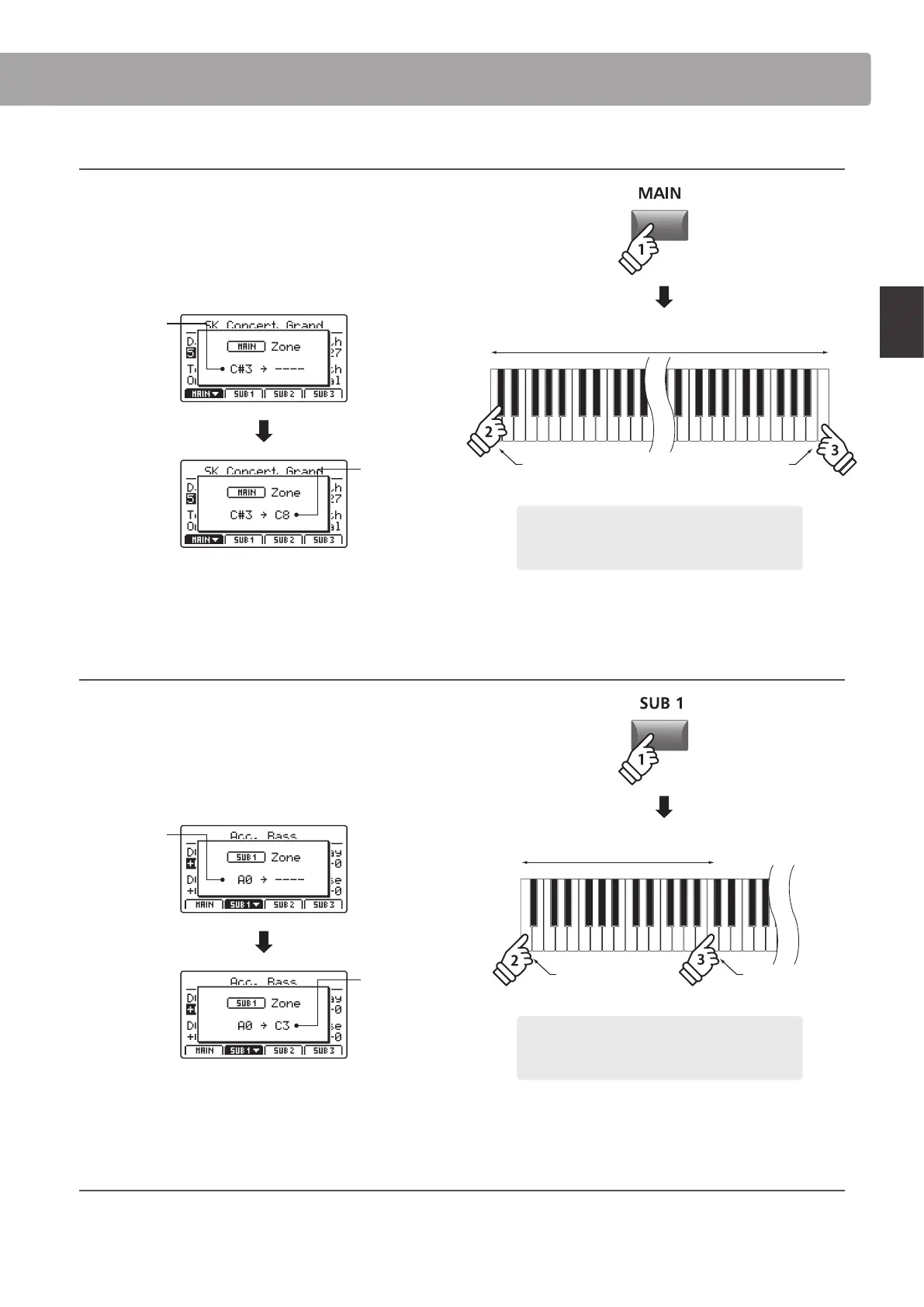
Press and hold the MAIN button, then press the desired low key,
followed by the desired high key for the zone.
The names of the pressed low and high keys will be shown in
the LCD display, and will become the new key range for the
MAIN zone.
Low key:
C#3
High key:
C8
The LED indicator for the MAIN button will also turn green to
indicate that a key range has been set.
3. Setting the SUB1 zone key range
Press and hold the SUB1 button, then press the desired low key,
followed by the desired high key for the zone.
The names of the pressed low and high keys will be shown in
the LCD display, and will become the new key range for the
SUB1 zone.
Low key:
A0
High key:
C3
The LED indicator for the SUB1 button will also turn green to
indicate that a key range has been set.
4. Playing the MAIN and SUB1 zone key ranges
Test the new zone key ranges by playing a chromatic scale from the bottom-most note of the keyboard. The bass sound will be heard
from the bottom-most key to the C3 key, and the piano sound will be heard from the C#3 key to the top-most key. This bass/piano
conguration is a popular combination for playing jazz standards.
Example: To set the MAIN zone key range between key
C#3 and C8, press and hold the MAIN zone button,
then press the C#3 key, followed by the C8 key.
* It is also possible to set the zone key range using the KeySetup parameters
in the EDIT menu. For more information, please refer to page 47.
hold
Example: To set the SUB1 zone key range between key
A0 and C3, press and hold the SUB1 zone button, then
press the A0 key, followed by the C3 key.
hold
Low key: A0 High key: C3
Zone key range
* It is also possible to set the zone key range using the KeySetup parameters
in the EDIT menu. For more information, please refer to page 47.
Low key: C#3
Zone key range
High key: C8
Zone Functions



 To Next Page