53210A Math, Graphing, and Data Logging 6
Keysight 53210A User’s Guide 171
CALCulate2:TRANsform:HISTogram:RANGe:UPPer
{<value>|MINimum|MAXimum|DEFault}
CALCulate2:TRANsform:HISTogram:RANGe:UPPer?
[{MINimum|MAXimum|DEFault}] (query form)
value
- directly specifies the histogram lower and upper range values. The value
ranges are:
-1.E+15 to -1.0E-15, 0.0, 1.0E-15 to 1.0E+15
The default lower and upper ranges and the ranges set following a reset (*RST) or
instrument preset (
SYSTem:PRESet) are 0.0.
When setting the ranges, both a lower range and an upper range must be
specified. Any of the following steps will prevent a “settings conflict” error (e.g.
lower range greater than upper range) due to the order in which ranges are set:
– setting the upper range first
– setting both ranges on the same line programmatically
– enabling the histogram after the ranges are set
– setting the ranges automatically
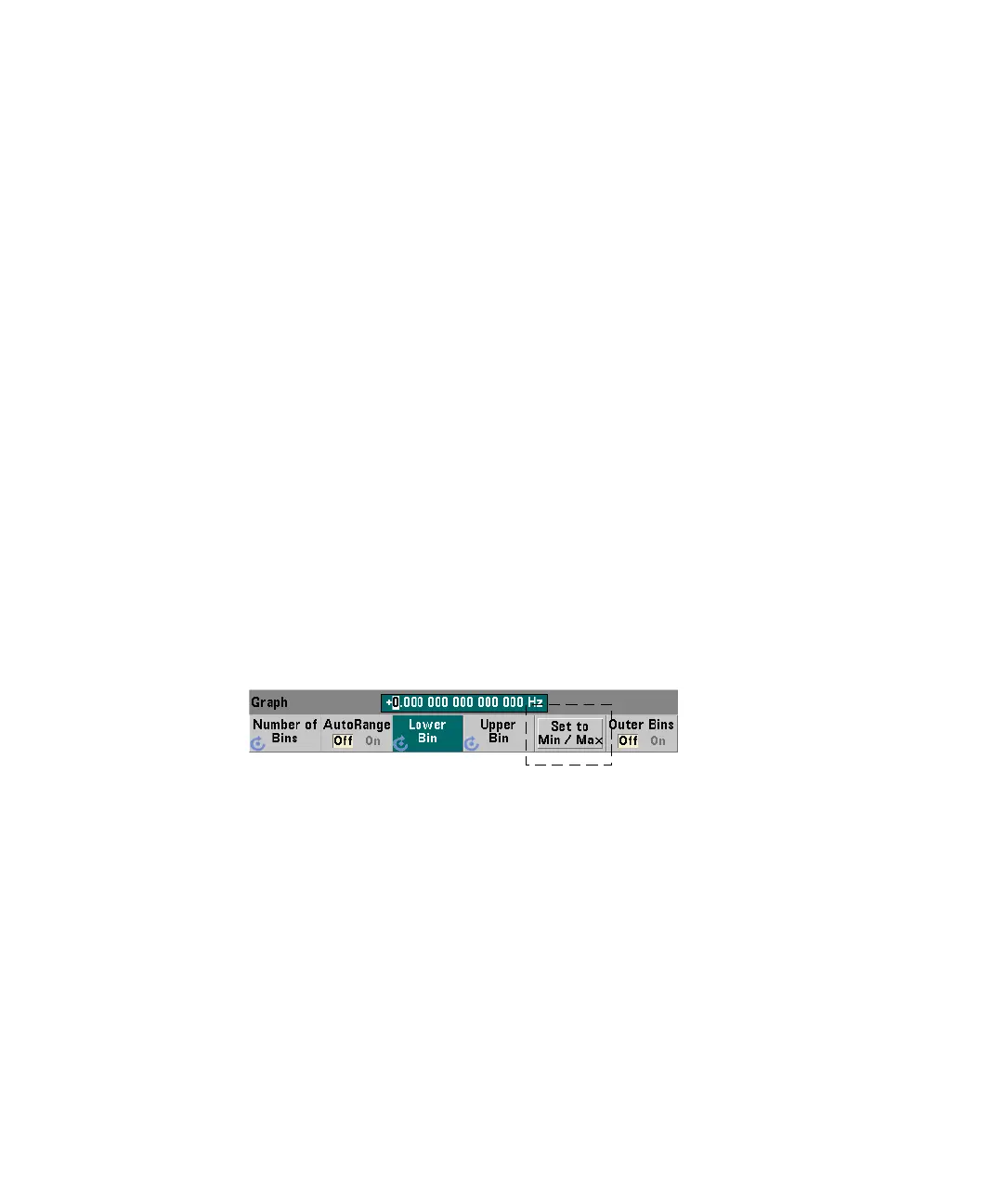
Setting the Bin Ranges to Min and Max
With AutoRange Off, the Set to Min/Max softkey is another method for setting
the histogram bin ranges (lower and upper). Depending on the instrument state,
Set to Min/Max will set the ranges as follows:



 To Next Page