48 TOS5200
Starting a Test
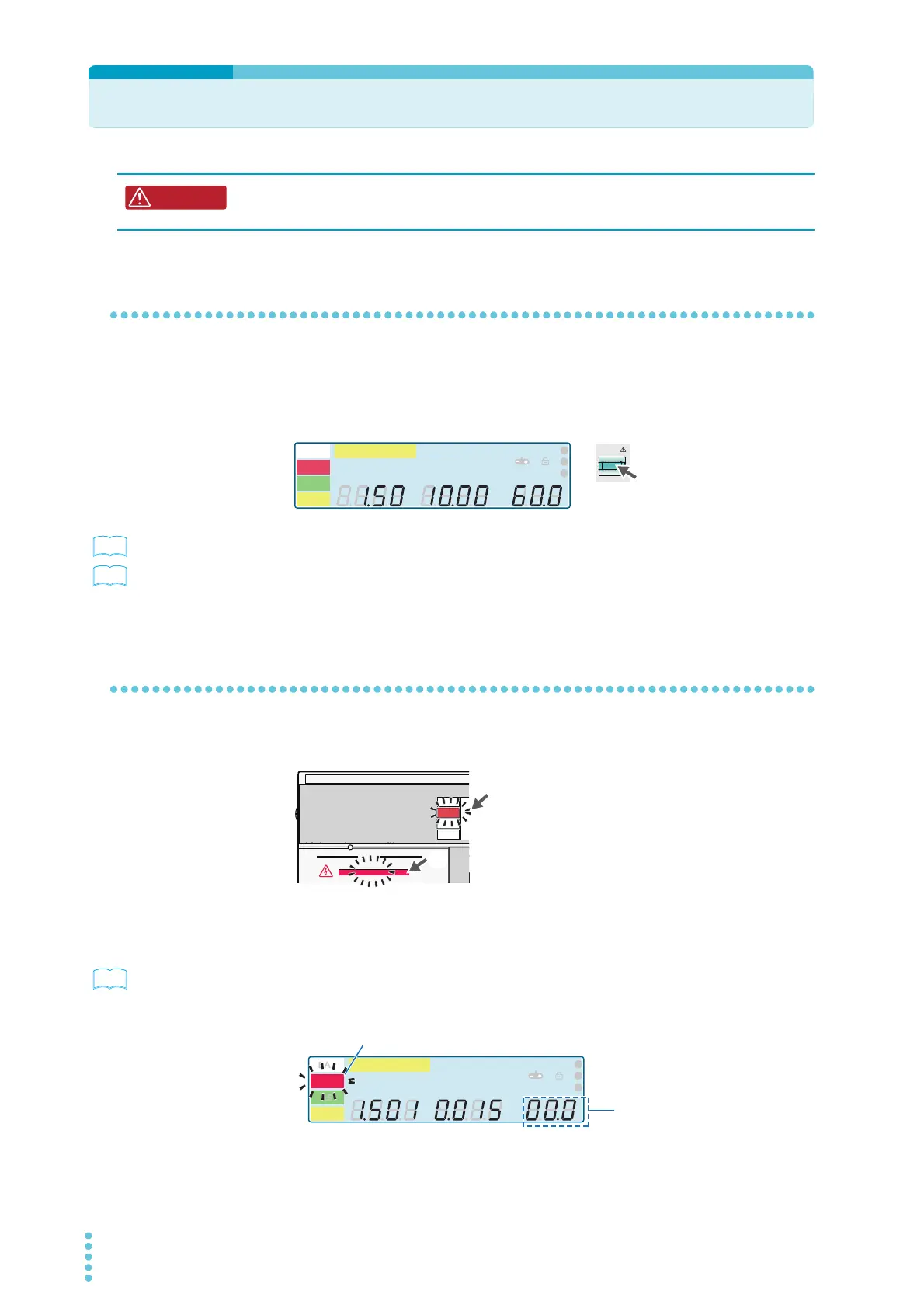
To start a test
1
Check that the TOS5200 is correctly connected to the DUT.
2
When the READY LED lights in white, press START.
p. 49
If the test does not start, see “If you cannot start testing”.
p. 65
If you want to start another test after testing finishes, set a wait time between tests as neces-
sary.
When a test starts
The TEST and DANGER LEDs light. The TEST LED lights in red.
If the start voltage and the voltage rise time have been set
p. 41 , p. 42 ,
p. 43
After the voltage rises to the start voltage or after the voltage rise time elapses, the TEST
LED lights in red, and the test starts. While the voltage is rising, the TEST LED blinks in red,
and the display counts up to the set rise time.
Risk of electric shock. During testing, do not touch the test leads and the DUT.
START
A
kV
Mȍ
mA
CONFIG
RISE TEST
RMS AV E MO RE CA L R M T
MT
LIMIT
50Hz 60Hz
UPPER
LOWER W COMP
1
2
3
READY
TEST
PAS S
FAIL
PROTECTION
OUTPUT
DANGER
Lit
Lit
The TEST and DANGER LEDs light.
The TEST LED lights in red.
TEST
A
kV
Mȍ
mA
CONFIG
RISE TEST
RMS AV E MO RE CA L R M T
MT
LIMIT
50Hz 60Hz
UPPER
LOWER W COMP
s
1
2
3
READY
TEST
PAS S
FAIL
PROTECTION
Counts up the
voltage rise time
Blinking



 To Next Page