117
14. OPTIONAL EQUIPMENT
14.1 Specication
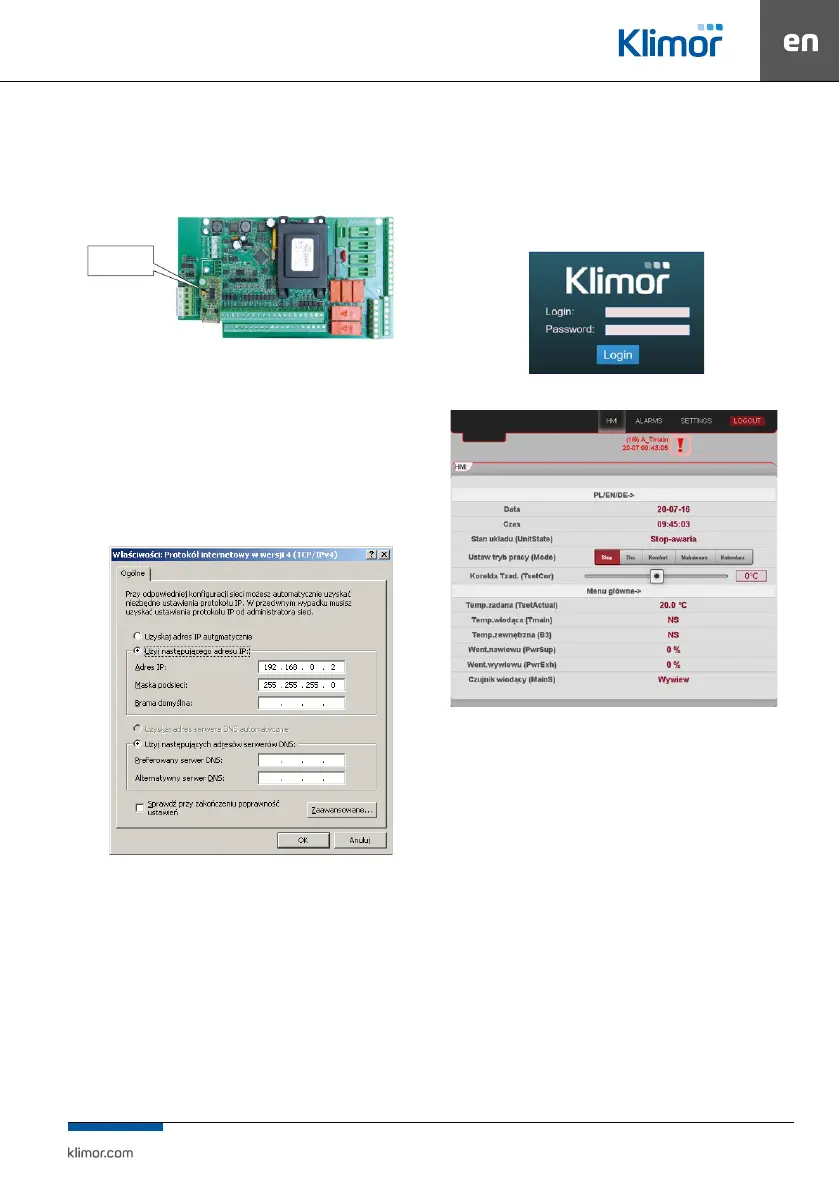
14.1.1 Ethernet card
Fig. 31
NOTE:
Before installing the ETH card, remove the standard exter
-
nal memory from the ETH connector.
To connect from a local computer directly connected by
cable to the ETH card of the controller you need to:
Set the following values in the network card settings of the
computer for TCP4 protocol:
Fig. 32 Computer network card settings for TCP4 protocol.
Then start your web browser and enter the default contro
-
ller address: Then open the Internet browser and enter the
default controller address:
After entering the login and password and conrming the
„Login”, the controller’s HMI screen will appear, in which we
can make settings and readings of the full controller menu.
Fig. 33 Login window.
Fig. 34 Controller HMI screen.
The controller has Ethernet interface so in order to connect
the controller in wireless mode with local wireless network
(WIFI) please use an additional router – congure a local
WIFI network as a access point and then connect the con-
troller to the router. The network settings of the router and
the controller must be compatible. Ports must be forwar-
ded to an external router address.
ETH card with RJ45
connector



 To Next Page